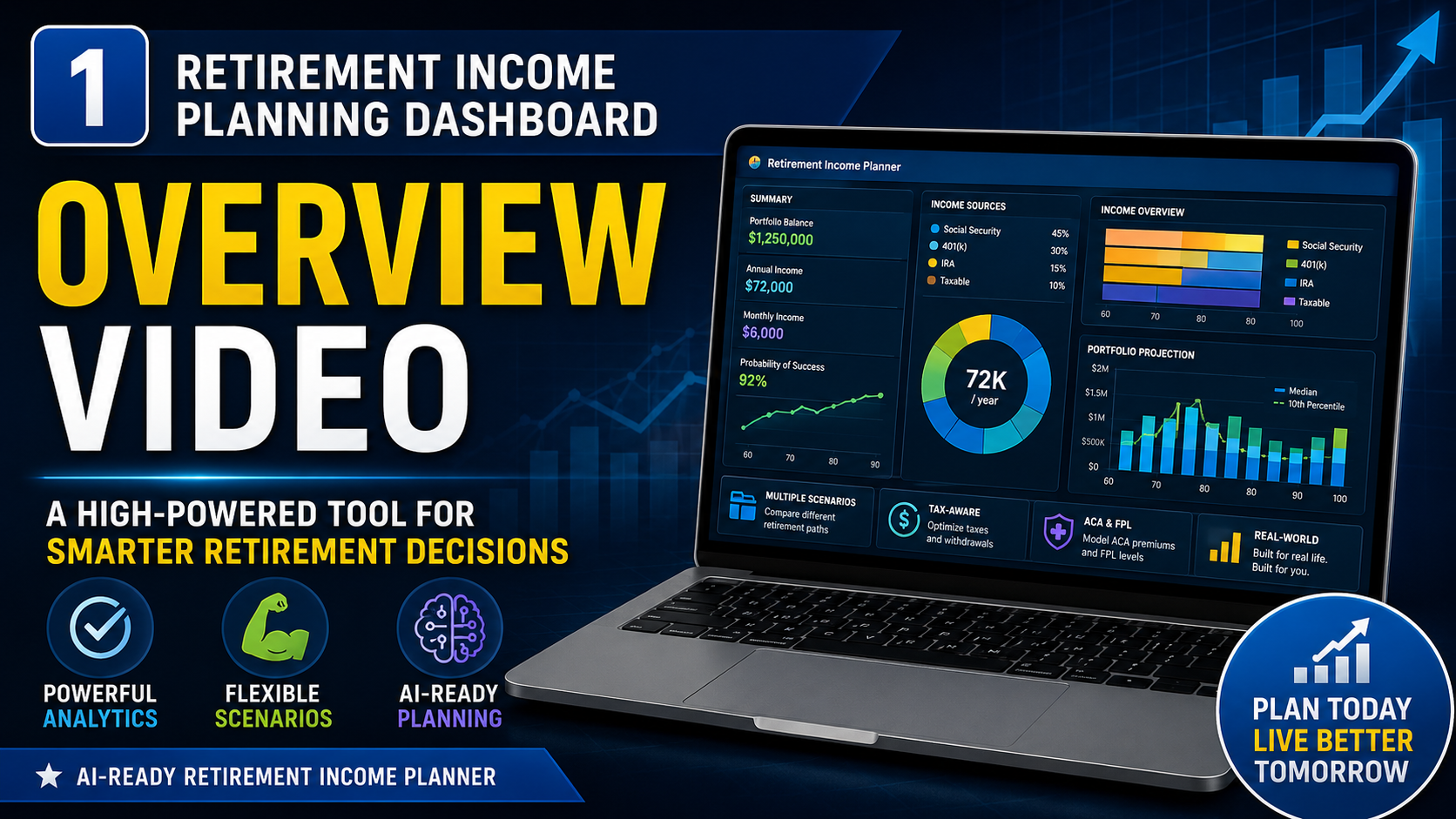
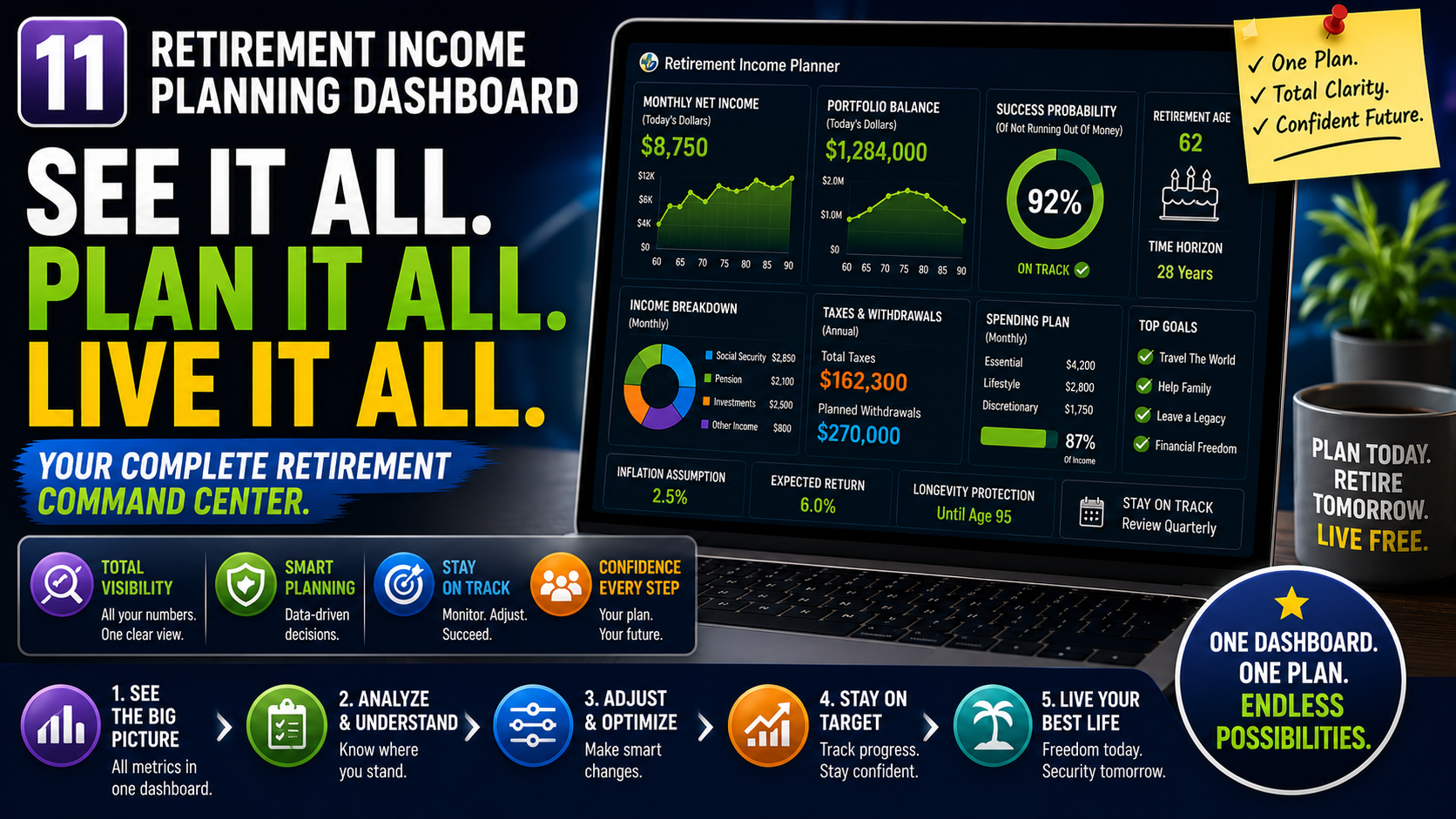
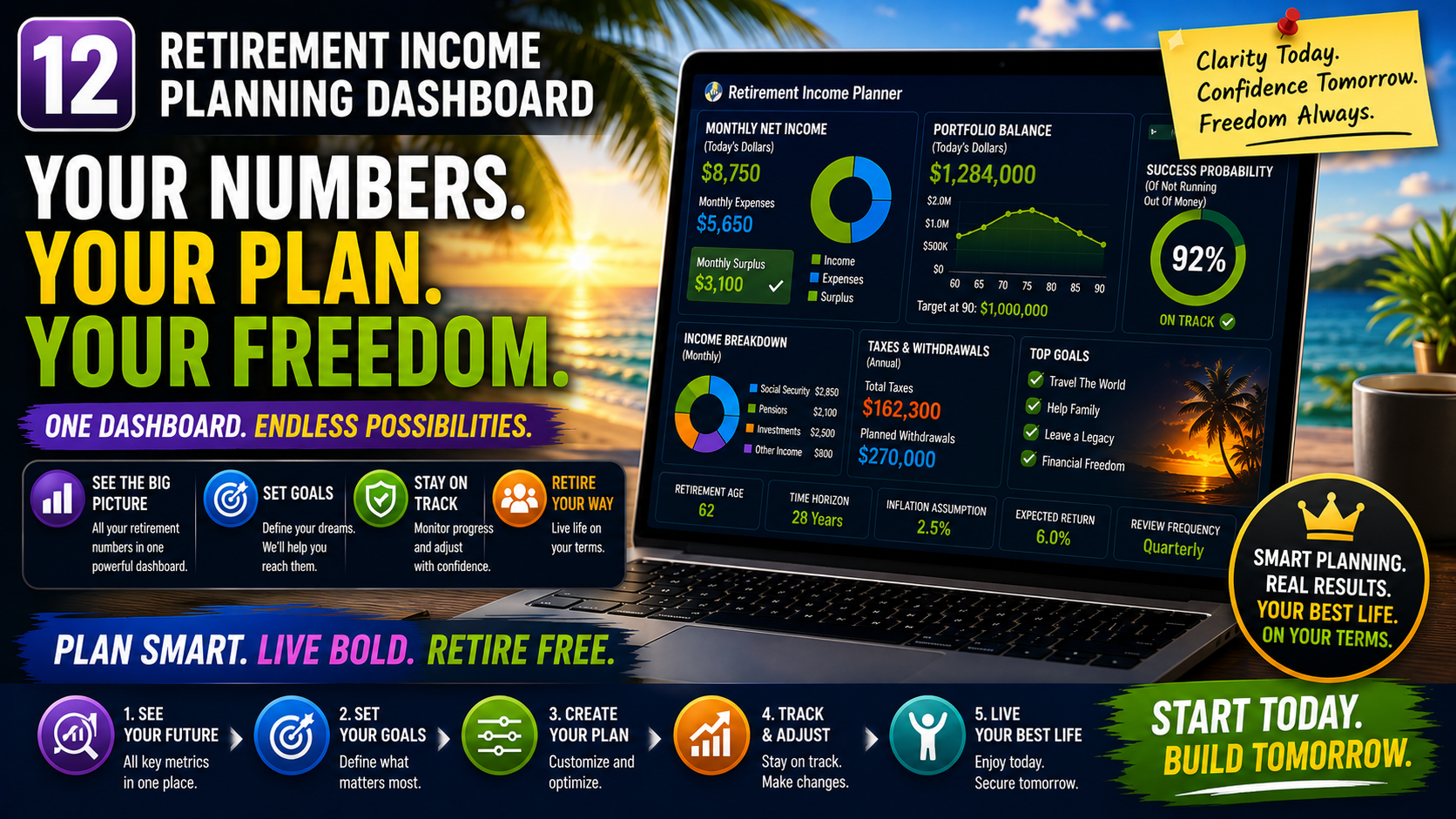
The first retirement planner you can chat with, that teaches you as you plan, and builds confidence.
Buy it once. Stay accurate for years. Chat with it. Print it. Trust it.
Comparable planning capabilities to $100–$500/year retirement software. No subscription. No account required.
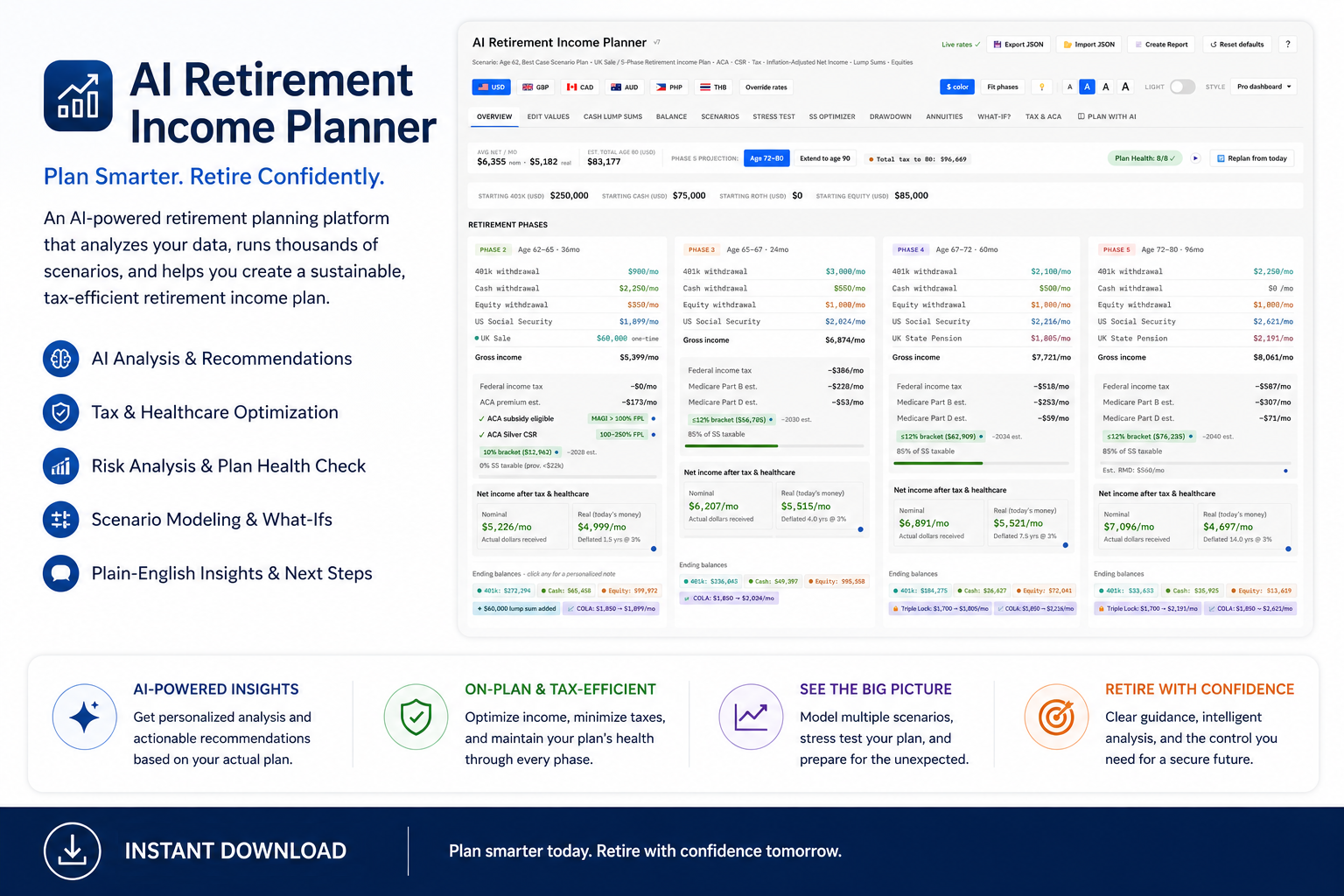
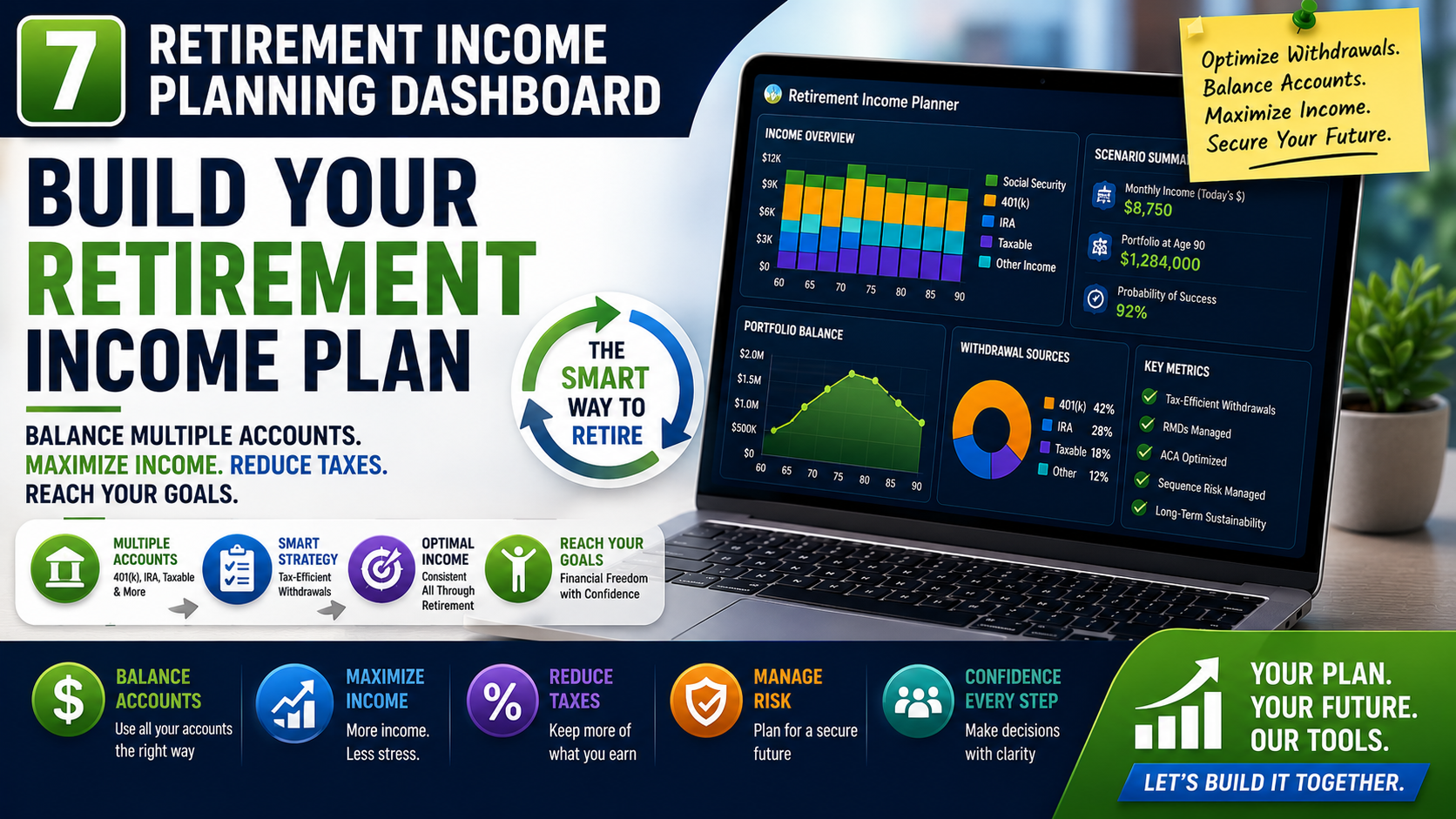
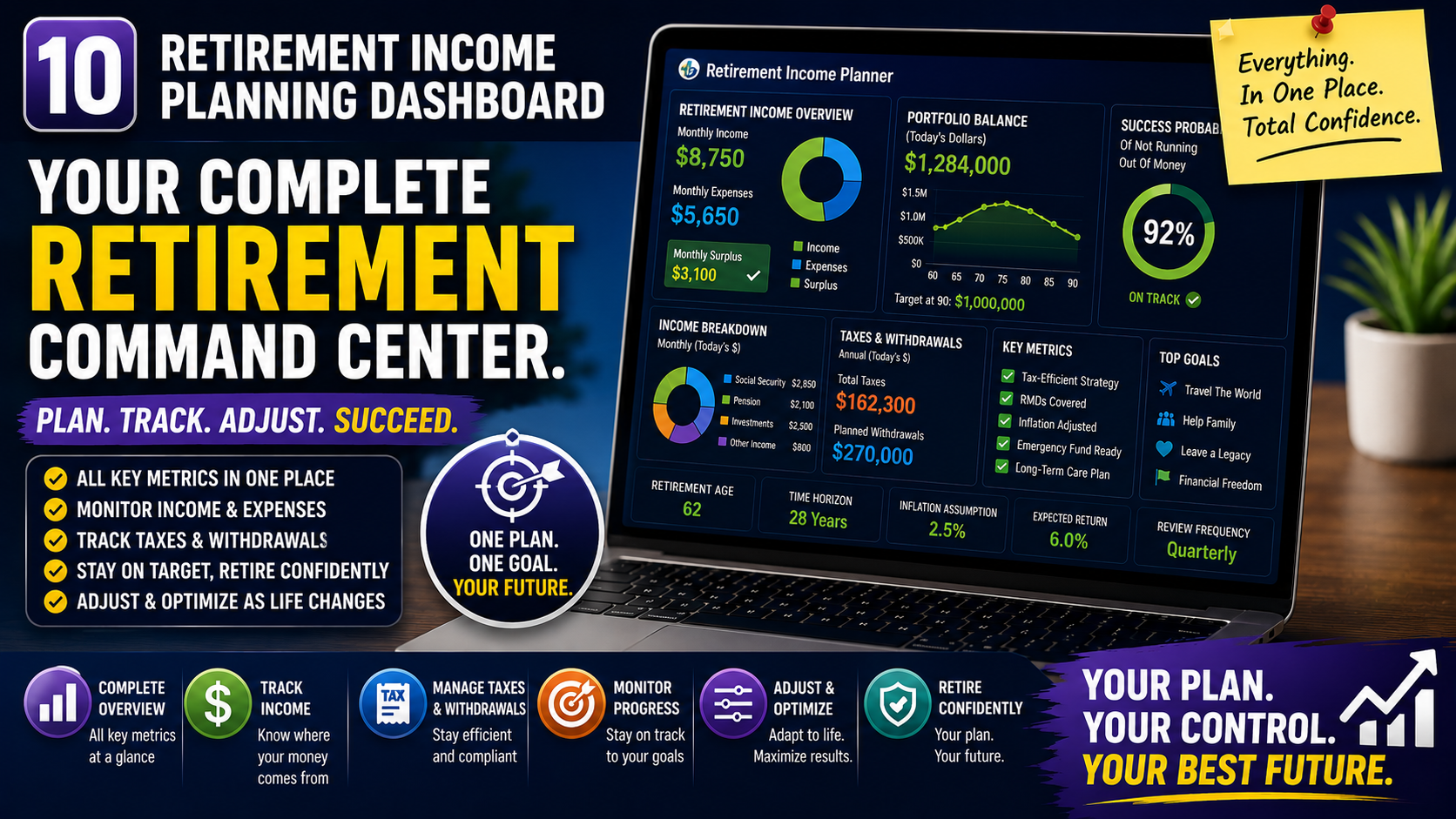
Plan retirement income, taxes, healthcare costs, Social Security, pensions, withdrawals, and expat scenarios — all from one private browser-based dashboard.
After months of development and refinement, we're excited to announce the launch of the new AI Retirement Income Planner website.
Visit us at: https://airetirementincomeplanner.com/

For extensive tips, trick and how to's visit our regularly updated Facebook page.

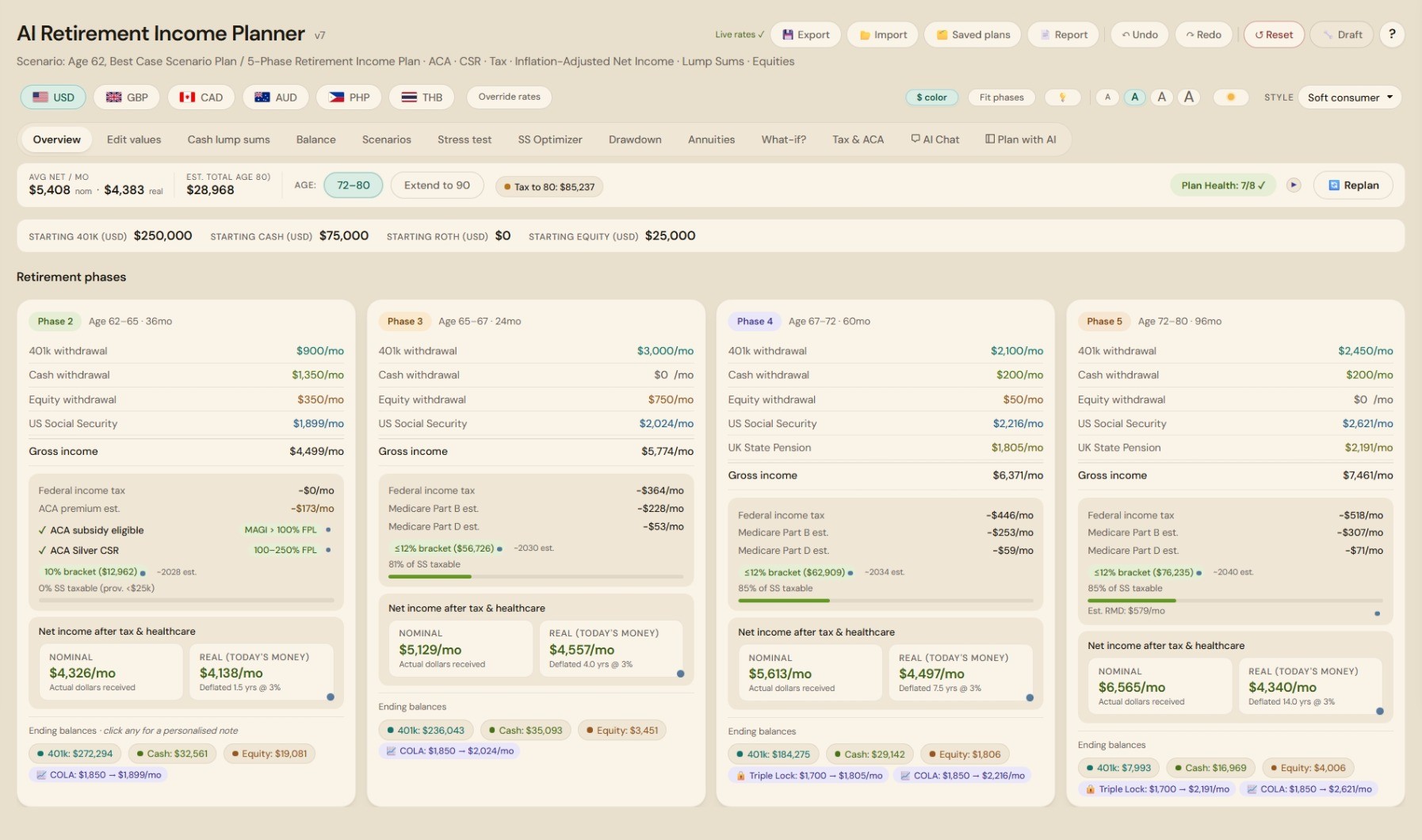
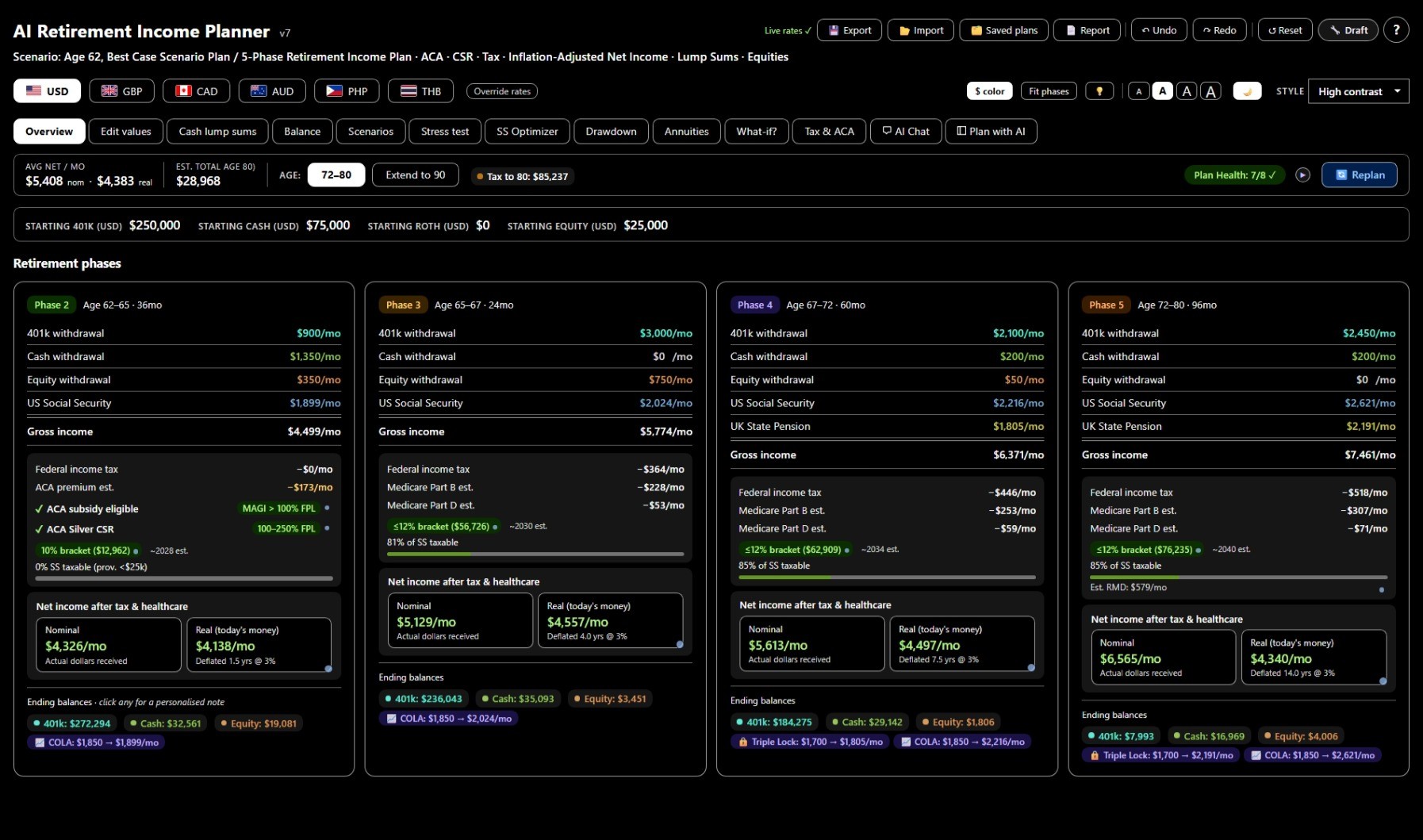
🖥️ This is the real planner - same tabs, same charts, same analysis tools - pre-loaded with a sample plan so you can click around and get a feel for it.

The planner and this demo are desktop applications — they work best on screens (1920×1080 or higher).
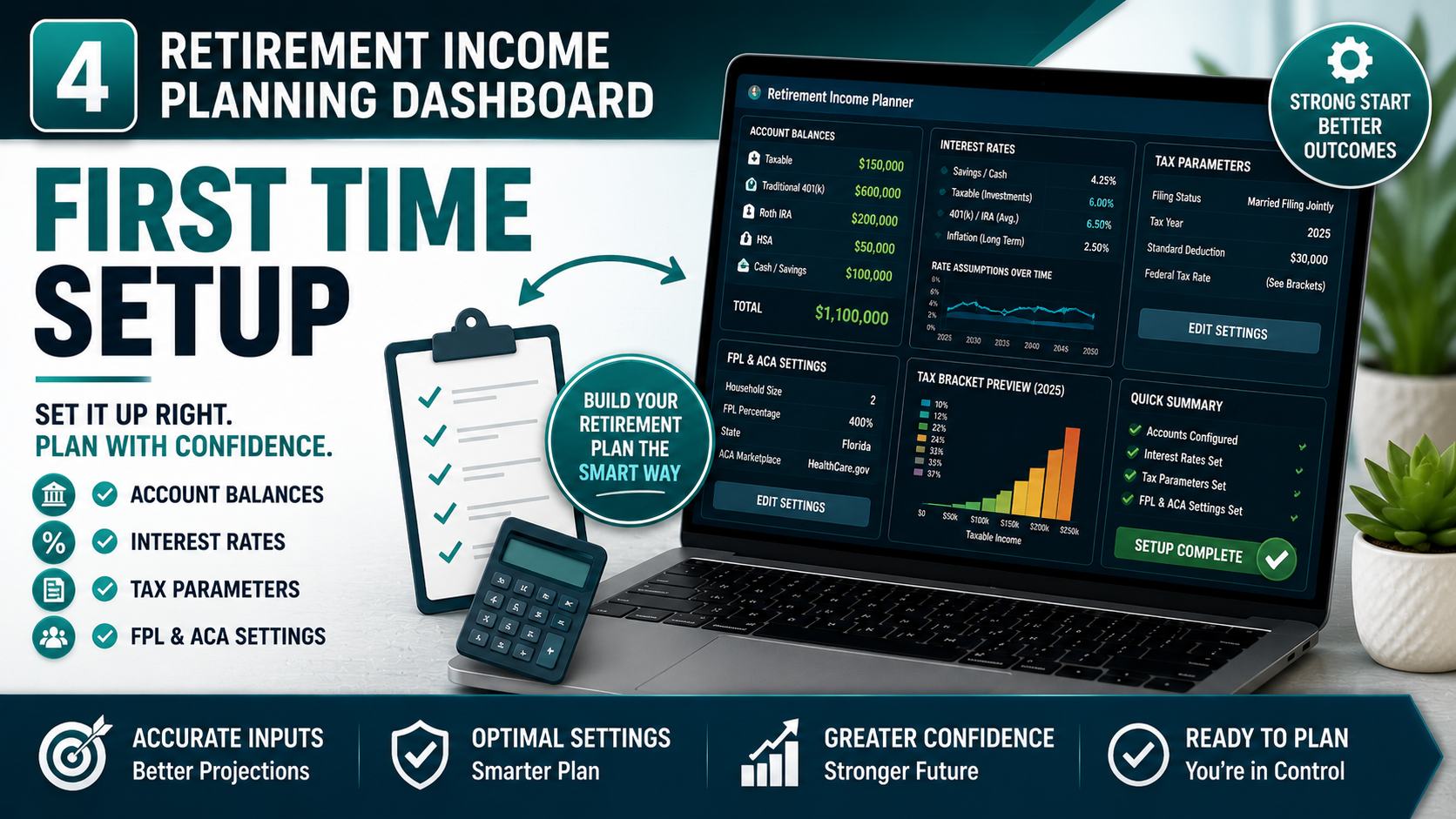
Open the file, enter your numbers, and instantly see how your retirement income could play out month by month …now stress-tested against real market history.
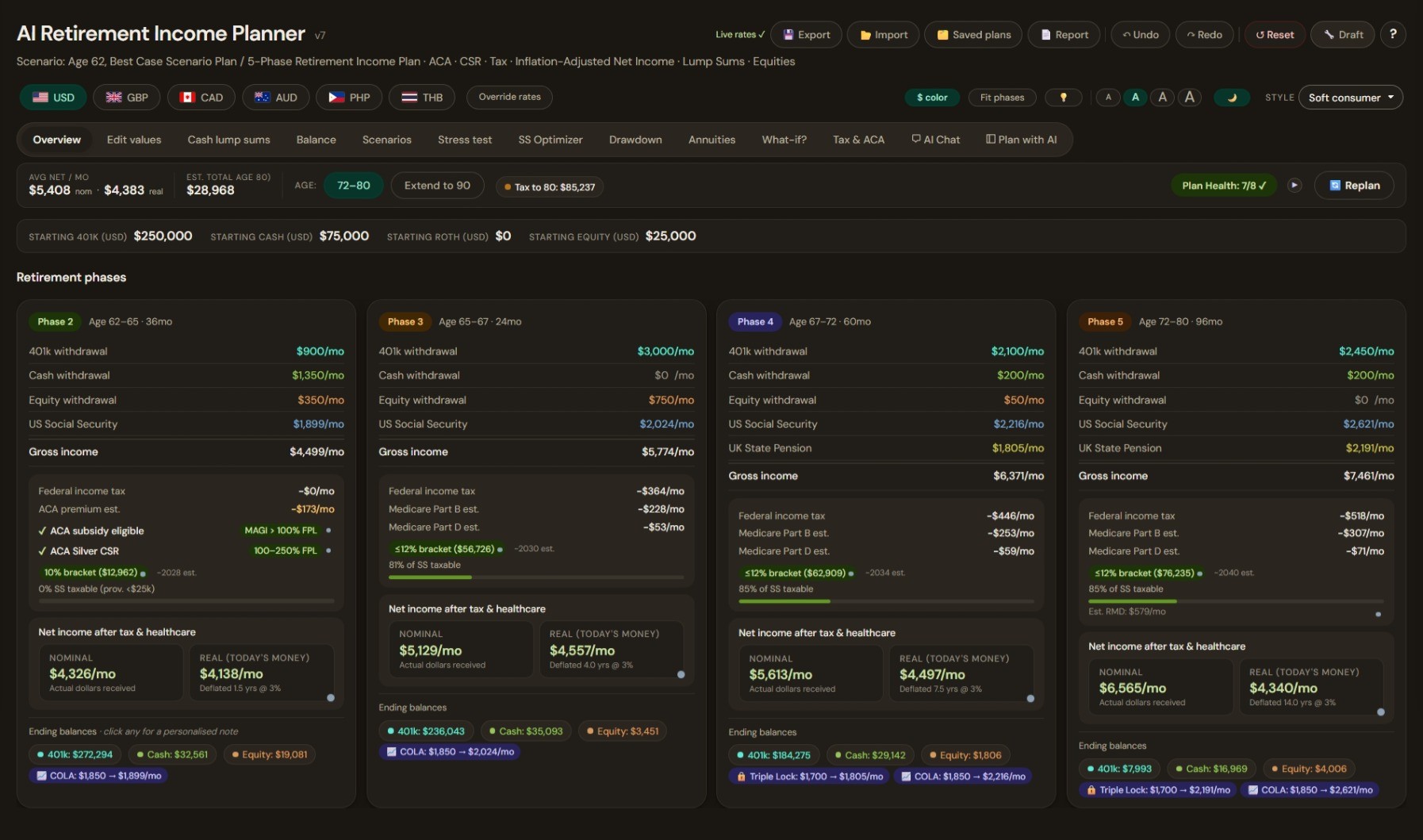
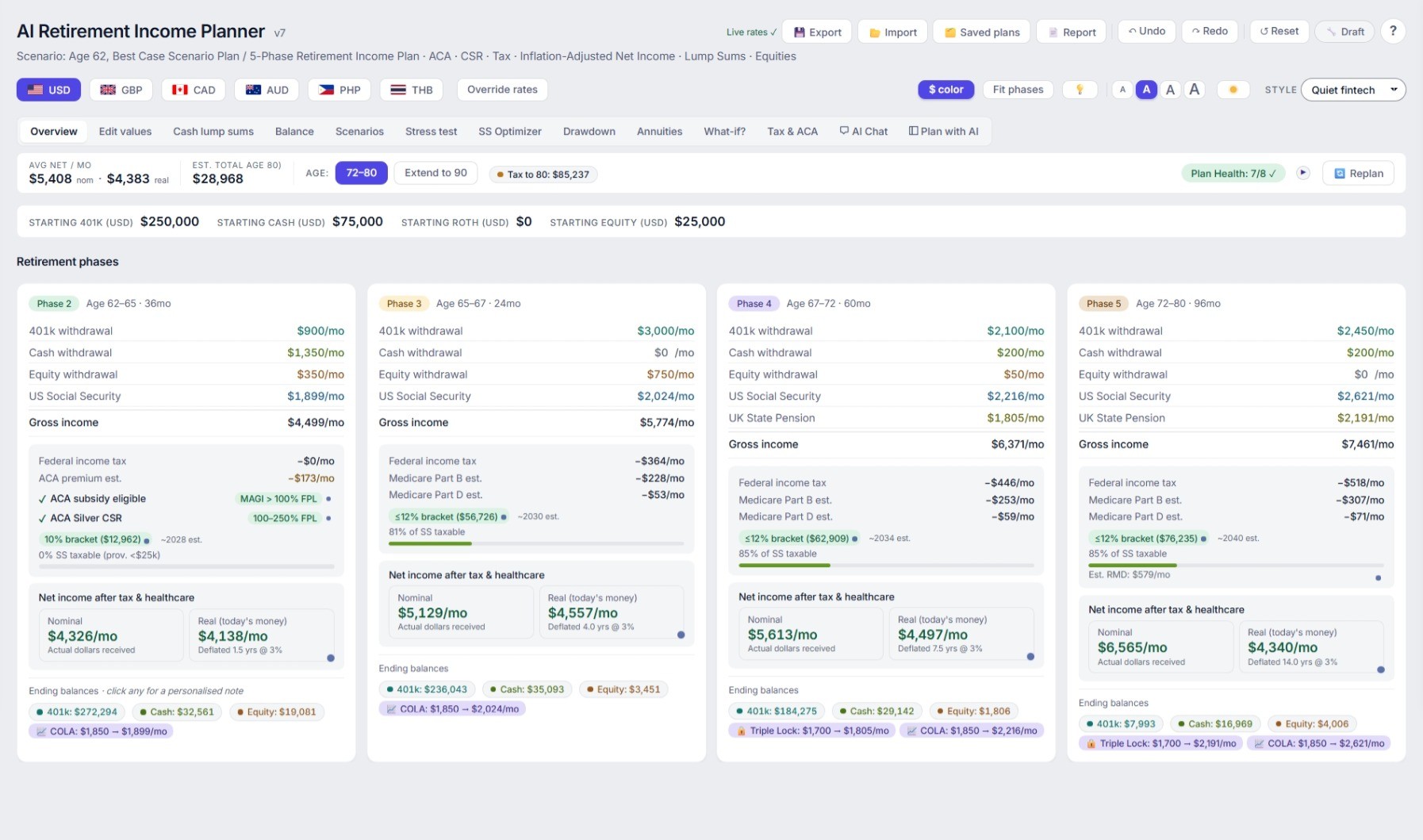
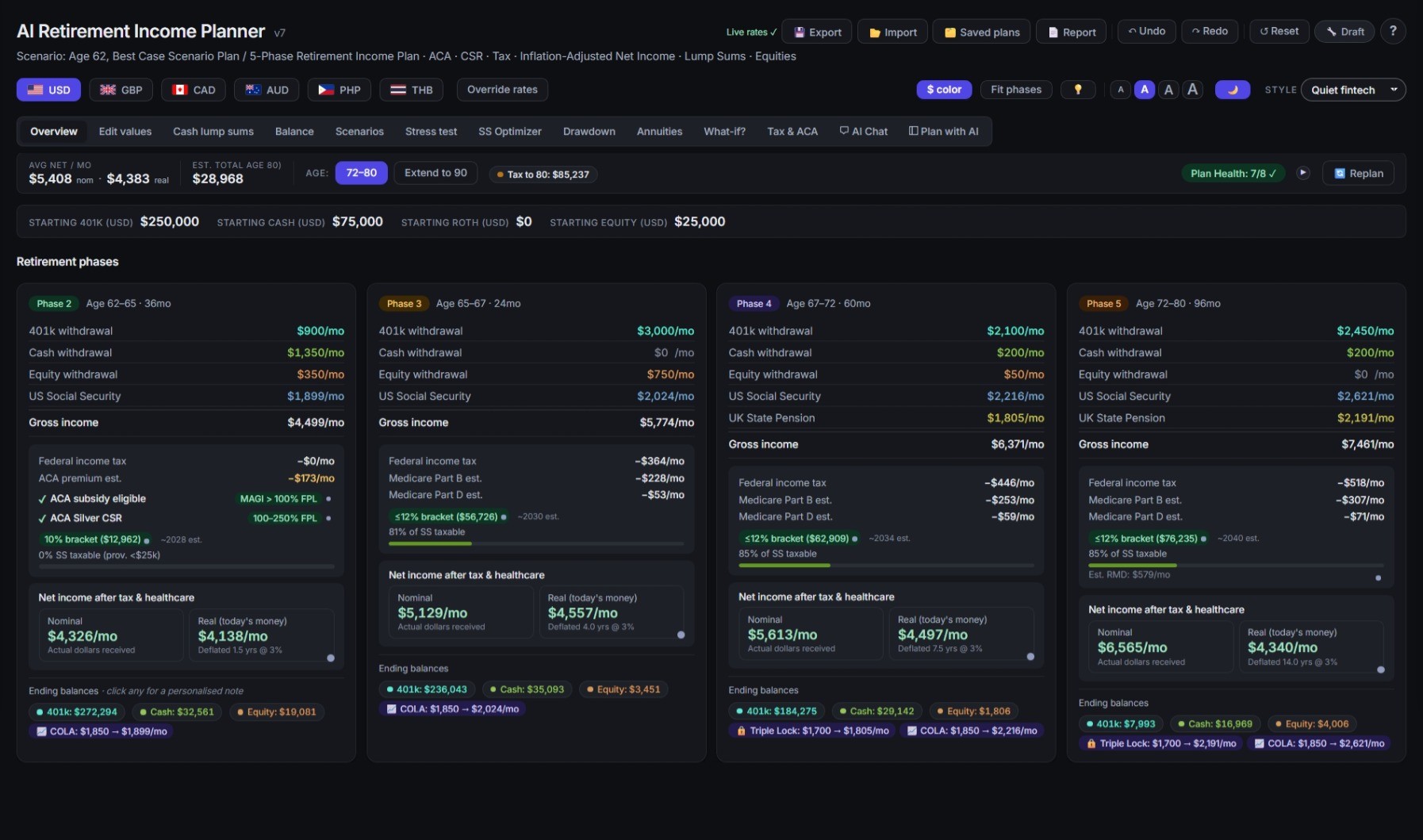
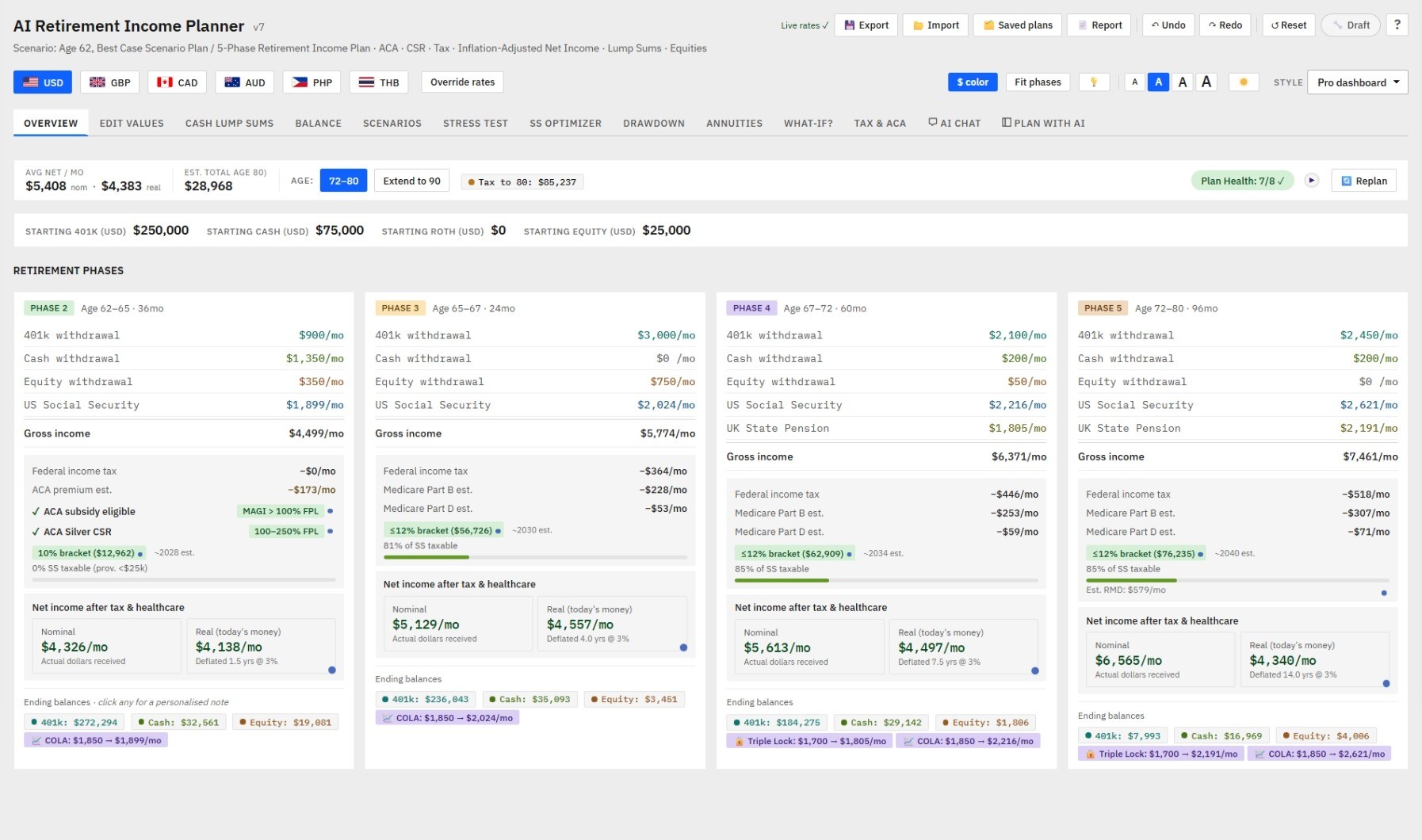
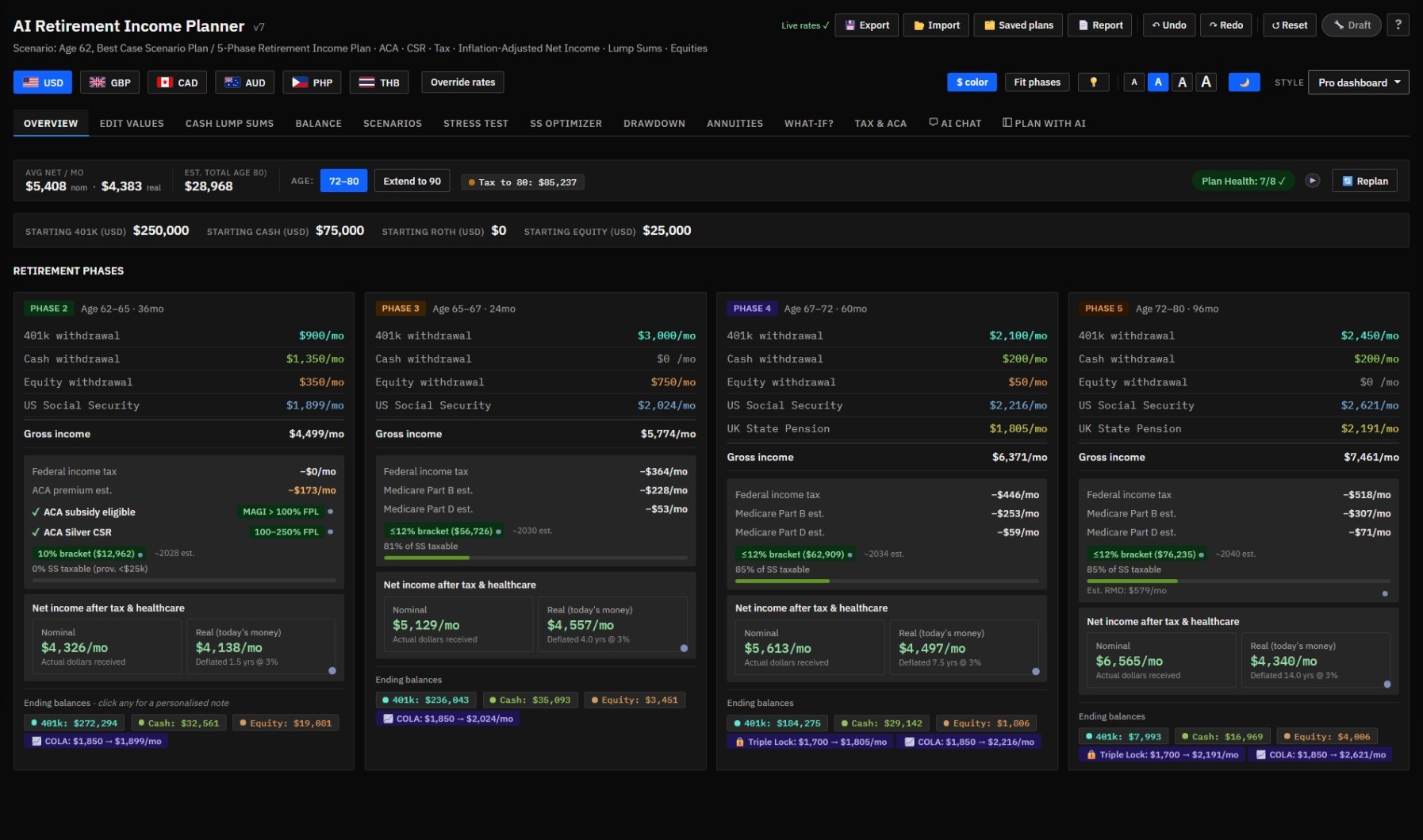
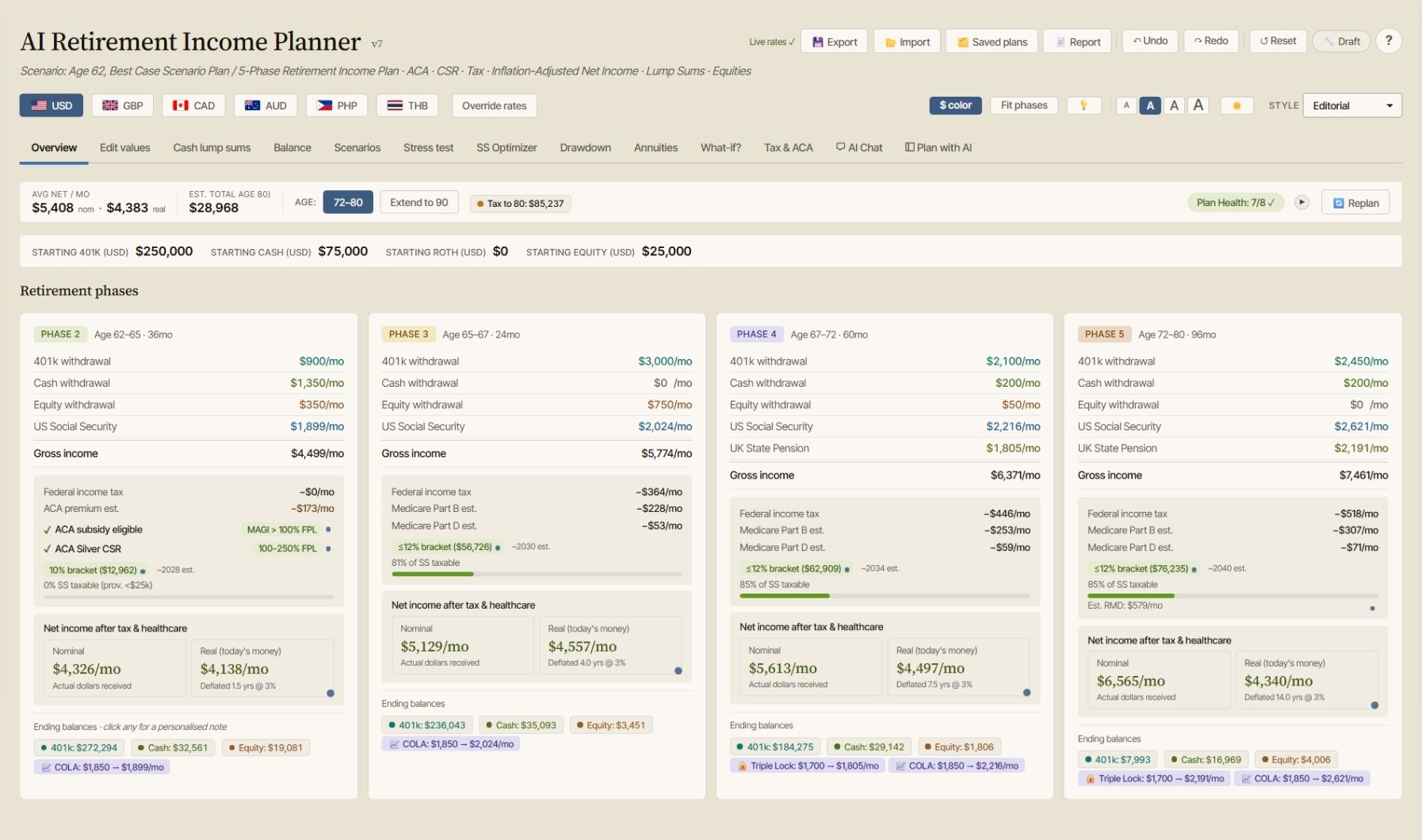
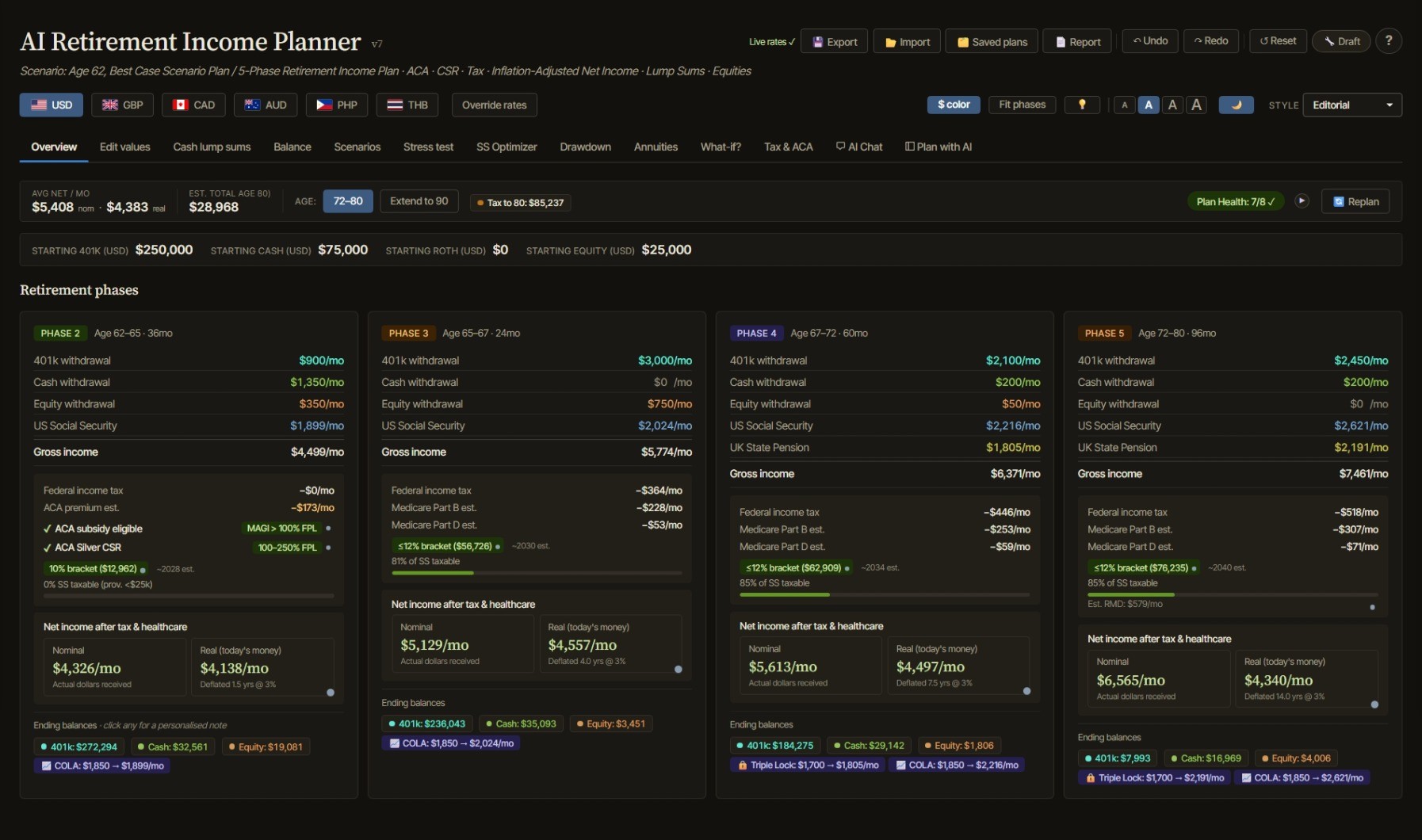
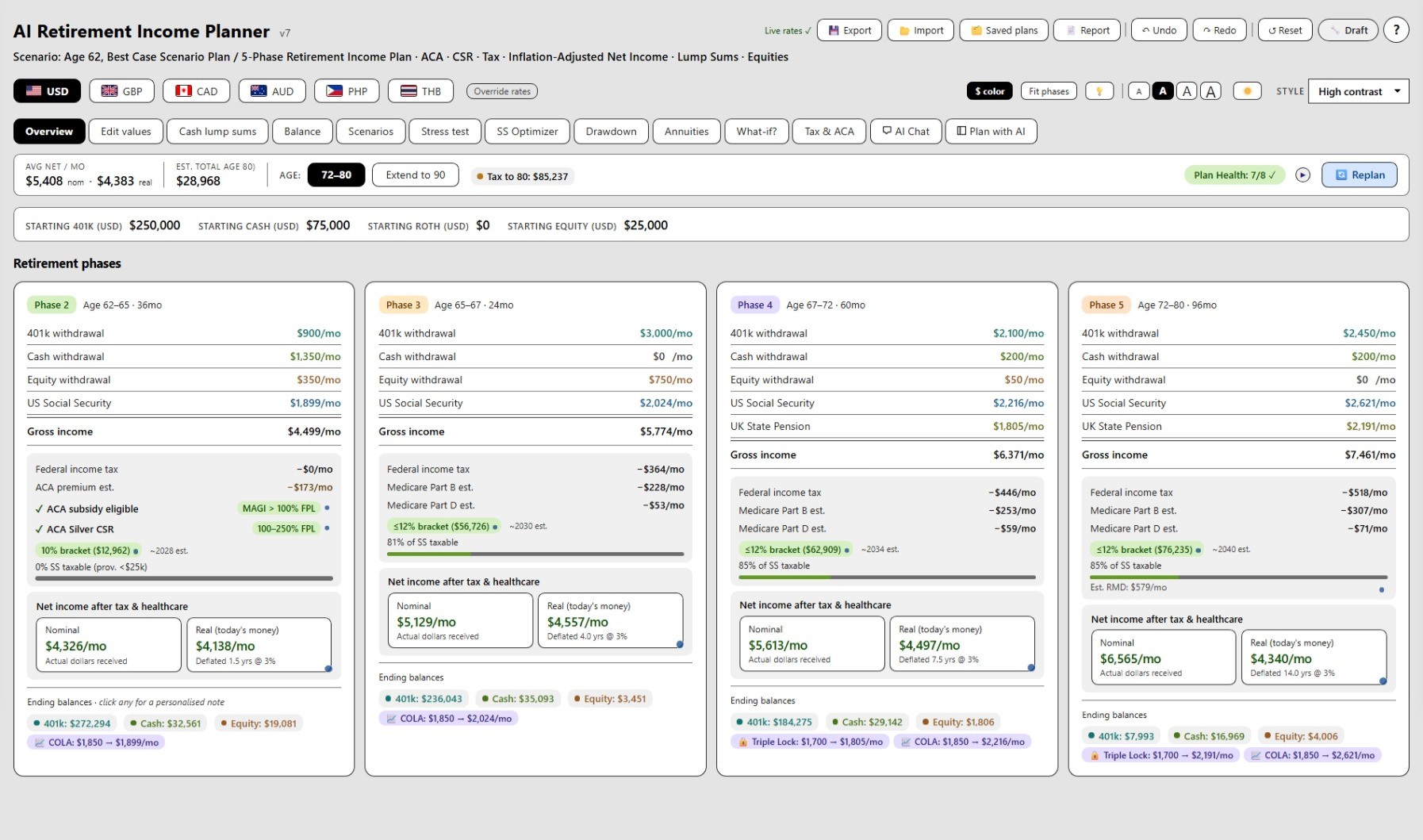
Many of today's most popular retirement planning platforms charge recurring subscription fees ranging from $100–$500+ per year, often requiring you to create accounts, connect financial institutions, and store sensitive financial data in the cloud.
The AI Retirement Income Planner takes a different approach.
You get the retirement income planning features typically found in premium platforms—including Monte Carlo analysis, historical backtesting, tax-aware retirement modeling, Roth conversion planning, Social Security optimization, healthcare cost analysis, stress testing, and advanced withdrawal strategies—all in a private, downloadable application that you own.
Premium Planning Features Without the Subscription
Unlike many subscription-based retirement tools, the planner includes:
✅Monte Carlo and historical backtesting analysis
✅Advanced retirement income and withdrawal planning
✅Roth conversion, RMD, IRMAA, ACA, and tax-impact modeling
✅Social Security claiming optimization for couples and survivor‑income planning
✅Inflation and sequence-of-returns stress testing
✅Multi-currency and expatriate retirement support
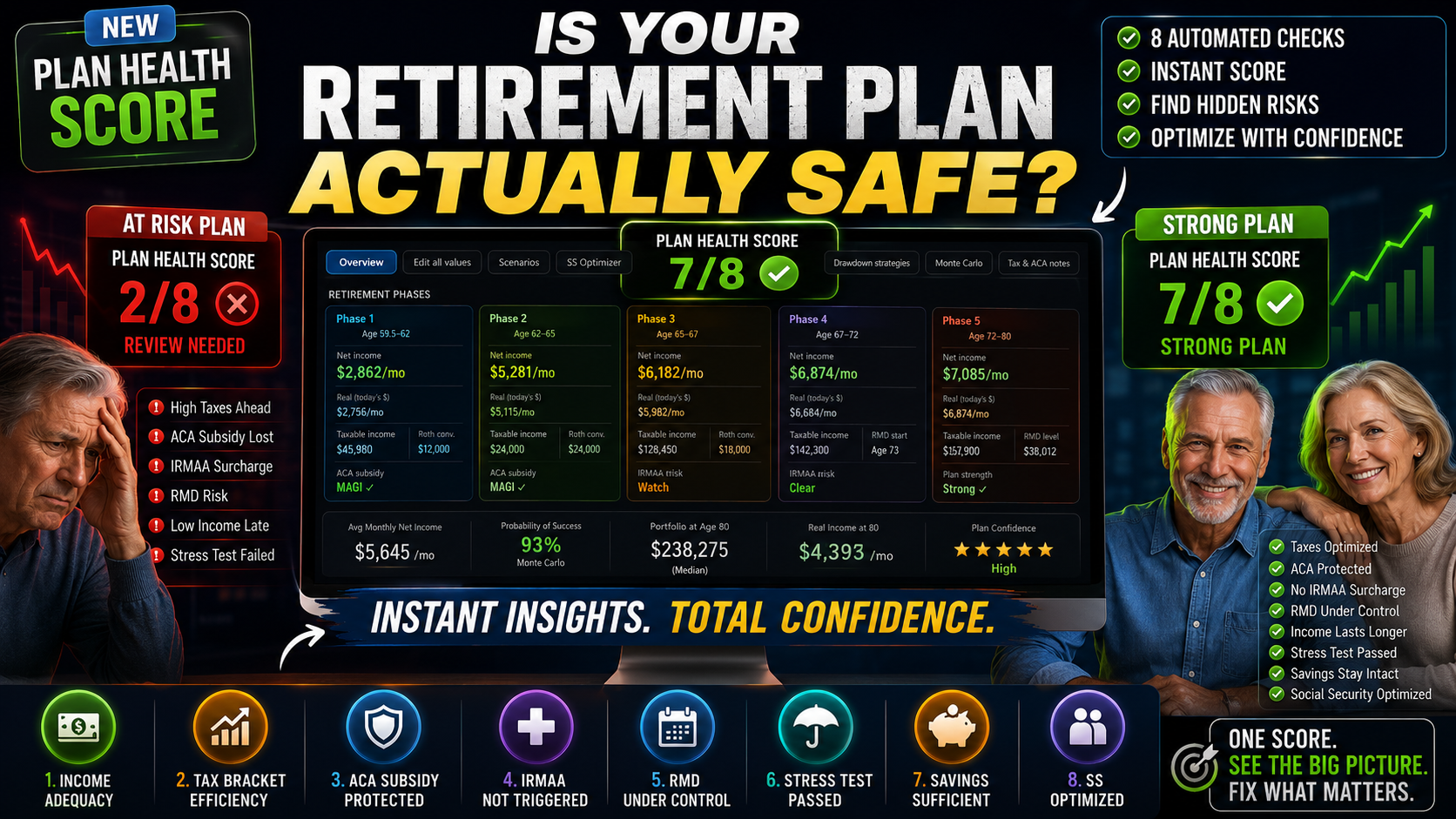
✅Detailed retirement health scoring and confidence metrics
More Than a Calculator — An AI Planning Assistant
Most retirement tools provide projections and charts.
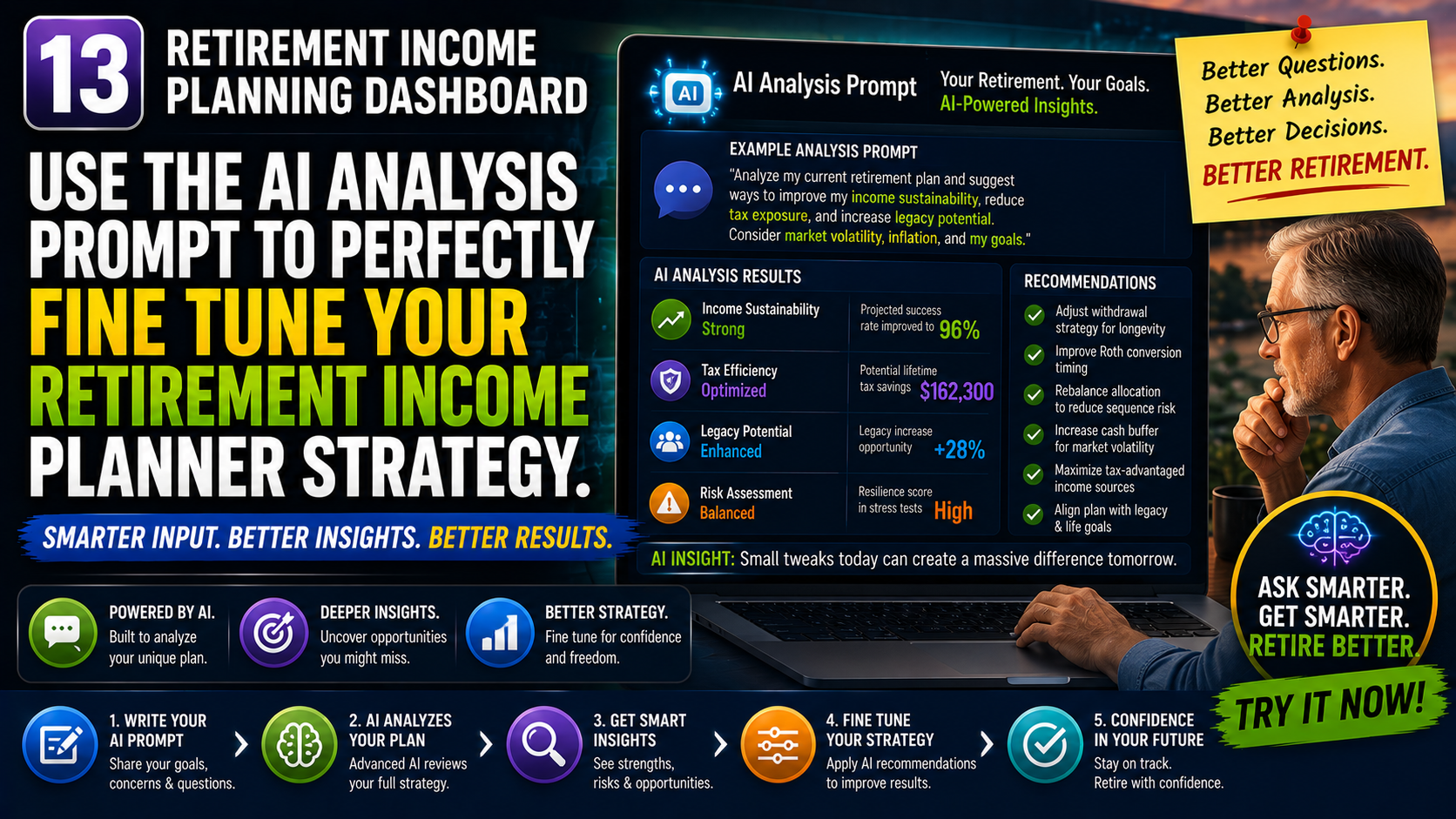
The AI Retirement Income Planner goes further with an integrated AI co-pilot that can analyze your plan, suggest improvements, test potential changes, verify the results, and explain the trade-offs in plain English.
Instead of simply showing numbers, it helps you understand your retirement strategy and build confidence in the decisions you make.
Built for Education, Not Just Calculation
Many retirement planners assume users already understand concepts such as sequence risk, withdrawal strategies, Roth conversions, inflation impacts, and healthcare costs.
This planner was designed to teach while it plans.
Interactive explanations, educational guides, planning insights, videos, glossary references, and contextual help are built directly into the experience so you can understand not only what the plan recommends, but why.
Your Data Stays Yours
Perhaps the biggest difference is privacy.
No account. No subscription. No bank connections. No financial data uploaded to third-party servers.
Everything runs locally, giving you complete ownership and control over your retirement planning information.
The Smart Alternative to Expensive Retirement Planning Software
If you're looking for budgeting tools, bank aggregation, or a full personal finance platform, there are products designed for that.
If your goal is creating a retirement income plan, understanding your options, stress-testing your strategy, and building confidence in your retirement future, the AI Retirement Income Planner delivers capabilities comparable to many premium retirement planning platforms at a fraction of the cost.
Before you invest hundreds of dollars per year in retirement planning software, see how the leading tools compare side-by-side. Discover where the AI Retirement Income Planner stands out, which features matter most in real-world retirement planning, and why many users are switching from expensive subscription-based alternatives.
Download Now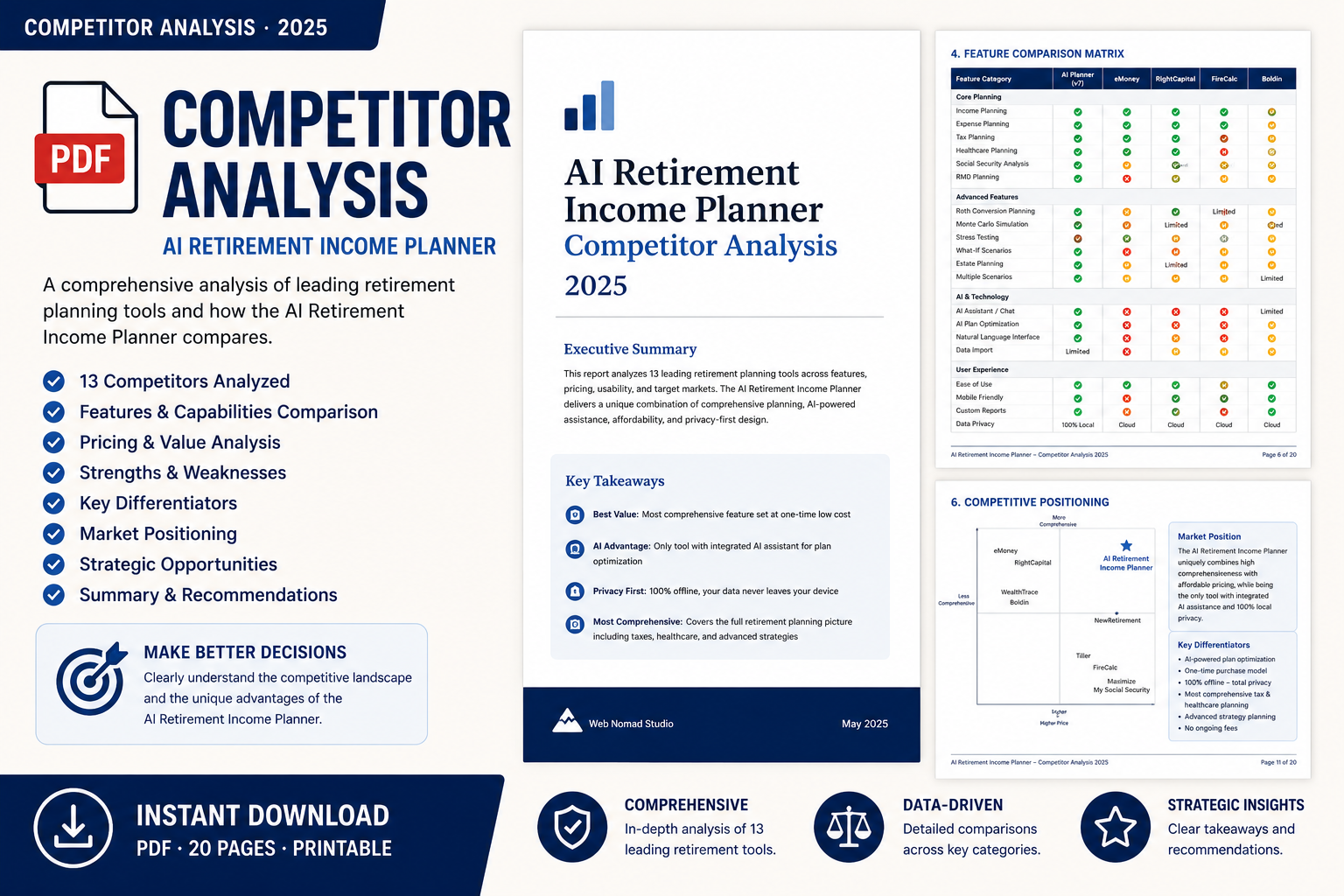
To learn more about the features and capabilities of version 7, and see the power and complexity included in the planner, download the full technical specifications below.
Download Now
Build a Retirement Plan You Can Question
A practical guide to organizing retirement income, testing withdrawals, and using AI to review your own plan.
For sale on Amazon.
Get the eBook FREE
Sign up to our newsletter to download your free copy now.
Download eBook Now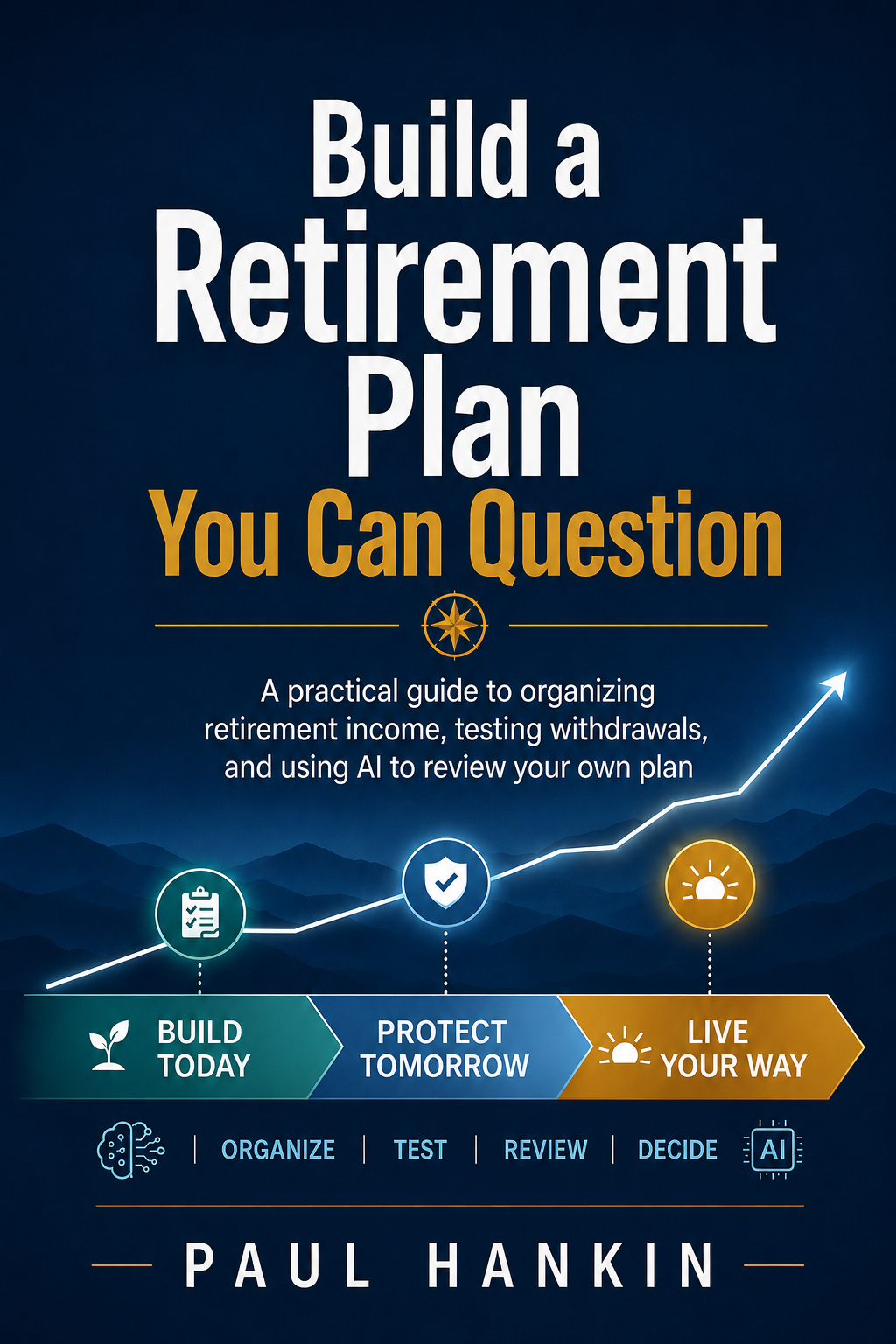
A 73-page step-by-step user manual covering every feature in v7 — written in the same friendly, plain-English voice as the planner'sown ⓘ explainers. Organised into 7 parts and 37 chapters: Getting Started, Building Your Plan, Understanding Your Results, AI Features, Specialised Tools (annuity, what-if, SS optimiser, Roth Optimizer integration), Learn-as-You-Plan, Settings & Maintenance, plus a Glossary. Ideal for anyone who wants to learn the planner systematically or print as a reference.
Download User Guide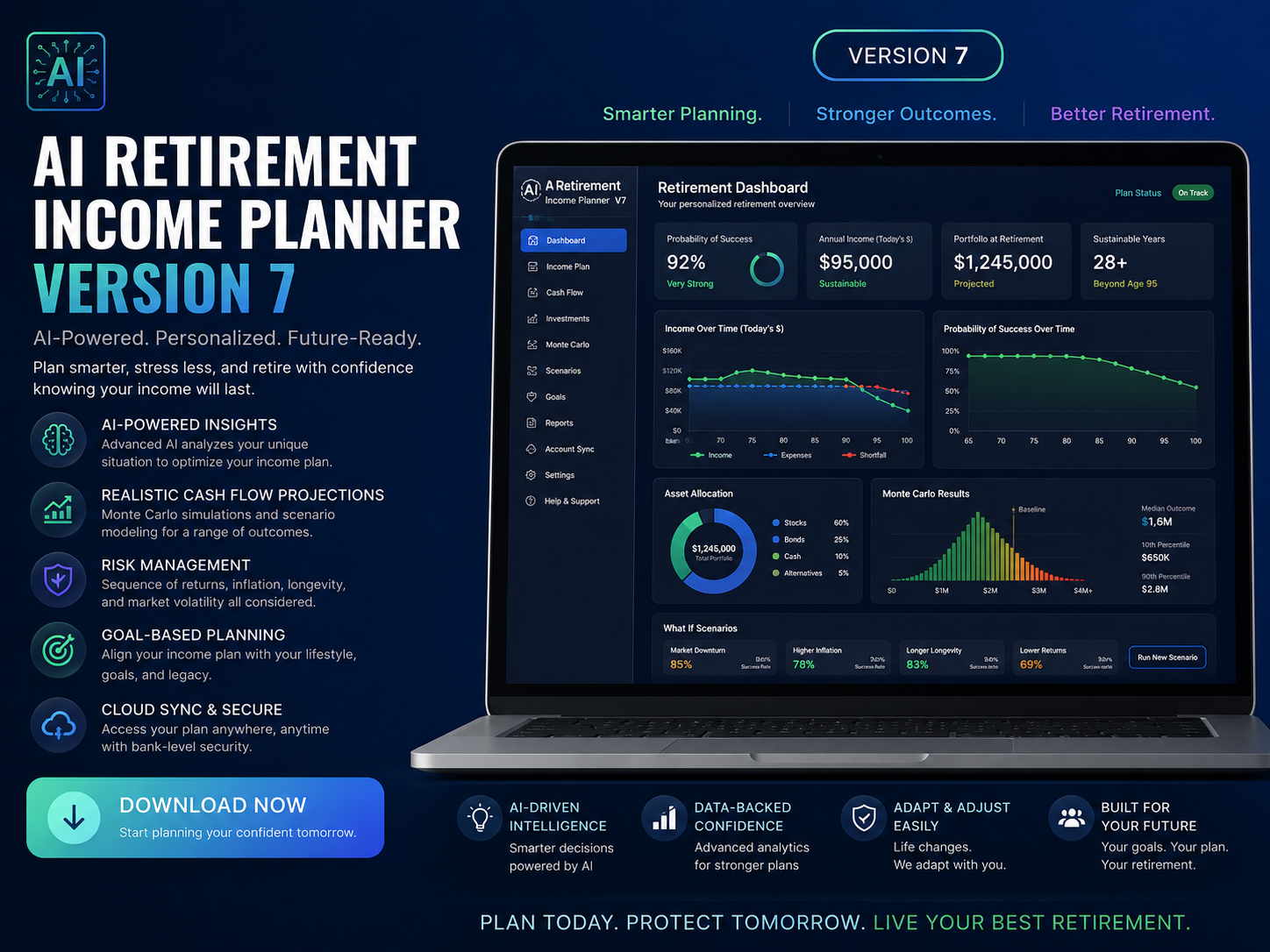
The AI Retirement Income Planner doesn't just produce projections—it explains them. This sample report shows how the planner interprets your retirement strategy, highlights potential risks, and teaches the concepts behind its recommendations.
Download Now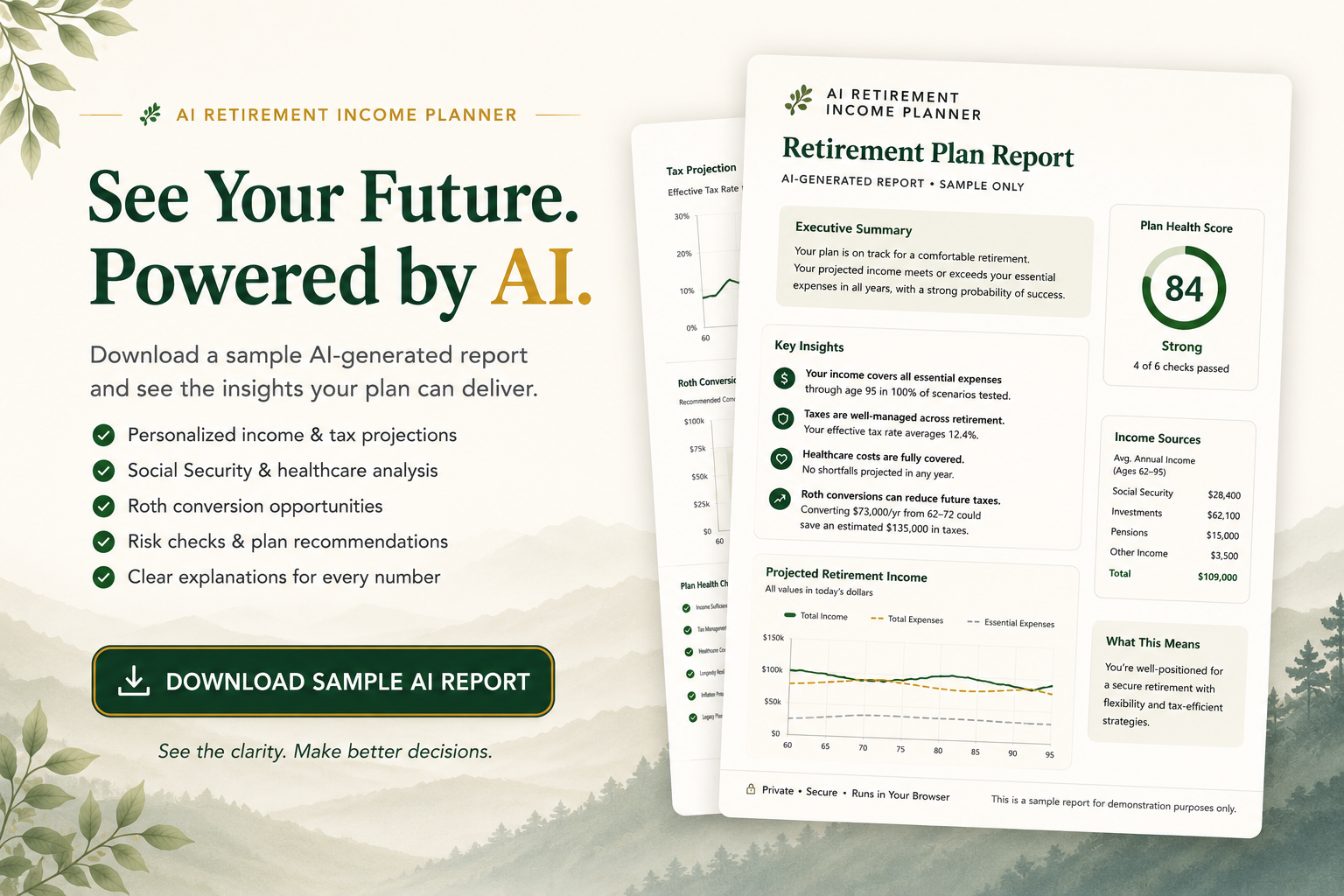
A plain-English breakdown of how your data stays private, ready to share with your IT/security team. Everything runs locally in your own browser, there's no account, no server, and no database, and your plan never leaves your device unless you choose to export it.
Download Now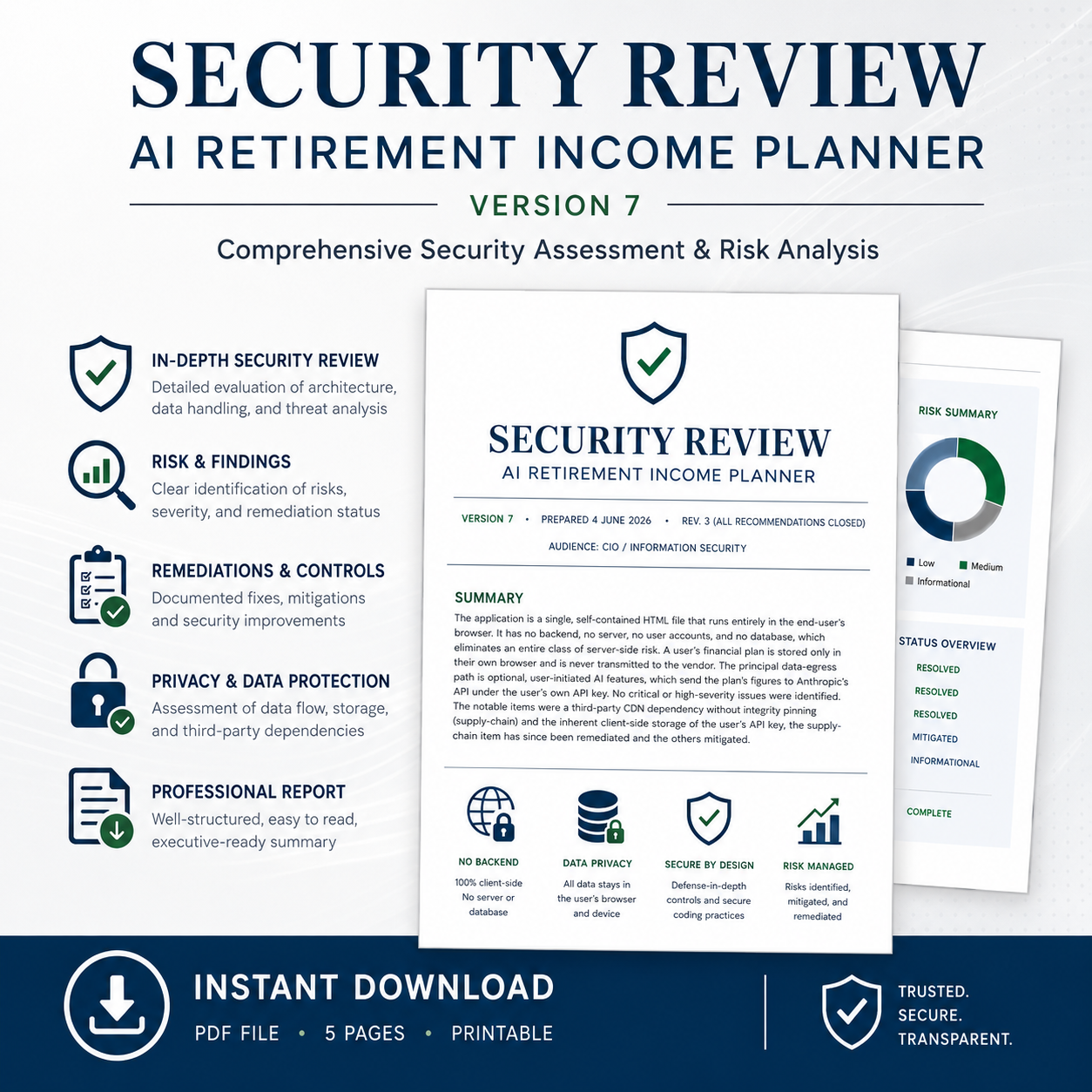
A concise developer-focused PDF explaining how the planner turns plain-English AI requests into structured, verified proposals. It covers the architecture, request lifecycle, guardrails, dry-run simulation, anti-overdraw protections, and human approval workflow that keep AI suggestions safe and on-plan.
Download Now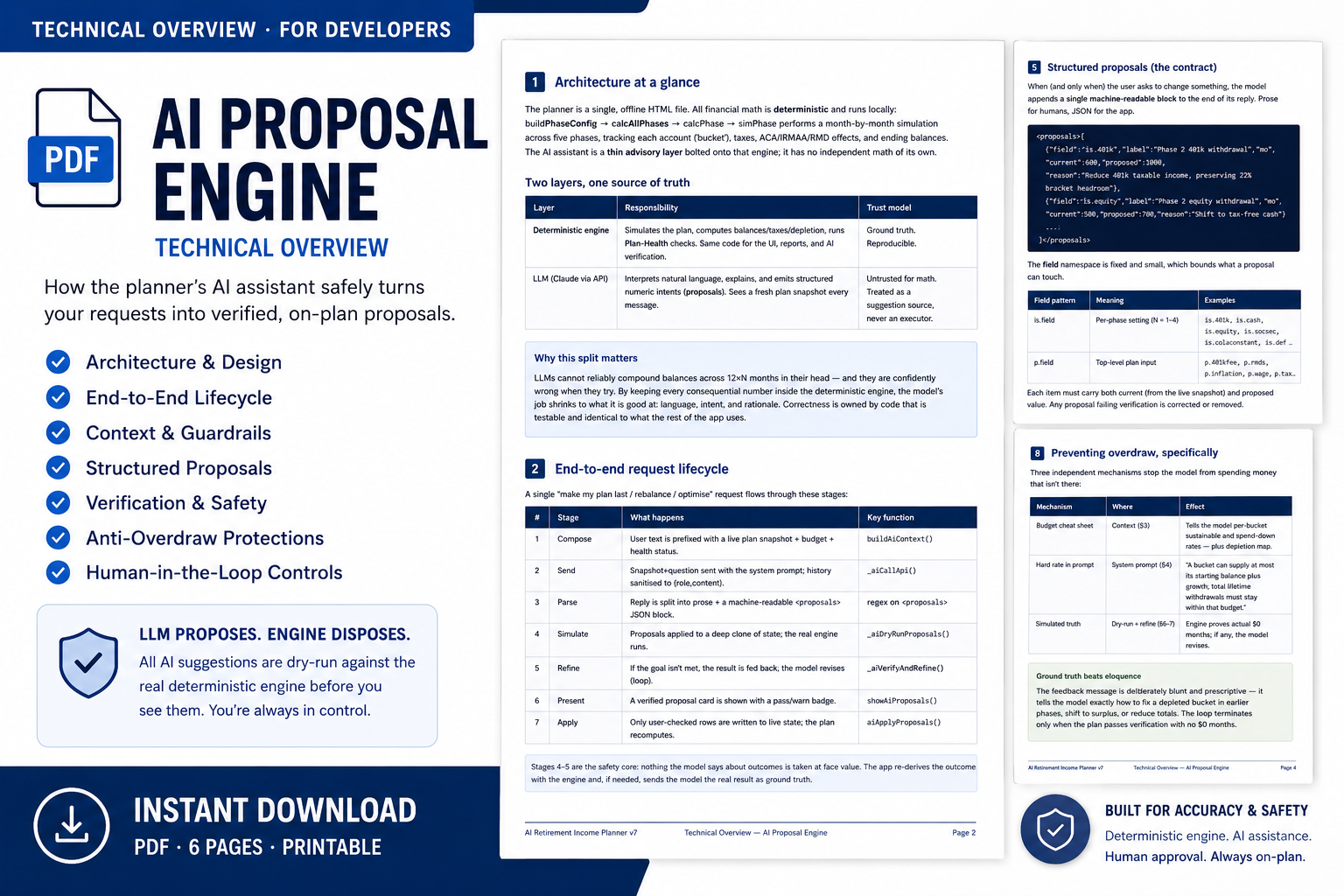
The technical report on the calc‑engine regression guard — coverage, controls and assurance.
Download Now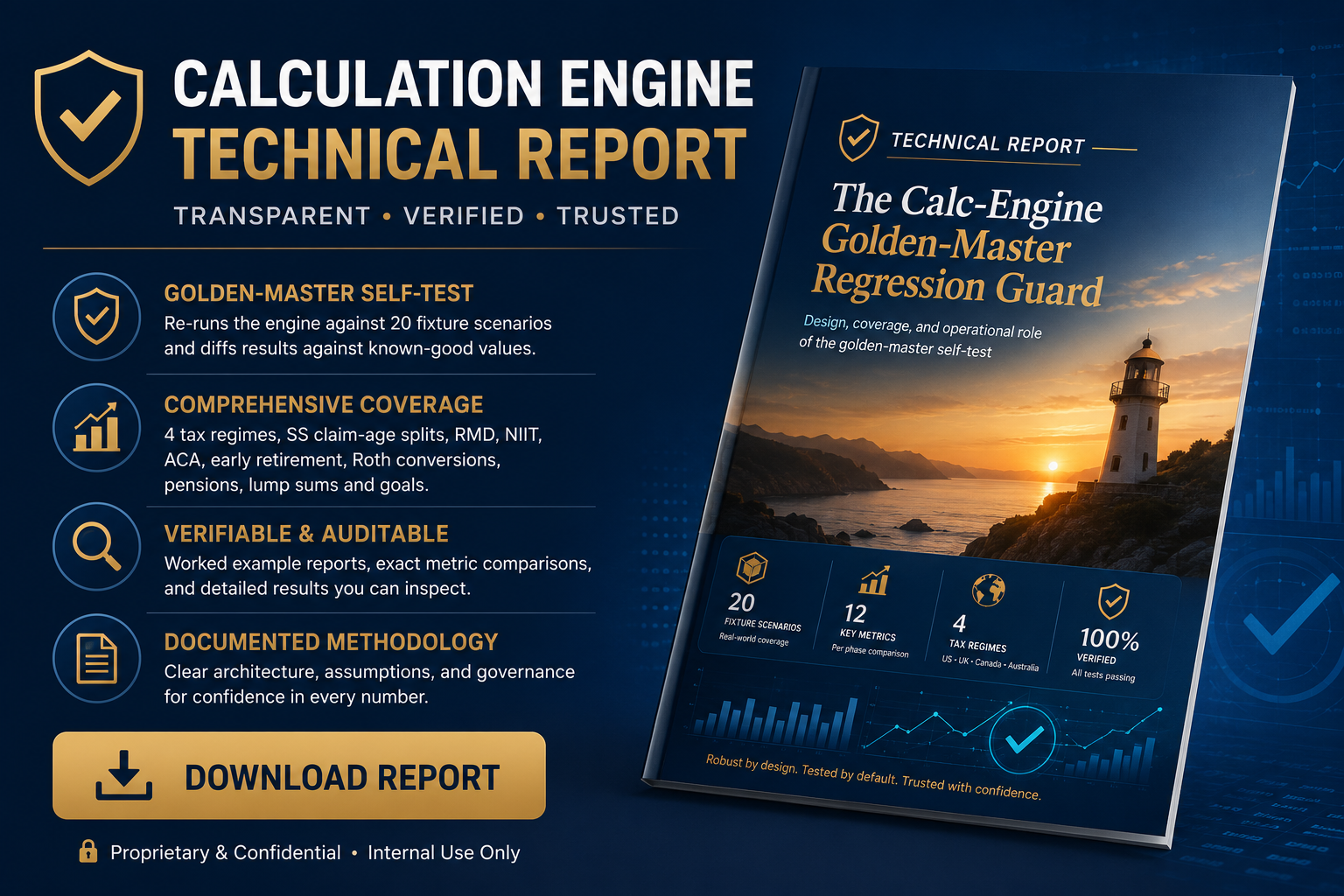
Version 7 sharpens the math, widens what you can model, and makes the planner more accurate and more accessible than ever — same one-time purchase, same private, browser-based file.
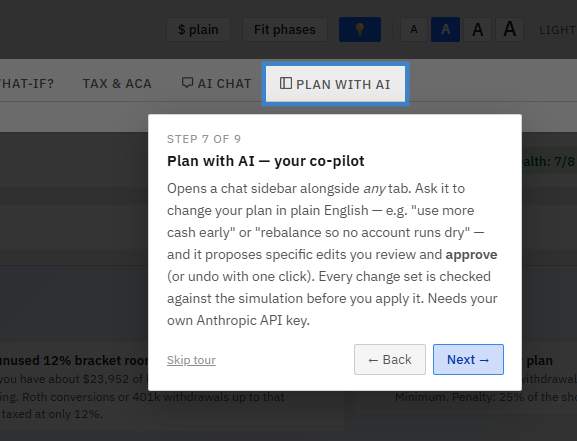
A new Plan with AI sidebar sits beside your dashboard so you can change your plan in plain English — "claim Social Security at 67," "use more cash early so the 401(k) can grow." What makes it different: before it hands you achange, it runs your proposed plan through the planner's own month-by-month simulator and shows whether you'd still be solvent —and if a suggestion would run you out of money, it automatically revises it (up to three tries) until the numbers actually work. Every change is one click to apply and one click to undo.
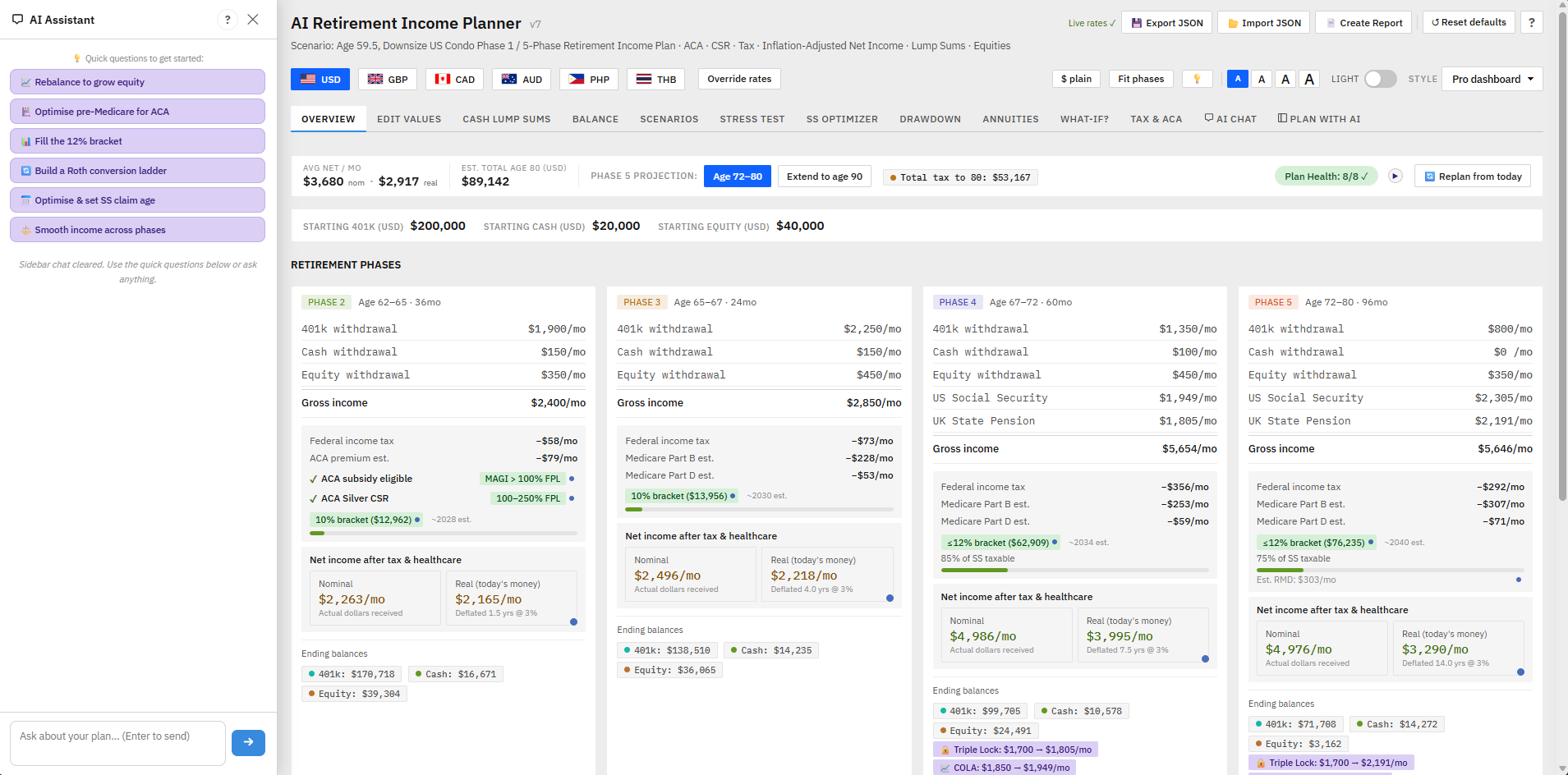
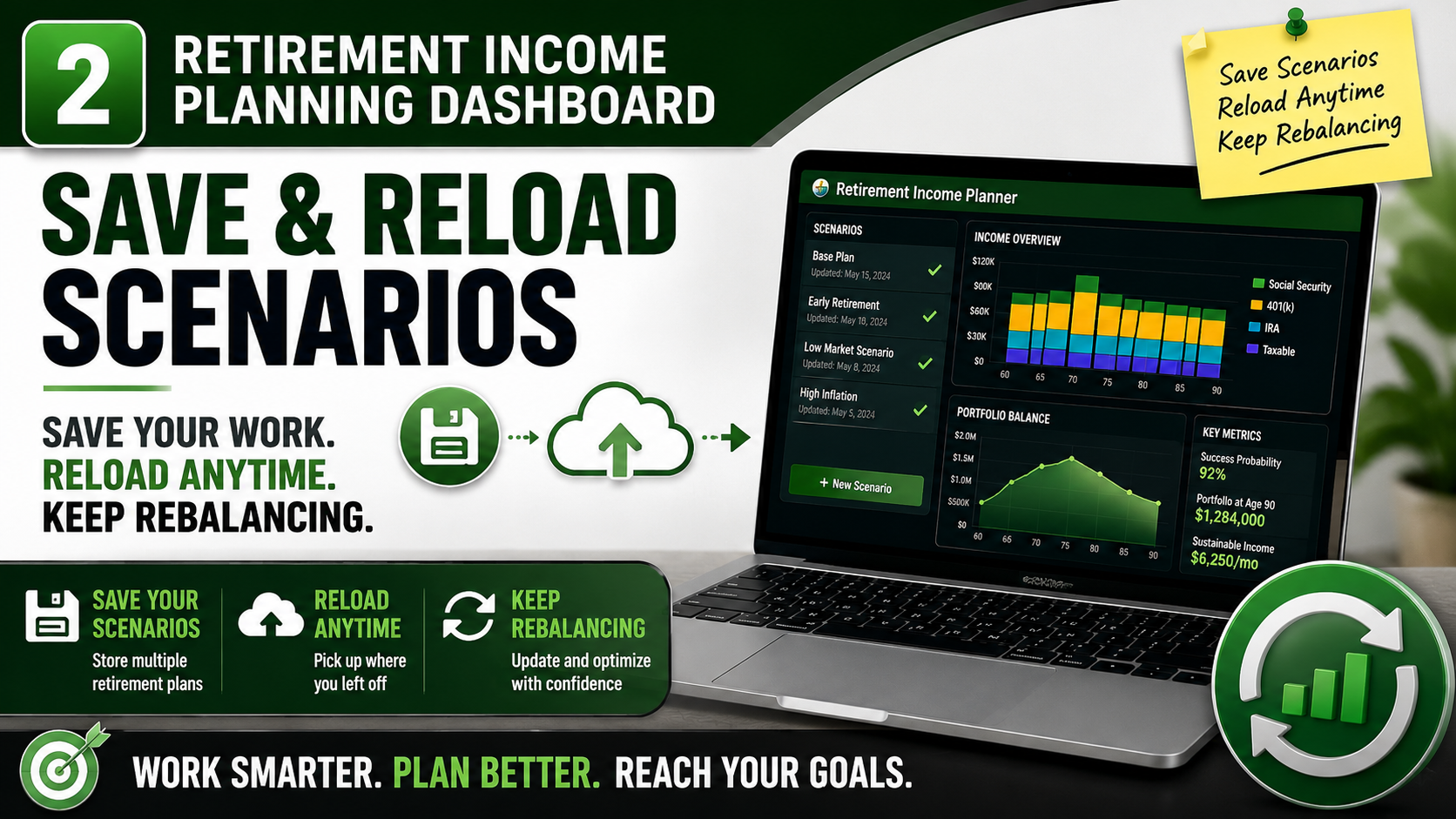
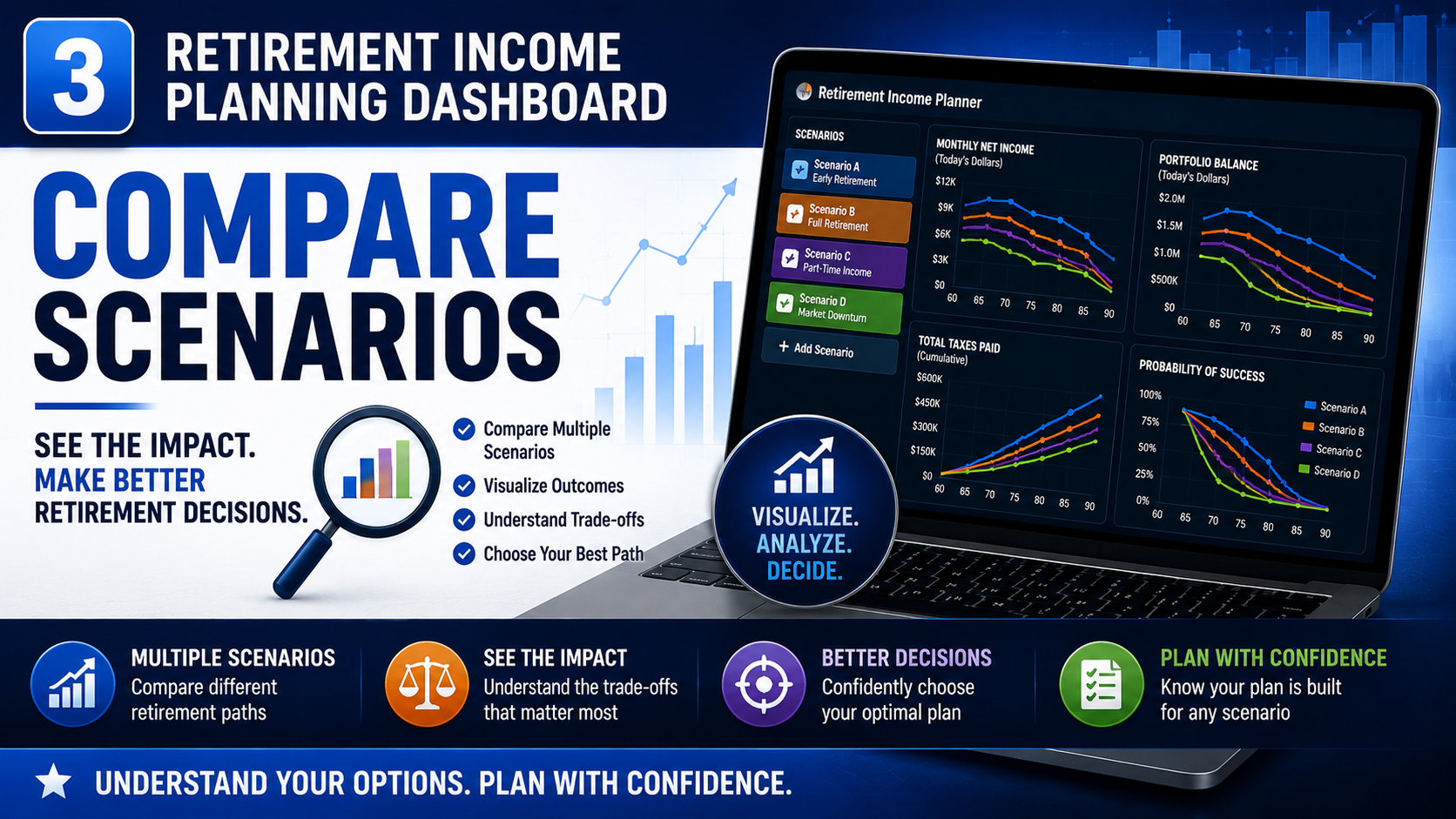
Keep up to three named plans side by side in your browser and compare them phase by phase — retire at 62 vs 65, more cash early vs more equity growth, single vs survivor. Load any saved plan with one click, see the differences in a per-phase table, and never lose track of which scenario is which. Like everything else, it stays on your device — no account, no upload.
Mark a plan Draft → Under review → Signed off. Signing off snapshots your numbers and key results, sets a 12-month review reminder, and then flags the plan as "edited" the moment your inputs drift from what you committed to. So you always know whether you're looking at your agreed plan or a work in progress — and you get a nudge when it's time to revisit. A one-click backup reminder keeps your committed plan safe.
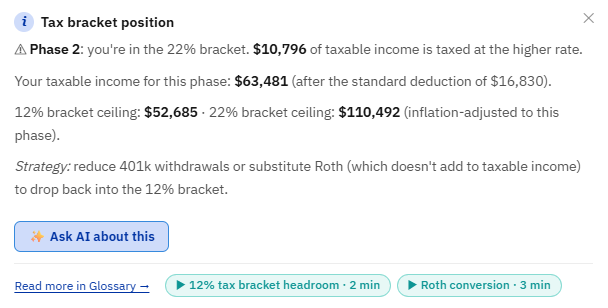
A new ✨ Ask AI about this button appears throughout the planner — on the balance and income charts, each Plan Health check, every phase-card badge, the Monte Carlo and stress-test results, the Scenarios and Social Security comparisons, and the annuity break-even. One click hands that exact result —your real numbers — to the AI Chat and asks it to explain what it means and what to do next. No API key yet? The button still works: it takes you to the key screen and remembers your question, asking it automatically once the key is saved.
Curious what the AI retirement assistant actually says? Download this sample PDF to see a real example — it shows how the AI reads your plan numbers, explains what the phase-by-phase income breakdown means for you in plain English, and suggests specific tweaks to improve your outcome. No jargon, no generic advice — it talks directly about your numbers.
Optimized Plan FeedbackProposed Changes Feedback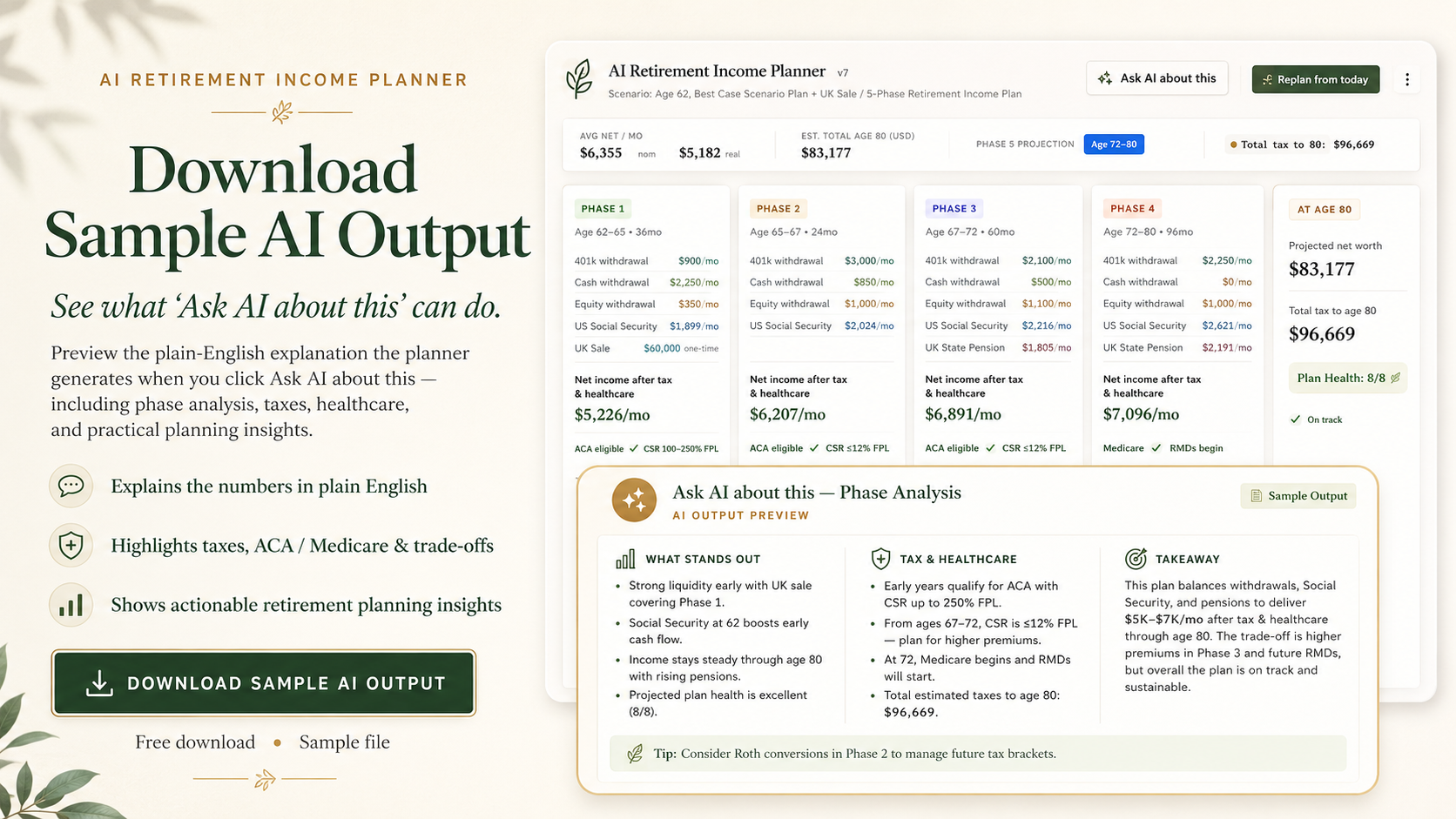
Save your entire AI conversation as a clean PDF in one click. Every question and answer — complete with tables and recommendations — is laid out on a dated, branded sheet you can print, file with your plan, or share with your spouse or advisor.
Full Chat History Example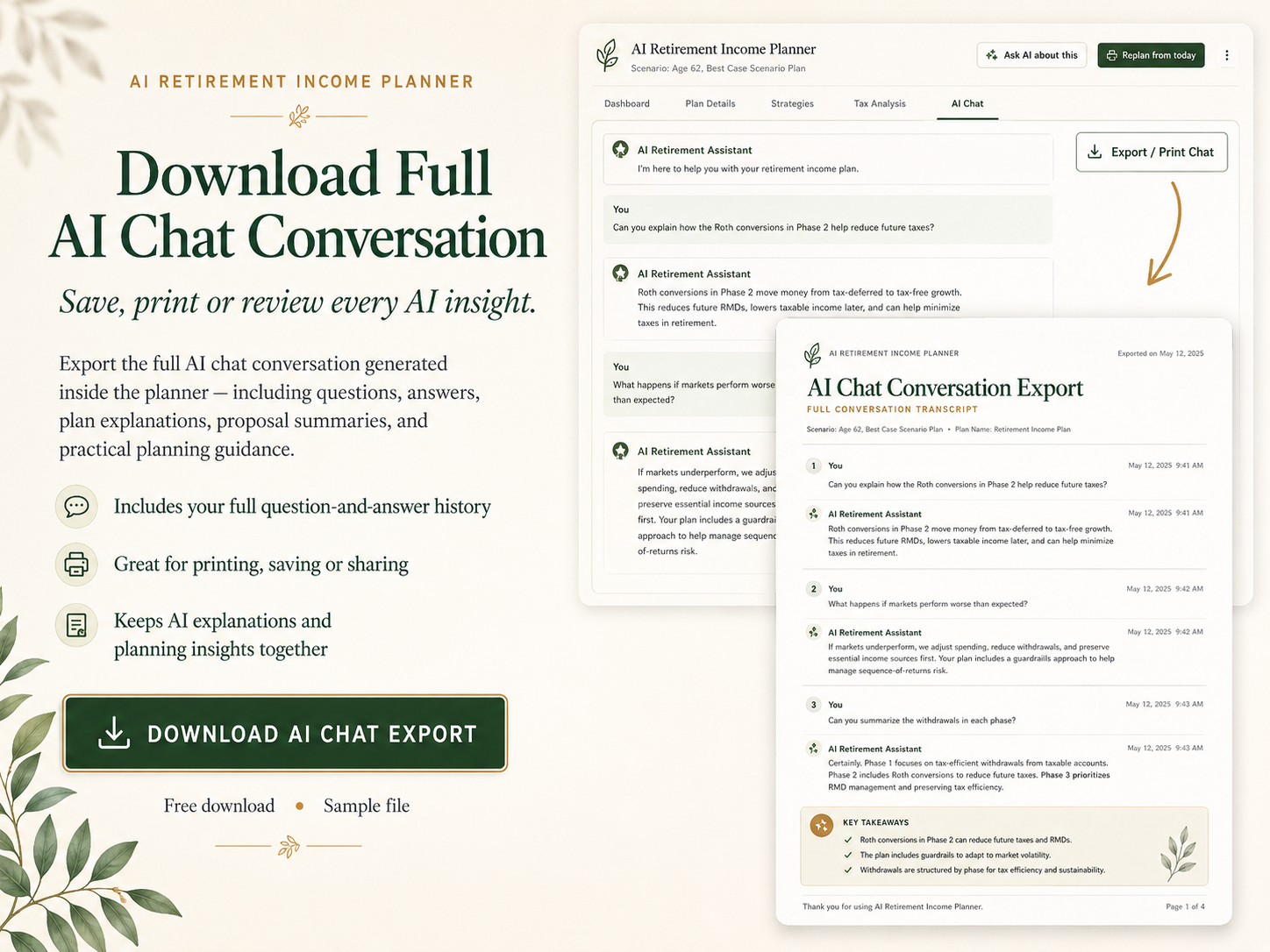
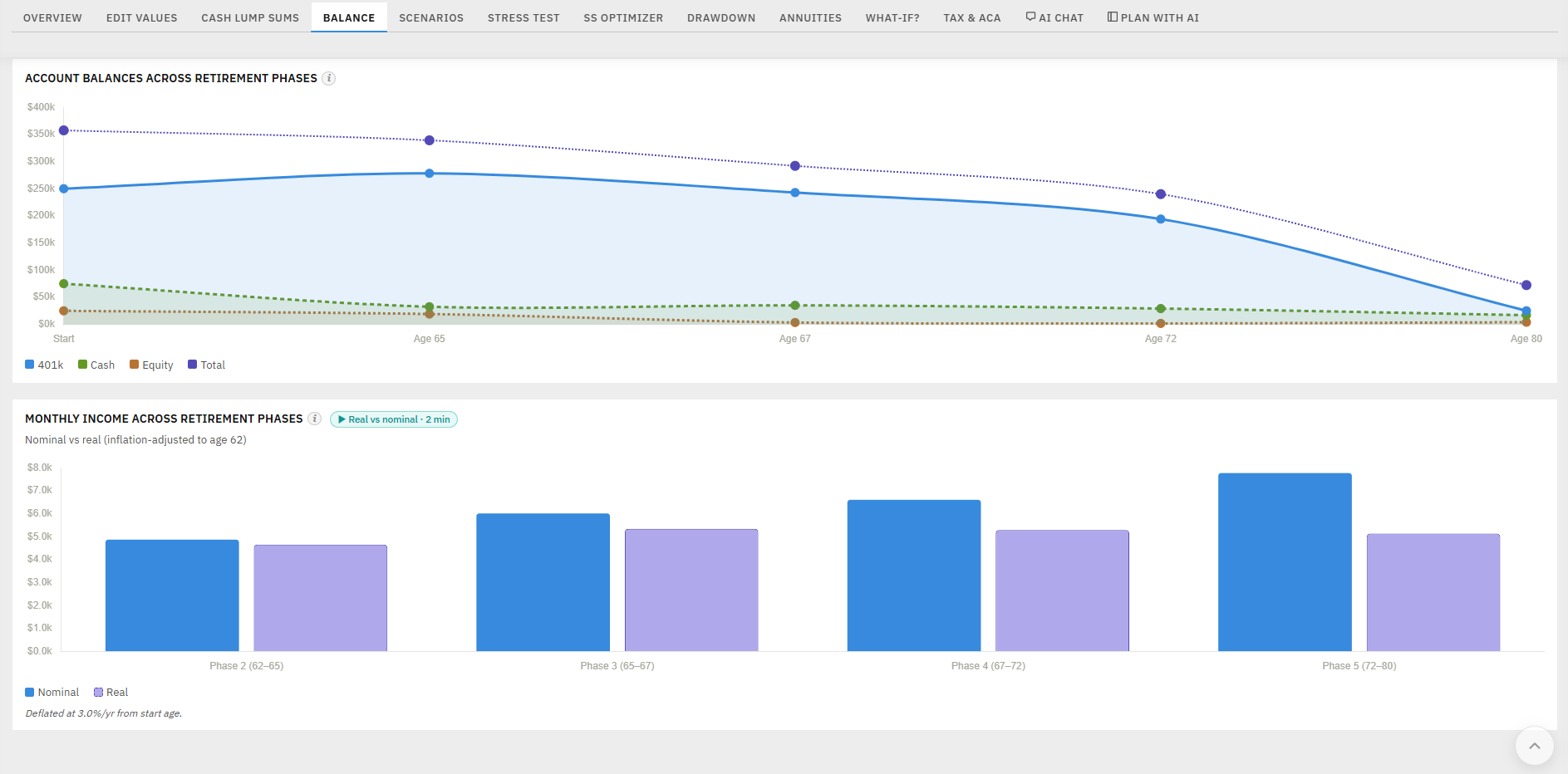
Click the ⓘ on the Balance tab's charts for instant, personalised read-outs of your own plan — which account runs out first and when, how much of your end-of-plan wealth is tax-deferred vs. tax-free, and how inflation erodes your "real"income over time. Computed locally and free; the optional AskAI button is there when you want to go deeper.
The tax engine got materially more correct:
A new tool projects what happens to the surviving spouse when the first partner dies — the lost Social Security check and the jump tosingle tax brackets — plus a new Plan-Health check.
Picking one claiming age is a single‑person problem; couples have to coordinate two. The Social Security Optimizer now searches all 81 primary × spouse claim‑age combinations and recommends the best pair — but it doesn't just chase the biggest lifetime cheque. It weights the survivor's guaranteed floor (the larger benefit, which is what the surviving spouse keeps for life), because for couples the real risk isn't "do we have enough," it's "does whoever is left have enough."
You get a recommended pair (e.g. "Primary 70 · Spouse 66"), the rationale in plain English — usually a split‑claim: delay the higher earner to lift the survivor's floor, claim the lower earner earlier for cash flow — a ranked top‑5 table, and an ✨Ask AI about this pair button. It runs instantly and never touches your saved plan.
Inflation is now randomised in every simulation and your withdrawals rise with it — so the survival-probability figure reflects inflation risk, not just market swings.
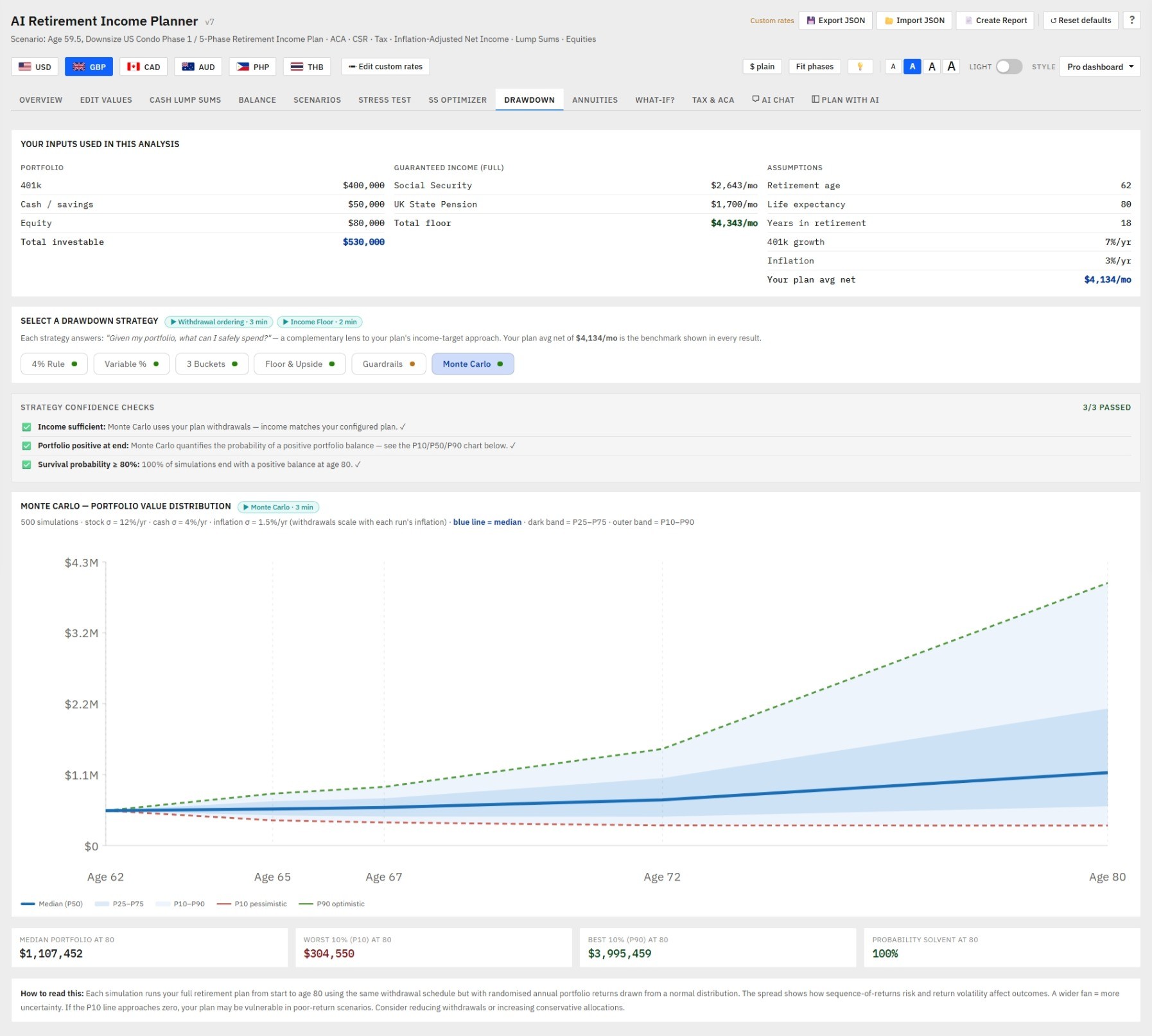
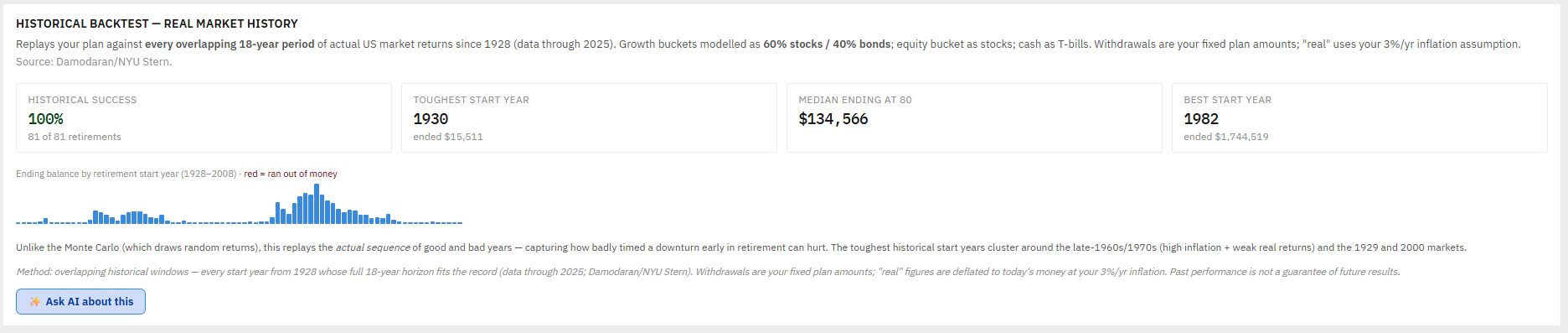
Confidence shouldn't rest on one method. Alongside the inflation-aware Monte Carlo simulation, the planner now backtests your plan against actual market history — every overlapping retirement window since 1928, including the brutal ones (mid-1960s stagflation, 2000, 2008). You see in plain numbers how many historical retirements your plan would have survived and which start years were hardest — the same sequence-risk lens the expensive tools use, running entirely on your own device.
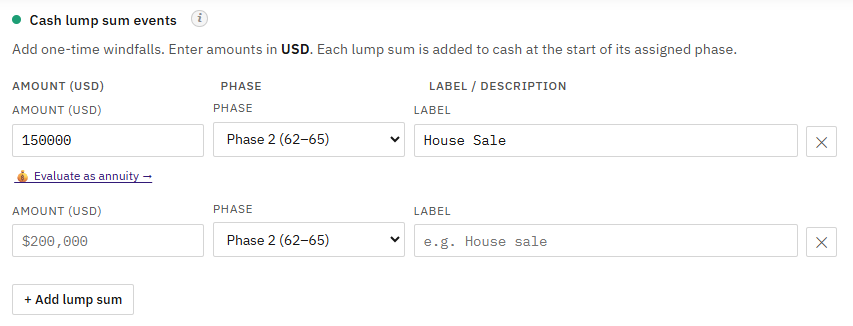
Cash lump sums now work both ways: model one-off windfalls (house sale, inheritance) and one-off expenses (a new roof, a car, a big medical year) in the right phase — so your income plan reflects real life, not just a smooth monthly draw.
Most people spend more in the early "go-go" years, less in the "slow-go" years, then more again late in life on health care. The planner's phase model lets you shape that curve — and now explains how, so your plan matches how retirement spending actually behaves.
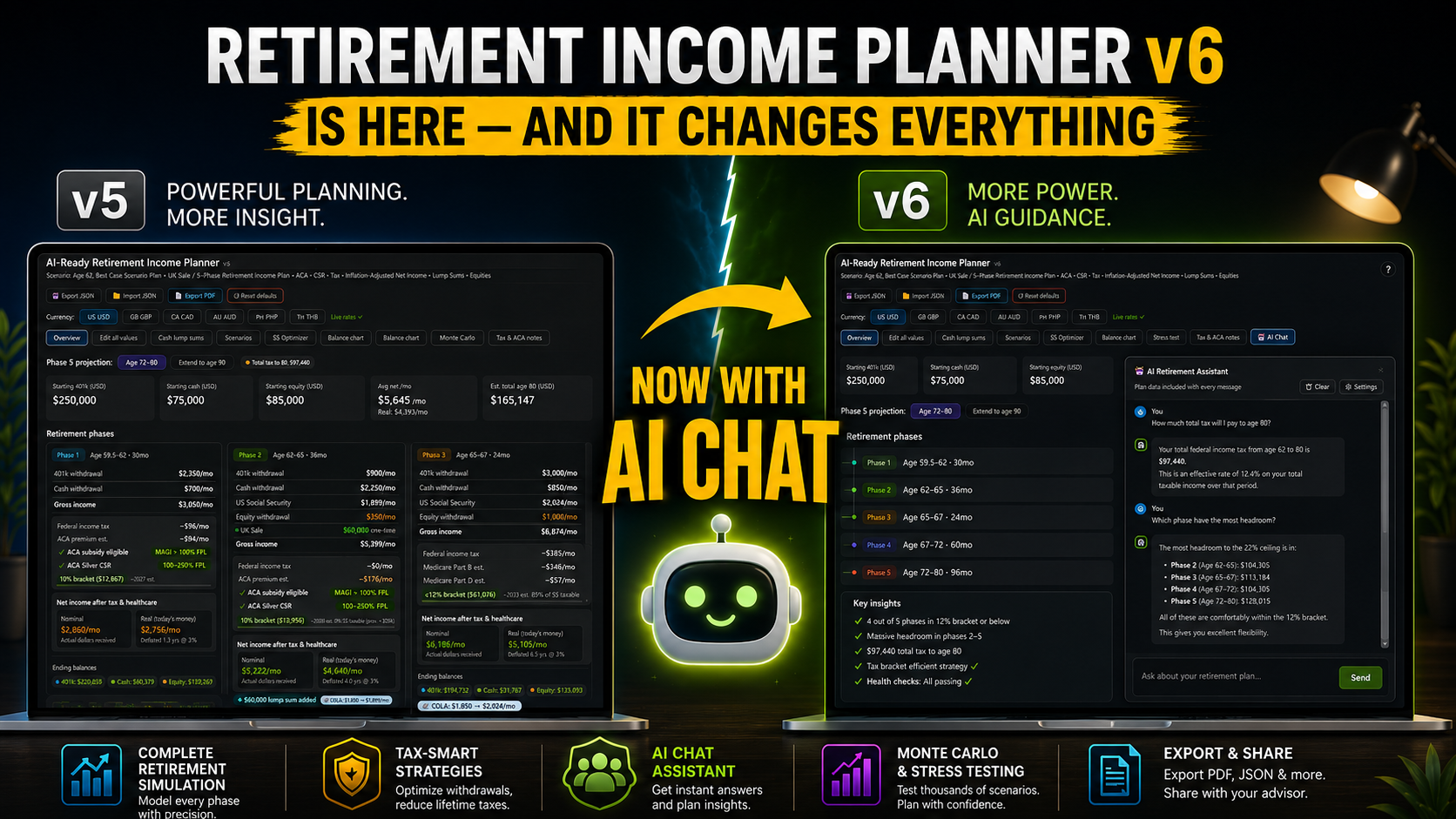
v6 brings three transformations: a complete built-in AI Chat advisor that knows your plan and proposes changes you apply with one click; a longevity system that keeps the planner accurate for years with no annual fee; and a complete educational layer that teaches the jargon as you go. Everything from v5 is unchanged — your saved plans load without modification.
Since the v6 launch, the longevity system has gained Tier 4 one-click prose corrections, the annuity calculator now supports lump-sum funding and partial conversions, the Plan Health panel has acknowledge / dismiss for non-applicable checks, and all drawdown-strategy insights have been rewritten in plain English.
The latest update brings contextual ▶ video tutorial buttons throughout the planner, a dedicated Video Tutorials tab in the Help modal with all 22 walkthroughs grouped by topic, a 66-page printable User Guide, refined audit-modal UX (always-visible action buttons, verification badge, all-current banner), and a softer paper-tone light theme that's easier on the eyes during long planning sessions.
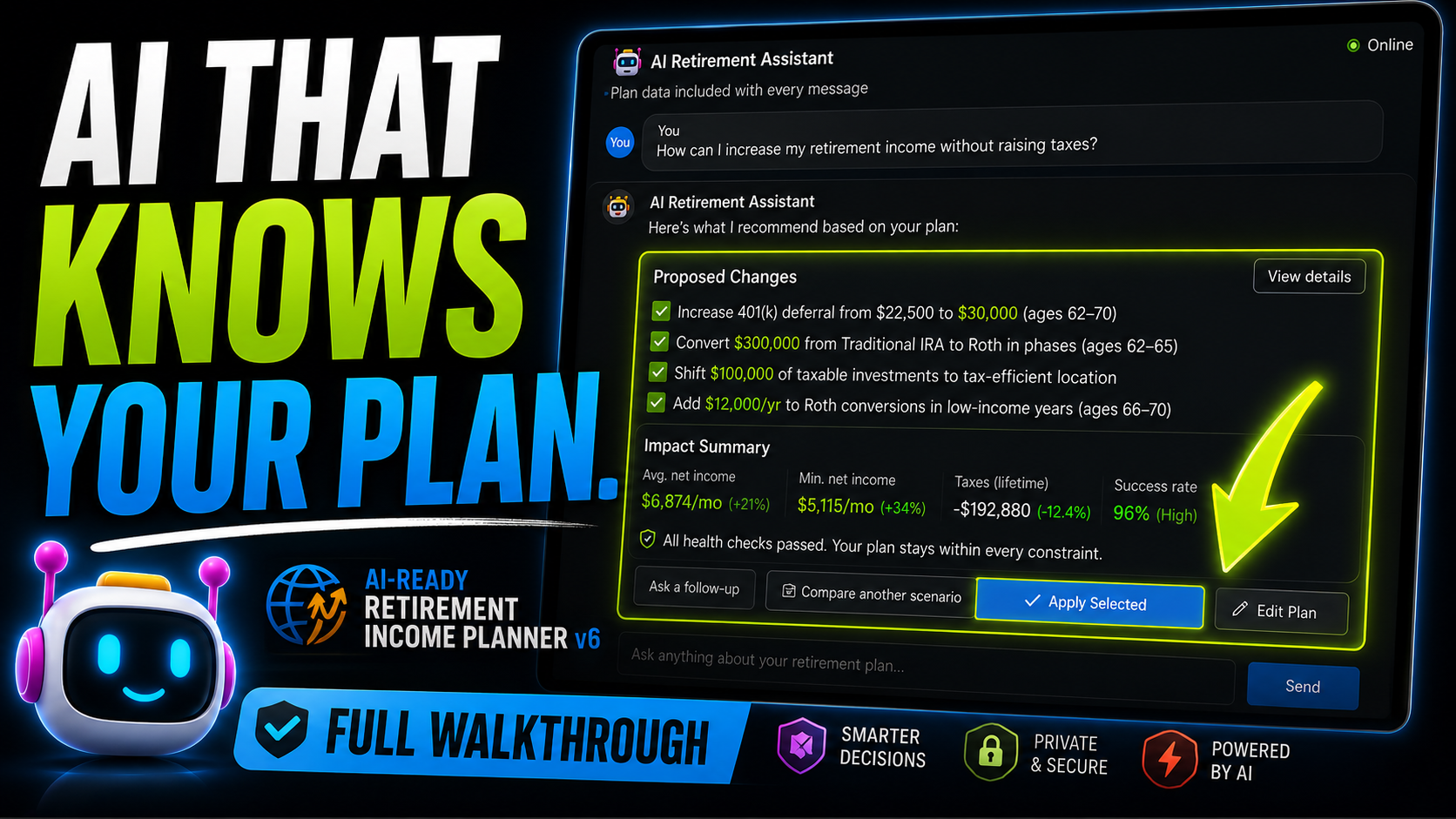
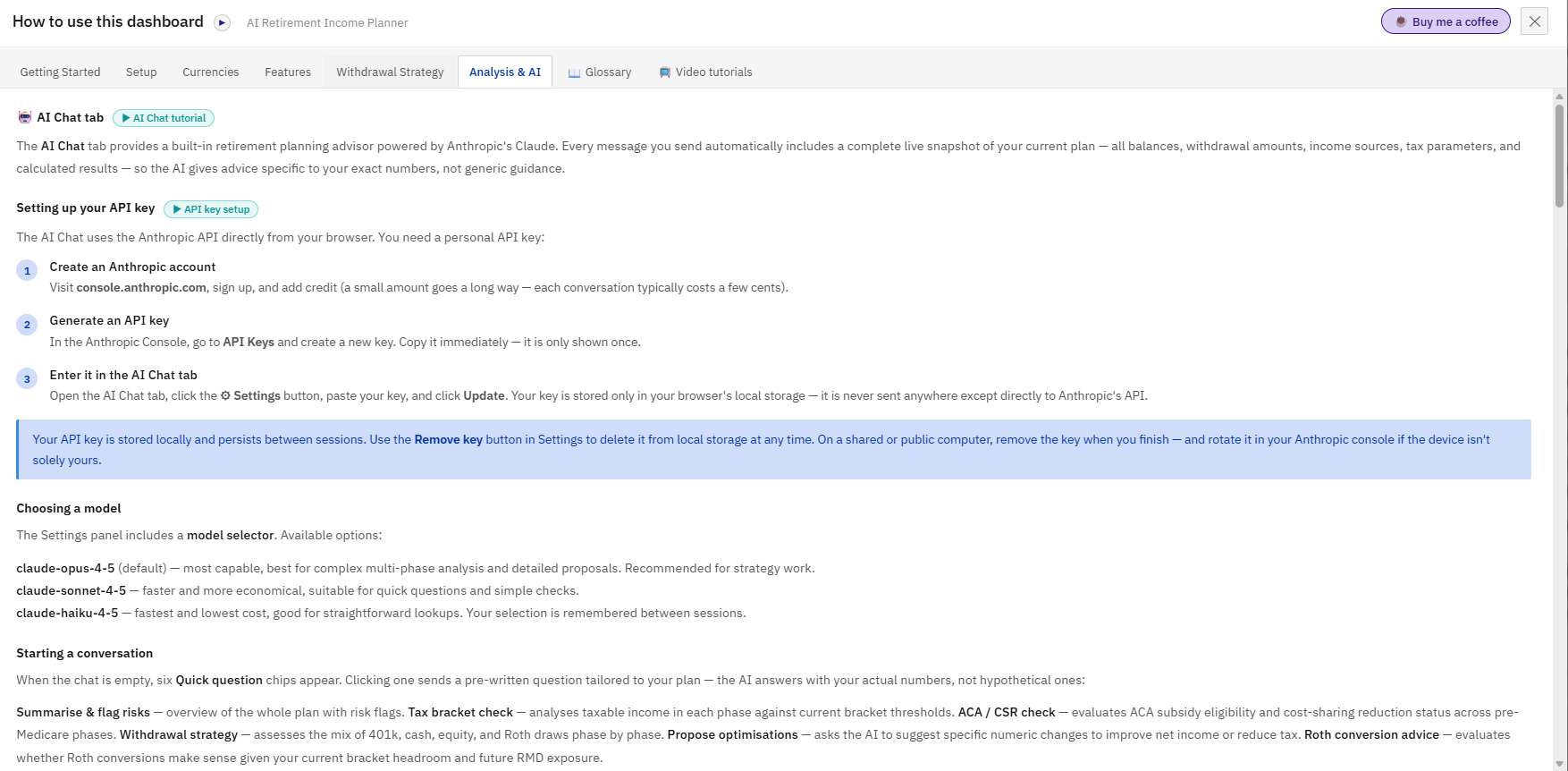
The biggest upgrade in v6. A full AI Chat tab powered by Anthropic's Claude sits directly inside the planner — no switching apps, no copy-pasting your plan data.
Every message you send automatically includes your complete current plan: all five phases, every balance and withdrawal amount, income sources, tax parameters, and calculated results. The AI answers based on your exact numbers, not generic examples.
Six one-click conversation starters get you going instantly:
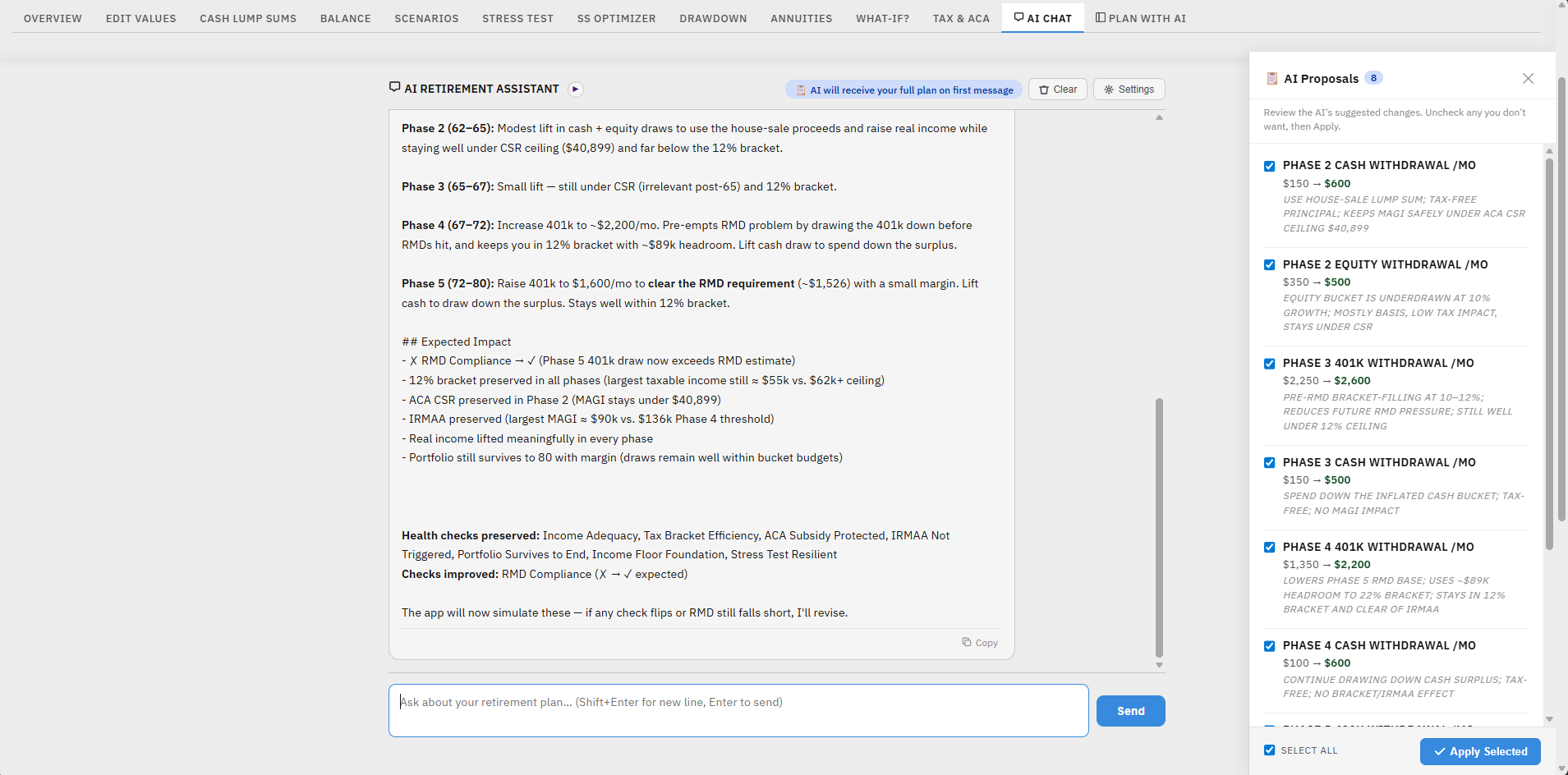
AI proposals you can apply with one click. When you ask for optimisations, the AI returns a Proposed Changes panel listing exact field edits — Phase 1 401k withdrawal, Roth conversion amount, etc. — with the reasoning for each. Tick the ones you want and click Apply. The plan recalculates instantly. No manual entry.
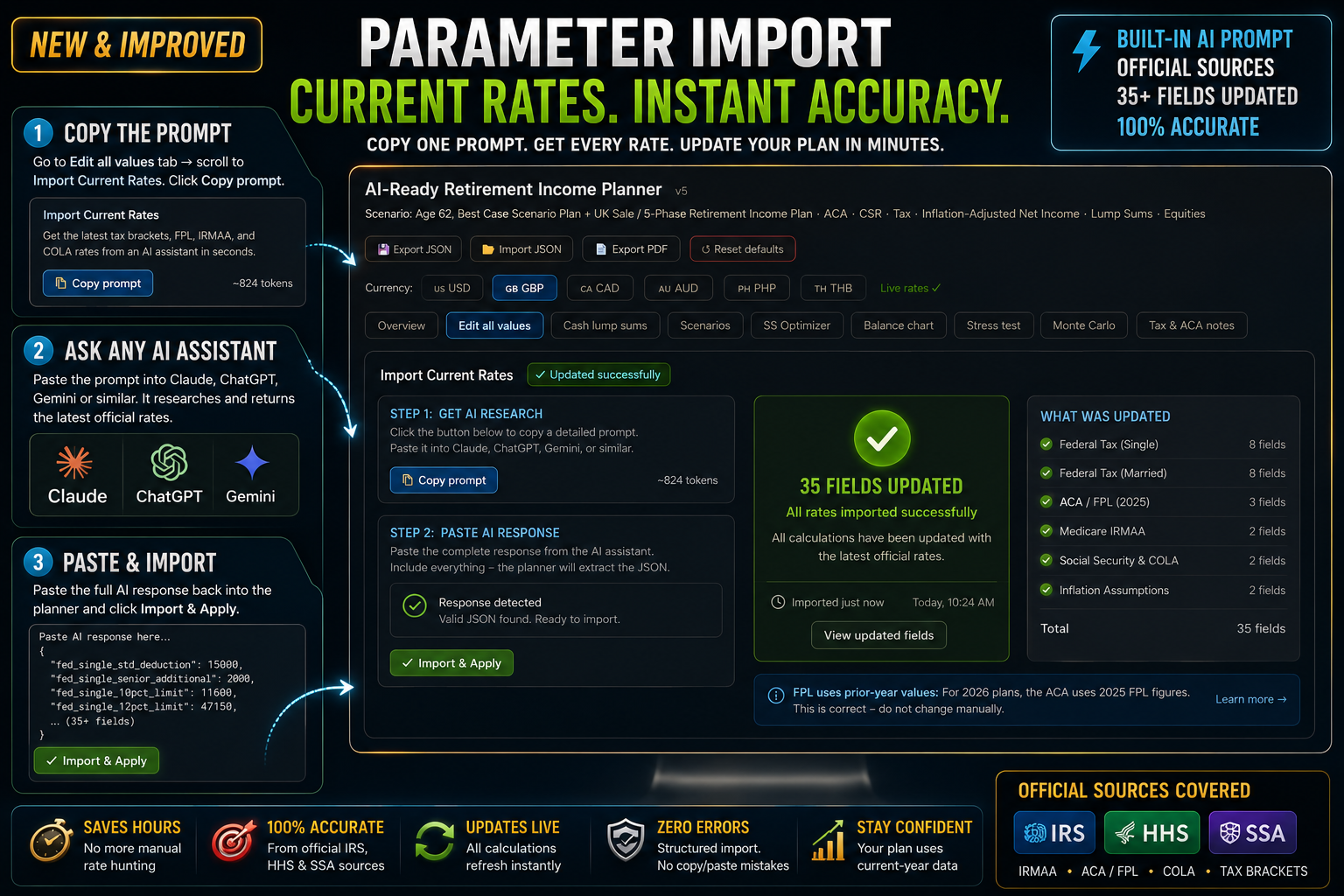
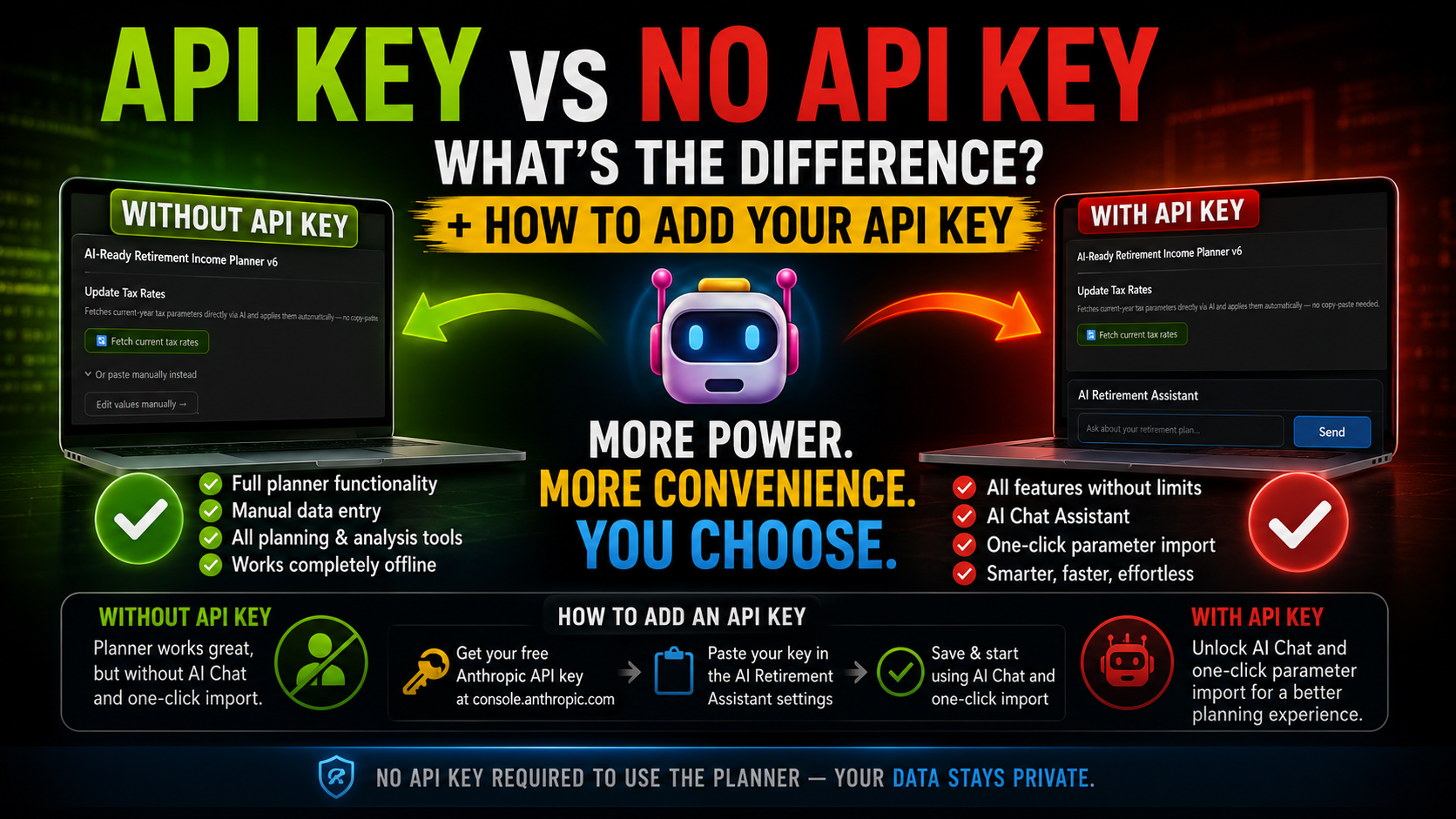
Keeping tax parameters current used to mean a 3-step workflow: copy a research prompt, paste it into an external AI, paste the full response back. With v6, if you have an API key set up, a single Fetch current tax rates button handles all three steps automatically — it calls the AI directly, parses the response, and applies all updated figures in one go.
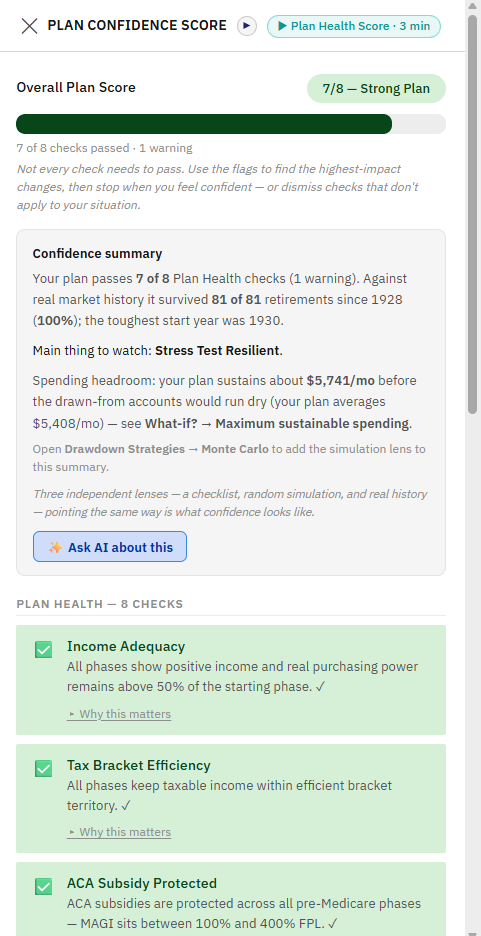
Health-check aware. The AI knows which of your 8 Plan Health checks are currently passing (green ✓). It treats passing checks as hard constraints — it will not propose a change that turns a green check amber or red. It also knows the exact dollar headroom to each threshold (ACA cliff, IRMAA limit, 22% bracket ceiling, UK rate band ceiling) and sizes every proposal to stay within those limits.
Updated in seconds, not minutes. Covers US brackets, standard deductions, FPL levels, IRMAA thresholds, UK tax parameters, Canadian and Australian rates.
The original manual copy-paste workflow is still available as a fallback for users without an optional API key.
Works for all included currencies and residency types:

Plan Health, refined
Always current. Edit any value on the dashboard between messages and the AI is automatically notified — a note appears in the chat and the AI uses the updated plan, not old values.
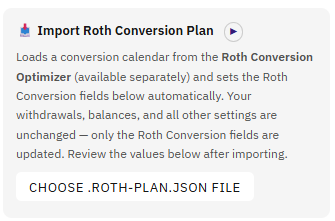
If you also own the Roth Conversion Optimizer (available separately), you can now export your conversion calendar directly into the Retirement Income Planner with one click. The planner automatically calculates the average annual conversion for each phase and fills in the Roth Conversion fields — no manual arithmetic required. A tapered-phase advisory flags any phases where a split would improve accuracy.
Your API key, your privacy. Requires your own Anthropic API key (a few cents per conversation). The key is stored only in your browser's local storage and sent only to Anthropic's API — never to any third-party server. Choose from three Claude models: Opus (most capable), Sonnet (faster), or Haiku (most economical). Selection is remembered between sessions.
Every plan saved in v5 loads in v6 without any changes. Every feature from v5 — all five phases, stress test, drawdown strategies, SS optimizer, balance chart, scenarios, Monte Carlo, UK tax treaty model, Canada CPP/OAS, Australia Super, RMD tracking, ACA/CSR optimisation, and the AI advisor prompt for external tools — is present and unchanged.
Requires an Anthropic API key forAI Chat features (console.anthropic.com — pay as you go, no subscription). All other features work without a key.
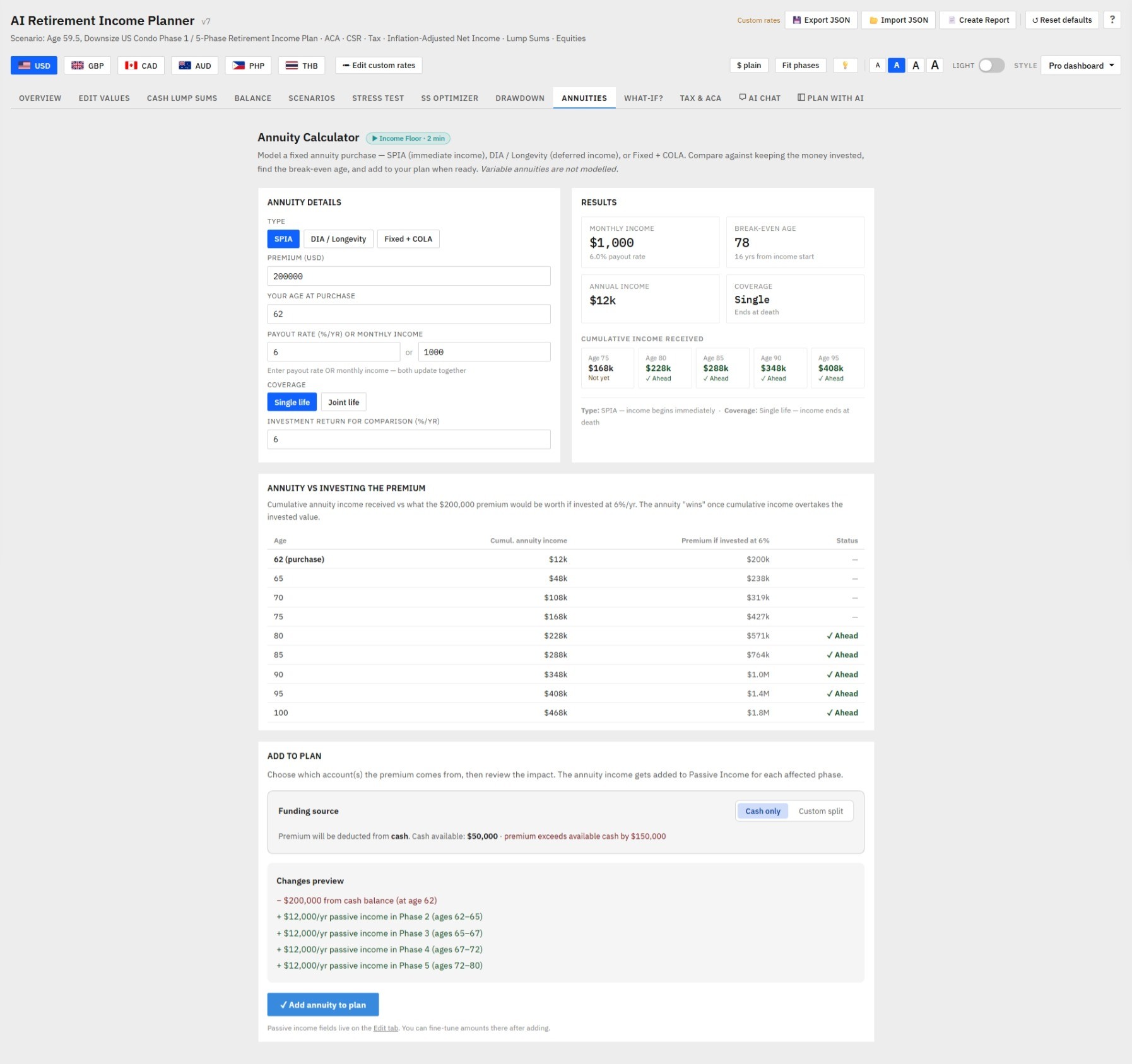
A dedicated Annuity Calculator tab lets you model a fixed annuity purchase alongside your existing plan — and apply it directly to your numbers with one click.
Enter a premium and payout rate (or paste the monthly figure from an insurer quote) and the calculator instantly shows your break-even age — the age at which cumulative annuity income overtakes what the same premium wouldhave earned if kept invested. A year-by-year comparison table shows cumulative annuity income versus portfolio value for every age through your plan horizon.
Three annuity types supported:
Add to Plan applies the annuity to your retirement model in seconds. The premium is deducted from your cash balance and the monthly income (COLA-adjusted per phase) is added to the passive income fields for every affected phase. The plan recalculates immediately. A Remove annuity from plan button reverses all changes precisely — deducting the income and restoring the cash — so you can try different parameters without manually unwinding anything.
Works seamlessly with Cash lump sums. Every lump sum row shows a 💰 Evaluate as annuity → link when an amount is entered. Clicking it switches to the Annuity Calculator with the premium pre-filled — making it easy to compare "convert this lump sum into guaranteed income" against keeping it invested.
Variable annuities are not modelled. Fixed annuity quotes from any insurer can be entered manually.
🛡️ At a glance

Most retirement planners go stale the moment tax law moves. This one has four built-in mechanisms to stay current between releases:auto-updating popovers when you fetch new numeric rates (Tier 1), one-click AI audits of every factual claim (Tier 2), a freshness watermark on every help pane (Tier 3), and — new in v6.x —one-click AI corrections to the actual prose of the help content itself (Tier 4). No code changes, no downloads, no waiting for the next release.
v6 builds longevity directly into the product through a three-part system:
Tier 1 — Help content that updates itself
Six of the most-referenced popovers and Plan Health explanations now read live state values instead of hardcoded numbers. When you click the existing 🔄 Fetch current tax rates button, IRMAA, FPL cliff, ACA CSR band, 12% bracket, standard deduction, and the IRMAA Plan Health check all auto-update with the new numbers. No code changes. No new download. The help text follows the data — forever.
Tier 2 — One-click AI audit of every claim 🔎
A new 🔎 Audit help content button in the Help modal. One click. Claude reviews 15 specific factual claims embedded in the planner's help system (RMD age, ACA cliff status, IRMAA mechanics, recent COLA, treaty status, current-year thresholds, etc.), compares each to today's law, and returns a colour-coded report — ✅ current, ⓘ uncertain, ⚠ changed. The audit is read-only — it never modifies your help content or plan; just produces a status report. ~$0.05–$0.15 per audit using Claude API.
Tier 3 — Verified watermark on every help pane
Every Help modal pane shows a verification footer: green ("Last verified: 2026-05-15") if recently audited, amber ("Help may be out of date") if it hasn't been audited in 18 months, or a neutral grey baseline ("Help content baseline: [build date]") if you don't have an API key set up. You always know how fresh the content is.
Tier 4 — One-click AI corrections to the help text itself
The audit doesn't just flag stale claims any more. When Claude finds a fact that has changed (ACA cliff extension, RMD age update, IRMAA tier restructure, new SS COLA, treaty change), a green ✓Apply this update everywhere button appears in the audit modal. One click and the corrected wording is substituted into every place that fact appears across the planner — Tax & ACA notes, Concepts Primer cards, info popovers, glossary entries — with a small 🤖 AI-corrected on YYYY-MM-DD badge beside each updated sentence so you always know what was changed and when.
Tier 5— Model picker that future-proofs itself
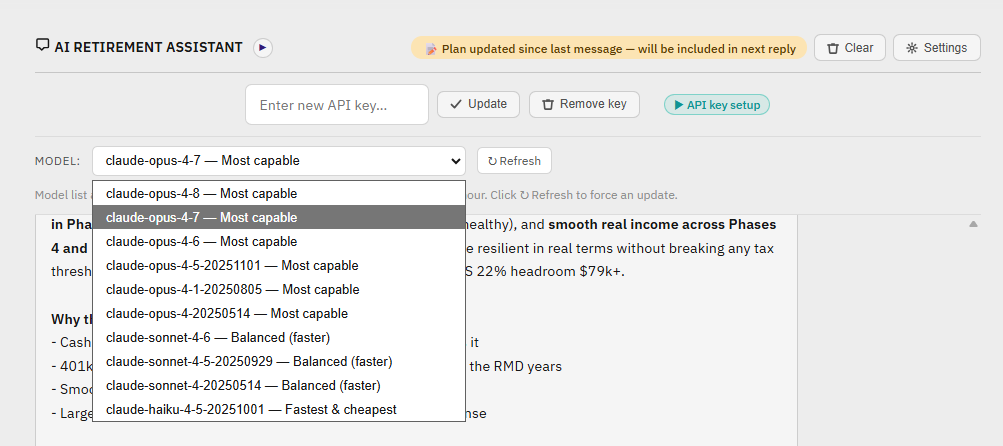
The AI Chat tab's model picker is no longer a hardcoded list. Every time you open the tab it queries Anthropic's live /v1/models endpoint and rebuilds the dropdown from the current catalogue. Practical implications:
When Anthropic ships a new Claude model, it appears in your picker on next open. If you've never explicitly picked one, your default upgrades automatically to the latest most-capable model. No code edit; no source-file ship; no Etsy re-download.
When a model you'd selected gets deprecated, the picker silently swaps you to the latest available and removes the deprecated entry from the dropdown. Your background features (PDF AI commentary, tax-rate fetching, help-content audit) all redirect to the current cheapest available model the same way.
If the API can't be reached, the picker falls back to the cached list (or, if no cache exists yet, a small built-in default set). The planner keeps working in degraded mode rather than breaking.
so opening the tab doesn't fire a network request every time. A small ↻ Refresh button next to the picker forces an immediate re-fetch if you want. Combined with Tier 1 (auto-updating popovers), Tier 2 (AI audit), Tier 3 (verified watermark), and Tier 4 (one-click prose corrections), the planner now adapts to changes at level — numeric values, structural law, content prose, the AI model itself — without anyone needing to re-ship the source file.
Refined in the latest update
Every audit row now shows an Apply button — green and enabled for "changed" claims with a proposed replacement; greyed out with an explanatory label like "✓ No update needed — content is current" or " AI couldn't verify — no update available" for the rest. You're never left wondering whether the absence of a button is a missing feature or a deliberate "nothing to do".
A small badge sits permanently under the audit modal title showing the last audit date and how long ago it was: ✓ Content checked 2026-05-21 (yesterday). For users who've never run an audit it shows the build-date baseline. After 18 months without an audit it turns amber as a gentle stale-check reminder.
When every claim comes back ✅ current, a green banner at the top reads: "All 15 claims verified current as of [date]. Nothing needs updating — your help content matches today's tax law and rules." Clear confirmation that the absence of changes is success, not silence.
Time-sensitive claims like "IRMAA Tier 1 adds approximately $70/mo" have been rewritten as mechanism descriptions ("IRMAA Tier 1 adds a fixed monthly surcharge to Medicare Part B; the amount is set by CMS and adjusted each year"). The actual dollar figure still lives on the Edit tab where Fetch current tax rates keeps it up to date — but the help prose never drifts.
If Claude flags a claim as "changed" but doesn't return a clean replacement sentence, the planner now offers an "✓ Apply using audit note (review the wording)" button that uses the audit's explanation as the proposed text. You're not blocked by an AI quirk.
Click at any time to restore the original wording. Corrections survive page reloads (stored in your browser's local storage) and ride along with your plan when you export / import the JSON, so a plan shared with a colleague carries the latest prose too.
Together with Tier 1 (auto-updating popovers from numericrate changes) and Tier 2 (AI audit), Tier 4 closes the loop: numbers and prose now drift independently, and both can be brought current with one click each, without waiting for a new release.
The first retirement planner designed for the long haul. No annual fee. No new download. Bring your own Anthropic API key when you want to run the audit — pay-as-you-go, typically a couple of dimes a year.
Most retirement planners go stale the moment tax law moves. This one has four built-in mechanisms to stay current between releases:auto-updating popovers when you fetch new numeric rates (Tier 1), one-click AI audits of every factual claim (Tier 2), a freshness watermark on every help pane (Tier 3), and — new in v6.x —one-click AI corrections to the actual prose of the help content itself (Tier 4). No code changes, no downloads, no waiting for the next release.
v6 builds longevity directly into the product through a three-part system:
Six of the most-referenced popovers and Plan Health explanations now read live state values instead of hardcoded numbers. When you click the existing 🔄 Fetch current tax rates button, IRMAA, FPL cliff, ACA CSR band, 12% bracket, standard deduction, and the IRMAA Plan Health check all auto-update with the new numbers. No code changes. No new download. The help text follows the data — forever.
A new 🔎 Audit help content button in the Help modal. One click. Claude reviews 15 specific factual claims embedded in the planner's help system (RMD age, ACA cliff status, IRMAA mechanics, recent COLA, treaty status, current-year thresholds, etc.), compares each to today's law, and returns a colour-coded report — ✅ current, ⓘ uncertain, ⚠ changed. The audit is read-only — it never modifies your help content or plan; just produces a status report. ~$0.05–$0.15 per audit using Claude API.
Every Help modal pane shows a verification footer: green ("Last verified: 2026-05-15") if recently audited, amber ("Help may be out of date") if it hasn't been audited in 18 months, or a neutral grey baseline ("Help content baseline: [build date]") if you don't have an API key set up. You always know how fresh the content is.
The audit doesn't just flag stale claims any more. When Claude finds a fact that has changed (ACA cliff extension, RMD age update, IRMAA tier restructure, new SS COLA, treaty change), a green button appears in the audit modal. One click and the corrected wording is substituted into every place that fact appears across the planner — Tax & ACA notes, Concepts Primer cards, info popovers, glossary entries — with a small badge beside each updated sentence so you always know what was changed and when.
The AI Chat tab's model picker is no longer a hardcoded list. Every time you open the tab it queries Anthropic's live endpoint and rebuilds the dropdown from the current catalogue. Practical implications:it appears in your picker on next open. If you've never explicitly picked one, your default upgrades automatically to the latest most-capable model. No code edit; no source-file ship; no Etsy re-download.The picker silently swaps you to the latest available and removes the deprecated entry from the dropdown. Your background features (PDF AI commentary, tax-rate fetching, help-content audit) all redirect to the current cheapest available model the same way.
Offline-safe. If the API can't be reached, the picker falls back to the cached list (or, if no cache exists yet, a small built-in default set). The planner keeps working in degraded mode rather than breaking.
One-hour cache so opening the tab doesn't fire a network request every time. A small ↻ Refresh button next to the picker forces an immediate re-fetch if you want. Combined with Tier 1 (auto-updating popovers), Tier 2 (AI audit), Tier 3 (verified watermark), and Tier 4 (one-click prose corrections), the planner now adapts to changes at every level — numeric values, structural law, content prose, and the AI model itself — without anyone needing to re-ship the source file.
Refined in the latest update
Always-visible action buttons. Every audit row now shows an Apply button — green and enabled for "changed" claims with a proposed replacement; greyed out with an explanatory label like "✓ No update needed — content is current" or " AI couldn't verify — no update available" for the rest. You're never left wondering whether the absence of a button is a missing feature or a deliberate "nothing to do".
Persistent verification badge. A small badge sits permanently under the audit modal title showing the last audit date and how long ago it was: ✓ Content checked 2026-05-21 (yesterday). For users who've never run an audit it shows the build-date baseline. After 18 months without an audit it turns amber as a gentle stale-check reminder.
Celebratory all-clear banner. When every claim comes back ✅ current, a green banner at the top reads: "All 15 claims verified current as of [date]. Nothing needs updating — your help content matches today's tax law and rules." Clear confirmation that the absence of changes is success, not silence.
Evergreen-prose rewrites. Time-sensitive claims like "IRMAA Tier 1 adds approximately $70/mo" have been rewritten as mechanism descriptions ("IRMAA Tier 1 adds a fixed monthly surcharge to Medicare Part B; the amount is set by CMS and adjusted each year"). The actual dollar figure still lives on the Edit tab where Fetch current tax rates keeps it up to date — but the help prose never drifts.
Fallback when the AI hedges. If Claude flags a claim as "changed" but doesn't return a clean replacement sentence, the planner now offers an "✓ Apply using audit note (review the wording)" button that uses the audit's explanation as the proposed text. You're not blocked by an AI quirk.
Click ↩ Revert at any time to restore the original wording. Corrections survive page reloads (stored in your browser's local storage) and ride along with your plan when you export / import the JSON, so a plan shared with a colleague carries the latest prose too.
Together with Tier 1 (auto-updating popovers from numericrate changes) and Tier 2 (AI audit), Tier 4 closes the loop: numbers and prose now drift independently, and both can be brought current with one click each, without waiting for a new release.
The first retirement planner designed for the long haul. No annual fee. No new download. Bring your own Anthropic API key when you want to run the audit — pay-as-you-go, typically a couple of dimes a year.
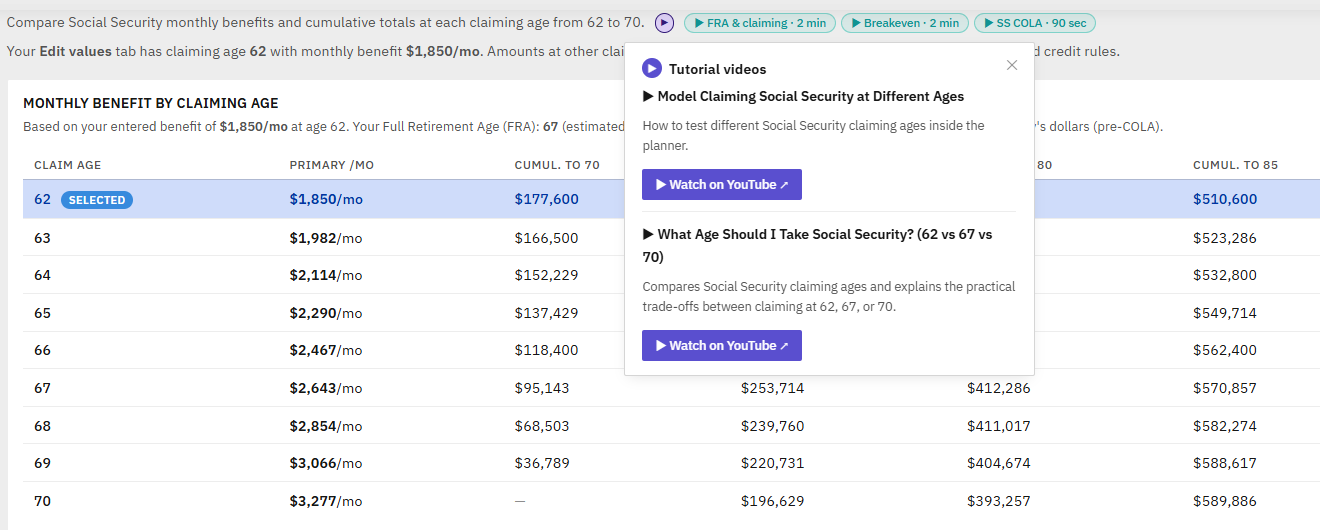
Reading is one way to learn the planner. Watching is another. Every major feature of v6 now has a tutorial video, surfaced two ways inside the app:
Contextual ▶ buttons throughout the planner. Small purple ▶ icons sit next to the Plan Health badge, the AI Chat tab, the Audit modal header, the SS Optimizer, Drawdown Strategies, StressTest, Scenarios, Tax & ACA notes, the Roth Conversion Import section, and more. Click any of them and a small popover appears with the relevant video's title, a one-sentence description, and a direct "Watch on YouTube ↗" button. Right tool, right moment.
A dedicated Video tutorials tab in the Help modal. All 22 tutorials in one place, organised into eight topic groups: Getting started, Setup & data, Analysis tools, AI features, Roth conversions, Tax & ACA, Keeping current, and Scenario walkthroughs. Each card shows the YouTube thumbnail, title, one-line description, and a one-click link. A search bar at the top filters live — type "Roth" and only the Roth video remains.
Privacy-first by design. Zero YouTube iframes embedded anywhere in the planner. Thumbnails load lazily from img.youtube.com (cookieless). Every "play" action opens YouTube in a new browser tab — no tracking until you click through.The planner page weight is unchanged.
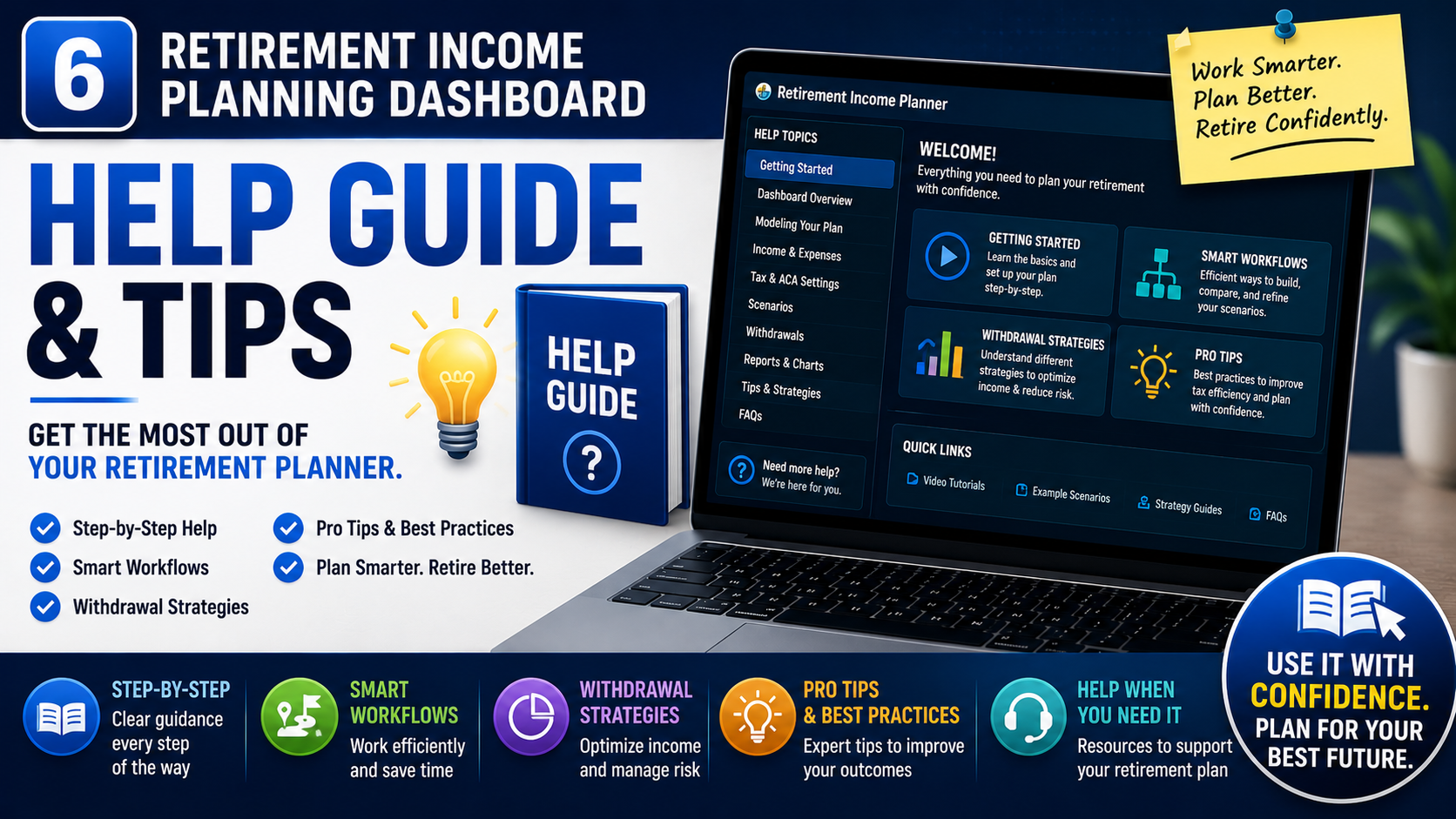
Now learn as you plan. v6 turns the Retirement Income Planner into the most educational retirement tool you'll ever use — every confusing acronym, every scary threshold, every "wait, what does this mean?" moment now has a plain-English answer one click away.
Most retirement planners are built around the assumption that you're planning ahead. If you're already in retirement when you start using the planner, those tools force you to either re-create your situation from scratch or model a hypothetical "what if I were starting today" plan.v6 takes a different approach.
A dedicated Replan from today workflow lets you fast-forward your plan to your actual current age, real current balances, and real current Social Security / UK State Pension payment amounts — trimming phases you've already lived through and re-anchoring everything from today.
Replan now correctly preserves the spouse's age relative to the primary across replans — so couples with a 3+ year age gap don't see their gap drift as they replan over time.
Recommended flow for already-retired users:
Guidance is built in at five touchpoints: an inline directive in the wizard, a dedicated tile on the wizard's final page, a floating "Already retired?" nudge that appears after the wizard, a complete numbered walkthrough in the Help modal, and a first-time-user intro inside the Replan panel itself. You can't reasonably miss the right path.

Retirement planning is full of jargon that costs real money to misunderstand — MAGI, IRMAA, FRA, ACA cliffs, RMDs, bracket headroom, the lookback rule. Most planning tools assume you already know all of it. Version 6 teaches you as you go.
Click any ⓘ for a plain-English answer
Small info icons sit next to every confusing field on the Edit tab — Roth conversions, IRMAA threshold, ACA 400% FPL cliff, equity gain %, Monte Carlo, and 18 more. Click any of them and a focused popover explains what it is, why it matters, and what gets it wrong in about 60 words. No hover triggers, no accidental popups — every popover is intentional.
Phasecards talk back to you
Every badge on every phase card is now clickable bracket pill, ACA subsidy, ACA CSR, IRMAA warning, RMD warning, Real-income cell. Click and you get an explanation using your actual numbers — "You're $4,200 below the 12% ceiling — you could withdraw an extra $4,200/yr from 401k or convert that much to Roth without bumping into 22%." This is how concepts stick: when they're tied to your own plan.
Plan Health checks now explain themselves
The 8-check Plan Health panel already told you what was passing and failing. v6 adds a "Why this matters" chevron under each check — open it to learn what the check tests, why it's important to a working retirement, and what to do if it fails. Education and prescription in one panel.
Personalized "Concepts to learn" panel
A collapsible card on your Overview tab uses 10 rules to surface the 3–4 retirement concepts most relevant to your plan right now. The card can be collapsed to a thin status bar (showing the suggestion count) and re-expanded at any time — your preference persists across sessions. Uses 10 rules to surface the 3–4 retirement concepts most relevant to your plan right now. Have a Roth balance with no conversions scheduled? It tells you. Approaching the IRMAA cliff? It flags it. Within 15% of the ACA 400% FPL line? It nudges you. Different plans get different suggestions, automatically.
A new "What-if?" explorer tab 🧪
Four live sandbox calculators let you experience trade-offs hands-on without ever touching your saved plan:
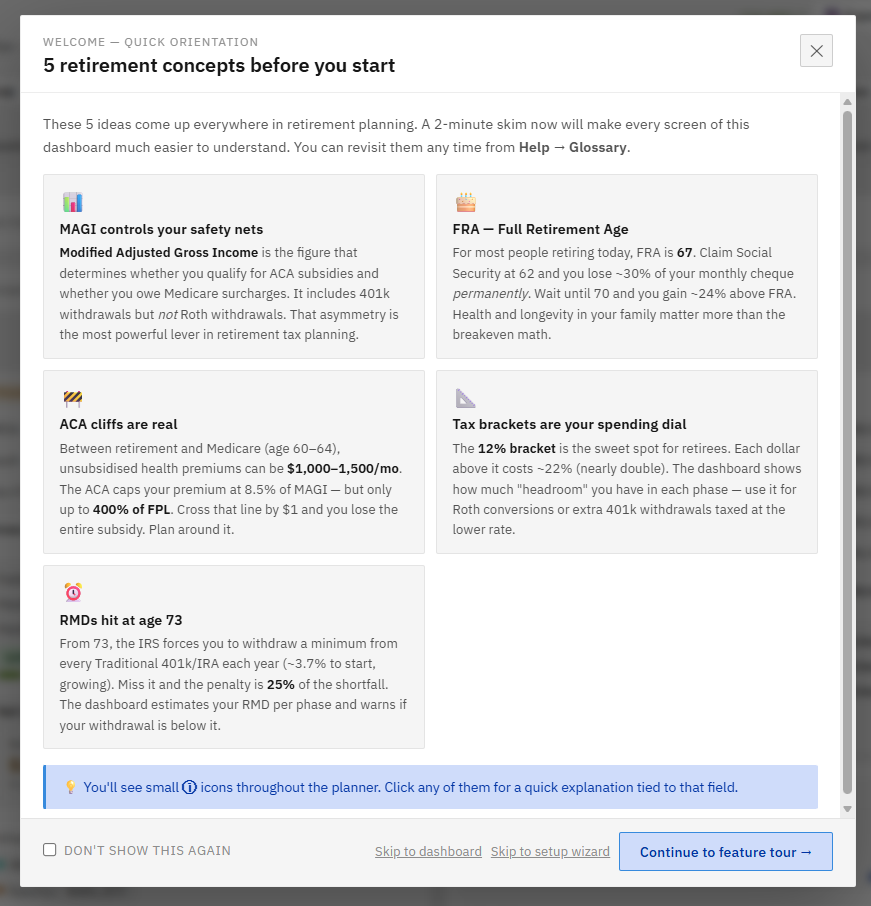
On first load, before the Setup Wizard, a 5-card primer covers the retirement-planning ideas you most need to understand: MAGI, FRA, ACA cliff, RMD, and bracket strategy. Two minutes of orientation makes every screen of the planner click into place.
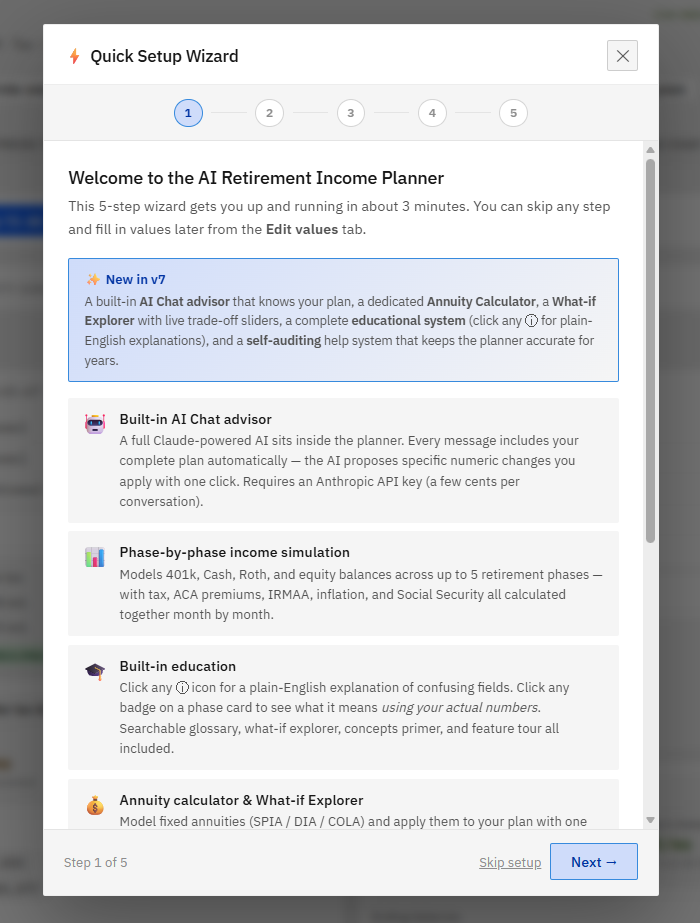
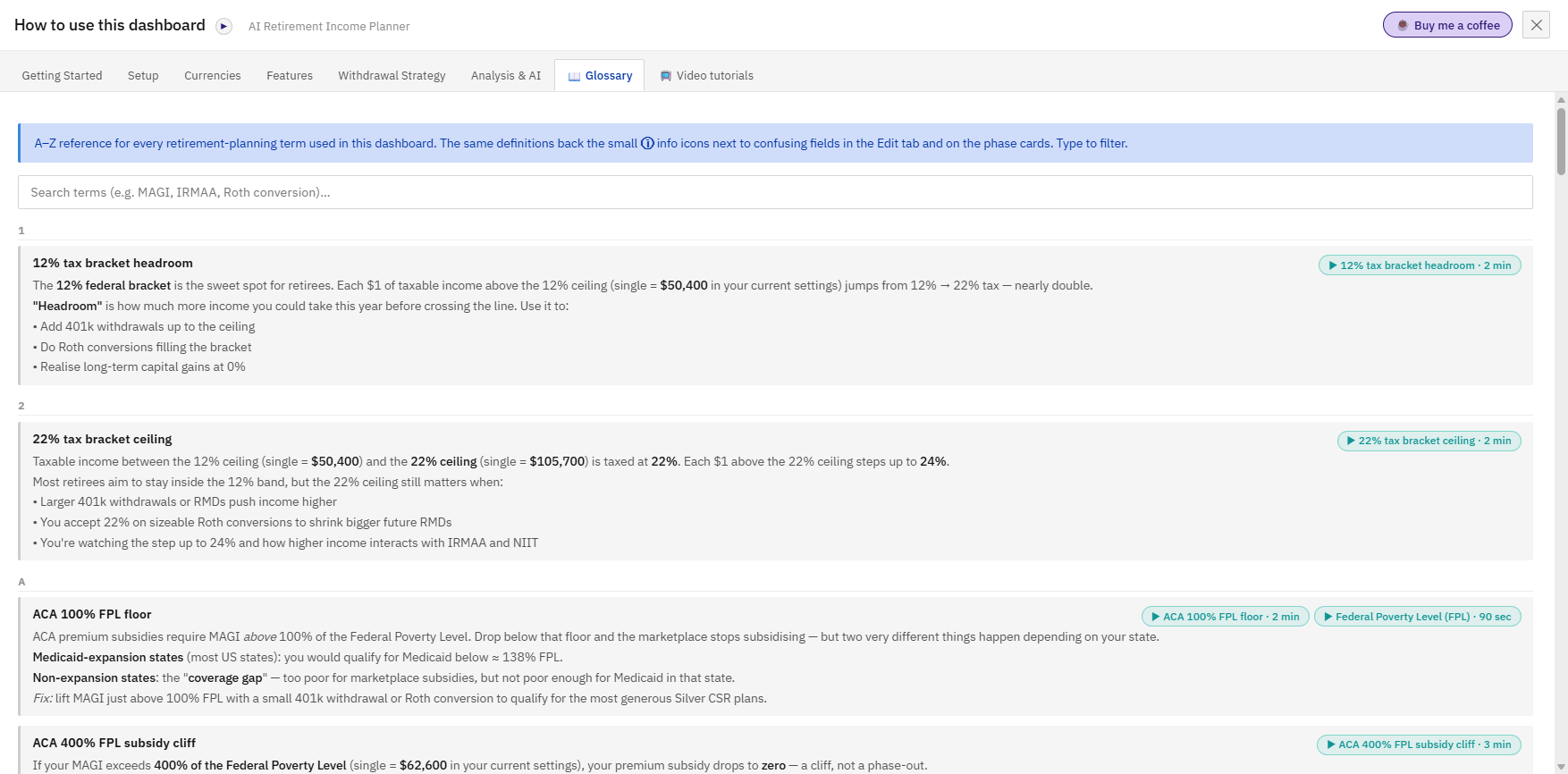
A new Glossary tab in the Help modal indexes every term — type to filter, click any of the 23 entries for the full definition. Every ⓘ popover deep-links to its glossary entry via "Read more →".
The Help modal now has a 🎯 Take the Feature Tour button — a 9-step guided overlay that highlights and explains the most important parts of the dashboard one at a time. Perfect for new users and a great refresher when you comeback to the planner after months away.
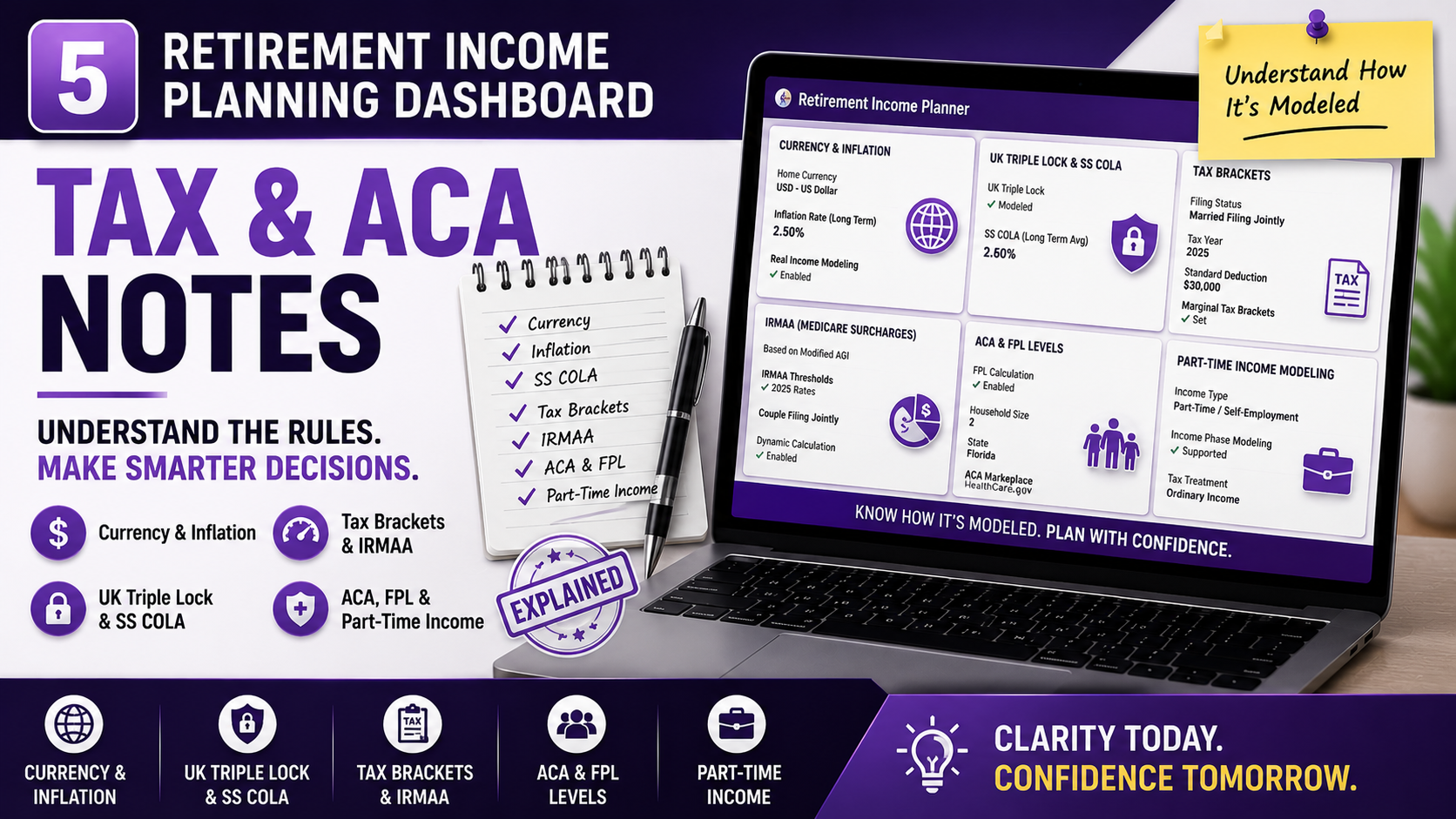
A new toggle in the Edit tab lets non-US persons (no citizenship, no green card, no substantial presence) zero out all US federal tax, IRMAA, ACA, and SS-provisional calculations in one click. The UI hides US-specific inputs (MFJ toggle, bracket cards) when off; Plan Health correctly marks US checks as N/A; the AI chat is told not to suggest Roth-conversion or bracket-optimisation strategies. Default-on for backward compatibility.
Three quick-toggle buttons (A − / A / A+) sit beside the dark-mode switch in the top-right. One click jumps between 100%, 110%, and 120%— like browser zoom but inside the app. Choice persists across sessions and works in both light and dark mode. No need to zoom the whole browser and break other tabs.
Three new MFJ inputs: spouse SS amount, spouse claim age (62–70), and spouse current age. Replaces the old assumption that spouses are the same age and claim at 62. The model now correctly gates spouse SS to start when the spouse (not the primary) reaches the claim age — accurate for couples with a 3+year age gap. Replan from today automatically preserves the age delta.
Most planners assume both partners live to the end. Reality is harsher: when the first spouse dies, the household keeps only the larger Social Security check (the smaller one stops) the survivor usually files as single the very next year — roughly half the bracket widths and standard deduction —even though one person's living costs rarely drop to half a couple's. Planners call it the "widow's tax cliff."
Version 7 models it. Set a death age and the planner re-projects from that point using your actual balances at the time, single-filer tax, and the surviving benefit — then shows the before-and-after net income, the Social Security lost, and the tax increase, all in one view inside the What-if explorer. A new "Survivor Income Resilience" Plan-Health check flags when the drop is severe, so you can weigh life insurance, a survivor pension election, or building Roth assets before it matters.
New: you can now set the survivor's spending need as a percentage of the couple's (most planners ignore this — a survivor typically needs ~70–75%, not 100%). The planner then shows whether the survivor's projected income covers that reduced need — e.g. 'income covers 92% of need' — and the Survivor Income Resilience check grades on that sufficiency rather than a raw income drop, so the verdict reflects real life instead of an artificially scary cliff.
(Married-Filing-Jointly plans; nothing changes your saved plan —it's a sandbox.)
The reference essays now have a sticky table of contents with 23 jump-links and smooth-scroll anchors. Land on the topic you need in two clicks. Mobile collapses to a single column automatically.
Why this matters
Most retirees discover MAGI the year they get hit with an IRMAA surcharge. Most figure out ACA cliffs the year their premium subsidy disappears. Most learn about RMDs the year the IRS sends a 25% penalty notice.
With v6, you can learn these concepts on a peaceful Saturday morning instead of a stressful tax-filing afternoon — using your own numbers, in the same tool you use to plan. By the time you actually retire, the jargon won't be jargon anymore. It'll be the language you think in.
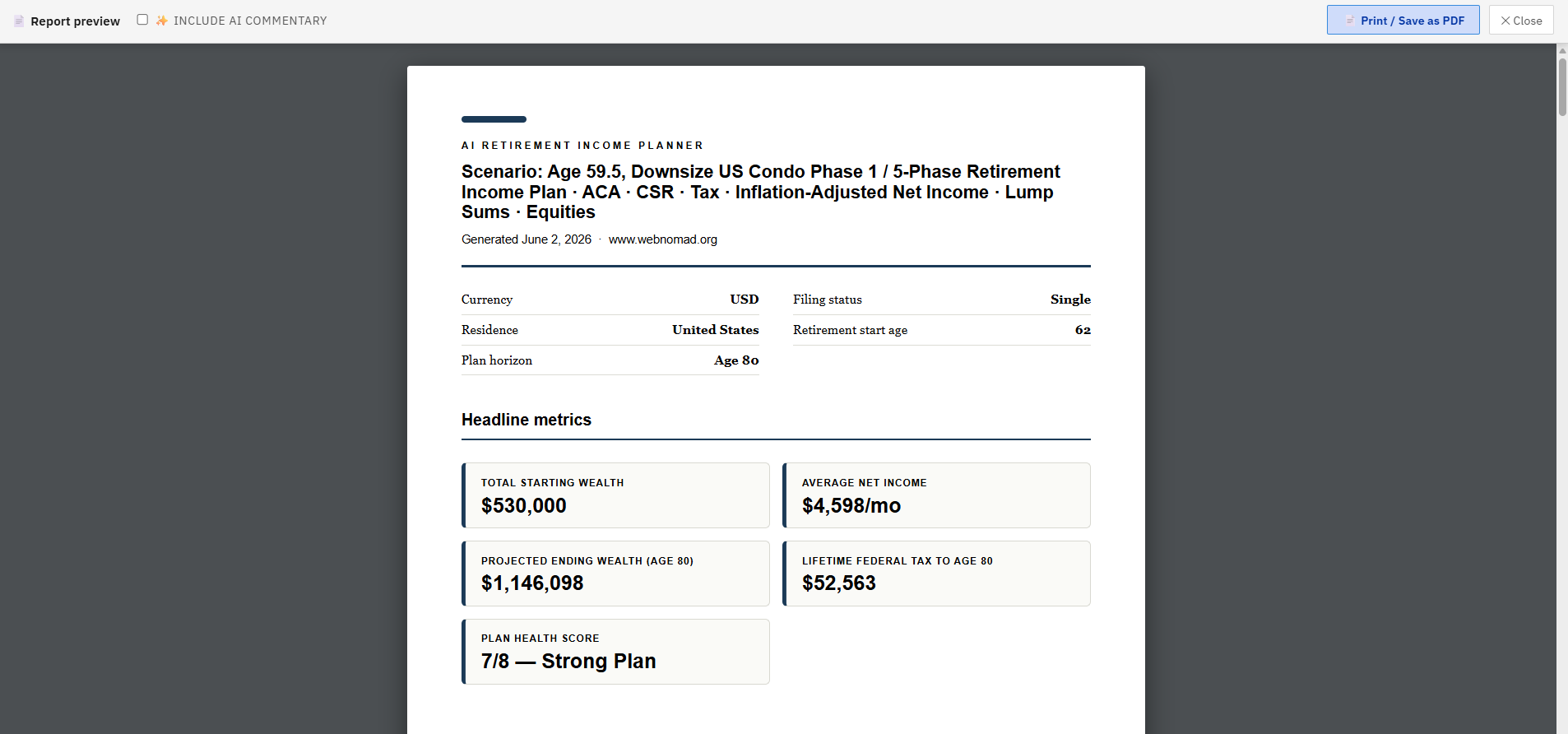
New in v7: the report also includes an asset-allocation breakdown (by account and by tax treatment), a plan-resilience page (Monte Carlo successrate + 12-scenario stress grid), and your portfolio charts — and a pagination rebuild means no more blank pages when you print.
The Export PDF button now produces a polished 5-page report instead of a dashboard dump:
Optional AI-enhanced commentary for users with an Anthropic API key — Claude writes a 60-word plain-English plan summary on the cover page, plus a short narrative under each flagged risk explaining why it matters for your specific numbers. ~$0.10 per export.
Safety architecture: every dollar figure, threshold, and computed value is deterministic — AI only writes interpretive prose around facts already in your plan. Constrained prompt: AI cannot produce new numbers, only reference existing ones. AI-generated paragraphs are visually marked in the PDF (blue accent, italic, "AI-generated commentary" label) so the reader always knows what's computed vs interpreted.
Inline-editable preview — review the AI commentary in a popup, click any paragraph to edit it, regenerate for a different take, or skip AI entirely and fall back to the rule-based report. Nothing reaches your PDF without your explicit approval.
The artefact you'd actually be happy to share with your CFP, your spouse, or your future self.
Many planners only show broad annual estimates. They often miss the details that can make or break a retirement plan:
This planner was built to show those moving parts in one place.
Model your income across multiple retirement phases and compare how different choices affect your cash flow, taxes, healthcare costs, and account balances.
Use it to answer questions like:
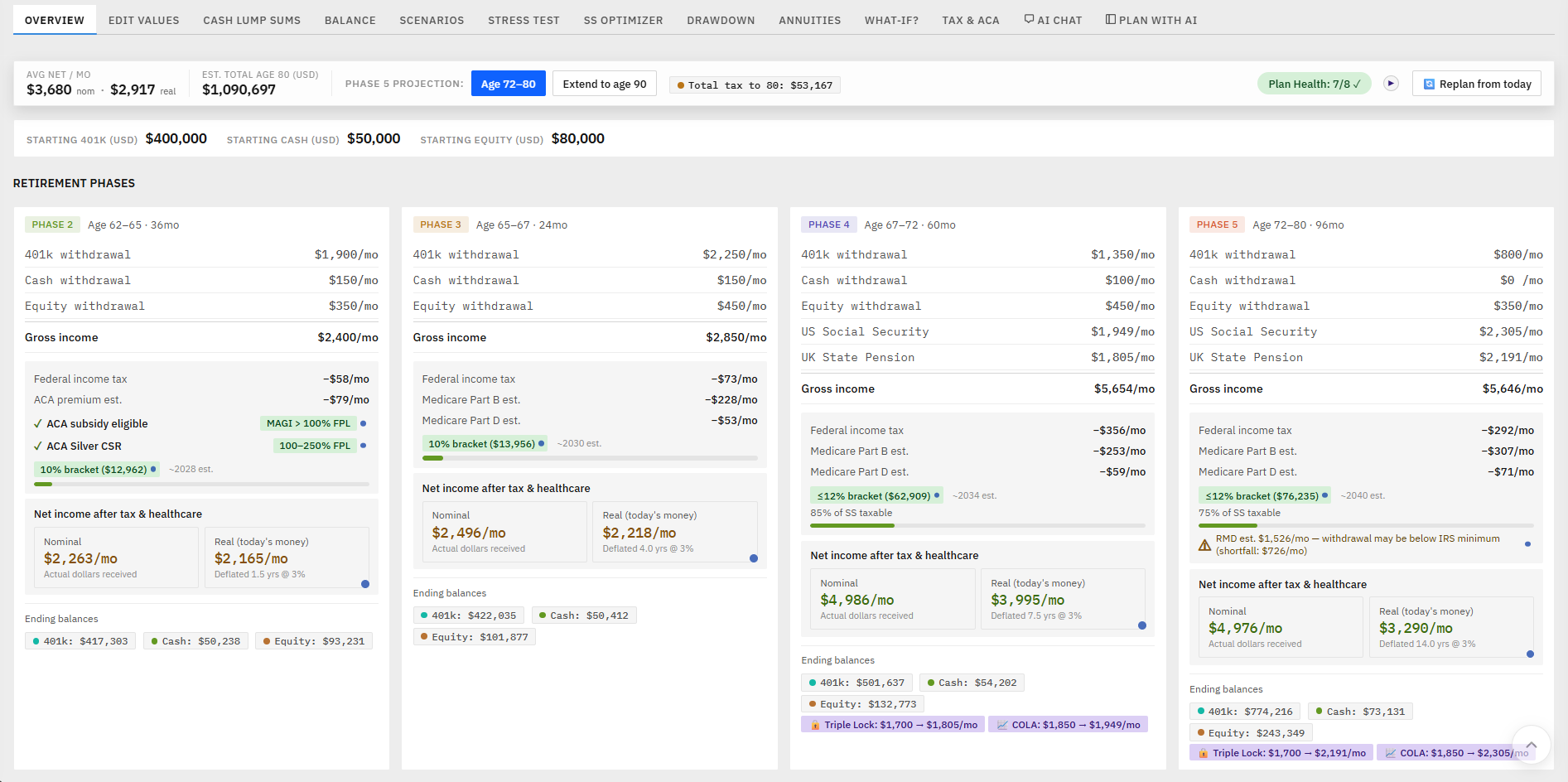
Retirement income phases
Build up to 5 retirement phases with different income and withdrawal settings.
401k, cash, equities, and Roth planning
Track balances, growth, withdrawals, Roth conversions, and taxable income effects.
Social Security and UK State Pension
Model monthly benefits, COLA, Triple Lock, claiming-age timing for both primary and spouse, with age-gap support for MFJ couples. Claiming‑age timing for both primary and spouse — including a best‑combined‑claiming search that recommends the optimal pair and protects the surviving spouse's income.
Taxes and healthcare
Estimate US federal tax (or none for non-US persons), UK tax with Foreign Tax Credit, ACA subsidy, Medicare, IRMAA risk. US state income tax (flat rate), the 3.8% Net Investment Income Tax, and birth-year-accurate Social Security Full Retirement Age.
Expat and multi-currency planning
Use USD, GBP, CAD, AUD, PHP, and THB with currency conversion support plus overseas/private healthcare costs when US Medicare/ACA don't apply.
Survivor scenario
Model the surviving spouse's income after the first death.
AI advisor prompt
Copy a structured retirement plan summary into ChatGPT, Claude, Gemini, or another AI assistant for a second opinion.
Charts and projections
View account balances, retirement income, stress tests, and scenario comparisons visually.
Save, compare, export, and import
Auto-save locally, export JSON backups, import plans into newer versions, and print to PDF. Keep up to 3 plans side by side.
This is not a subscription calculator or a generic spreadsheet.
It is a private, downloadable planning dashboard that runs in your browser.
You buy it once, keep the file, and use it as often as you want. Your data does not get uploaded to a server. There is no login, no monthly fee, and no financial account connection required.
It is designed for people who want more control than a basic retirement calculator — especially early retirees, expats, Roth conversion planners, and anyone trying to manage tax and healthcare timing carefully.
The big-name planners are powerful, but most are subscriptions that ask you to link bank and brokerage accounts and live in the cloud. This one takes a different path on purpose:
Your data does not get uploaded to a server. There is no login, no monthly fee, and no financial account connection required.
It is designed for people who want more control than a basic retirement calculator — especially early retirees, expats, Roth conversion planners, and anyone trying to manage tax and healthcare timing carefully.
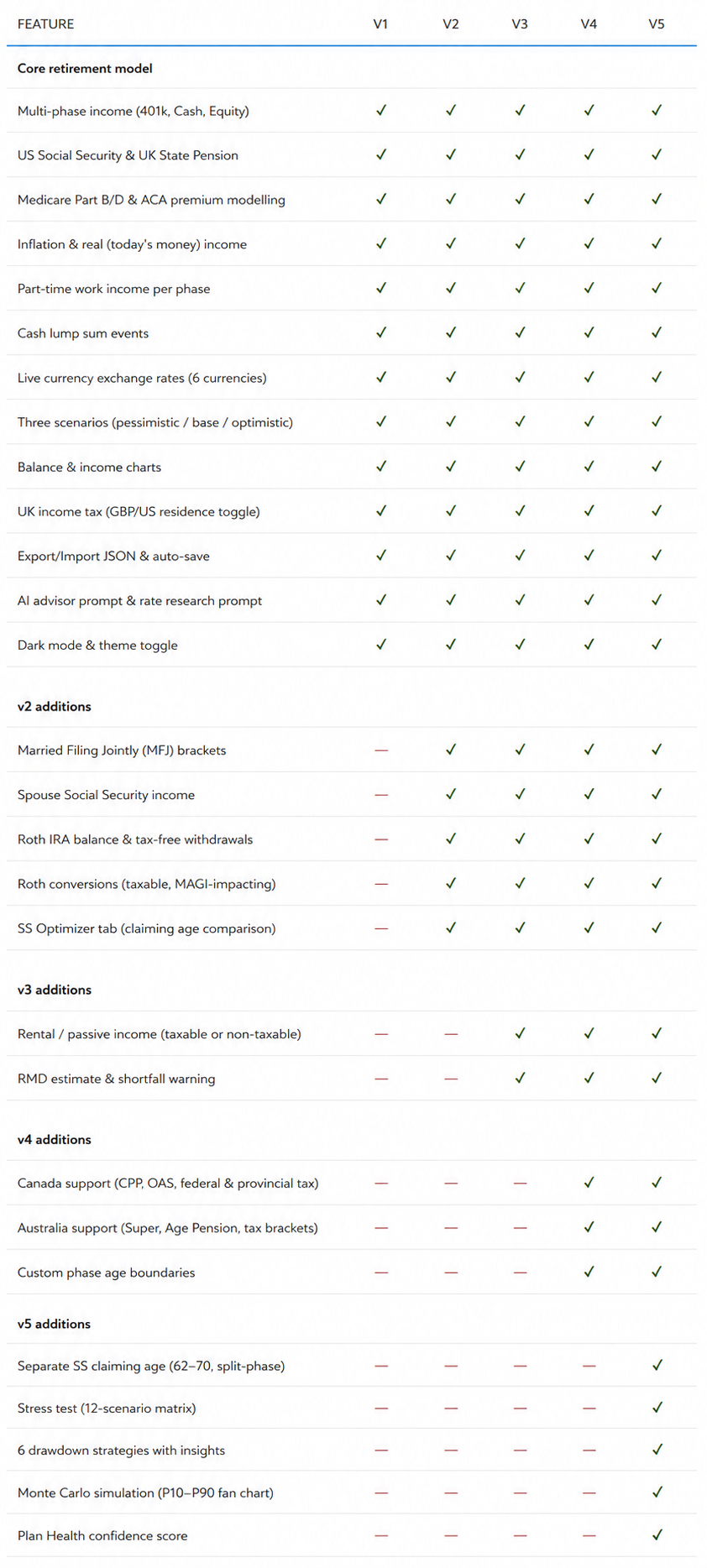
Version 1 — Core Planner
Best for single filers who want the essential retirement income model: 401k, cash, equities, Social Security, UK State Pension, Medicare, ACA, tax estimates, charts, inflation, currency support, and AI prompts.
Version 2 — Roth + Couples Upgrade
Adds Married Filing Jointly, spouse Social Security, Roth IRA balances, Roth withdrawals, Roth conversions, and the Social Security Optimizer.
Version 3 — Rental Income + RMD Planning
Adds rental/passive income modelling and Required Minimum Distribution estimates.
Version 4 — Canada/Australia + Custom Phases
Adds Canada and Australia support, including CPP, OAS, Superannuation, Age Pension, and custom phase age boundaries.
Version 5 — Complete Planner
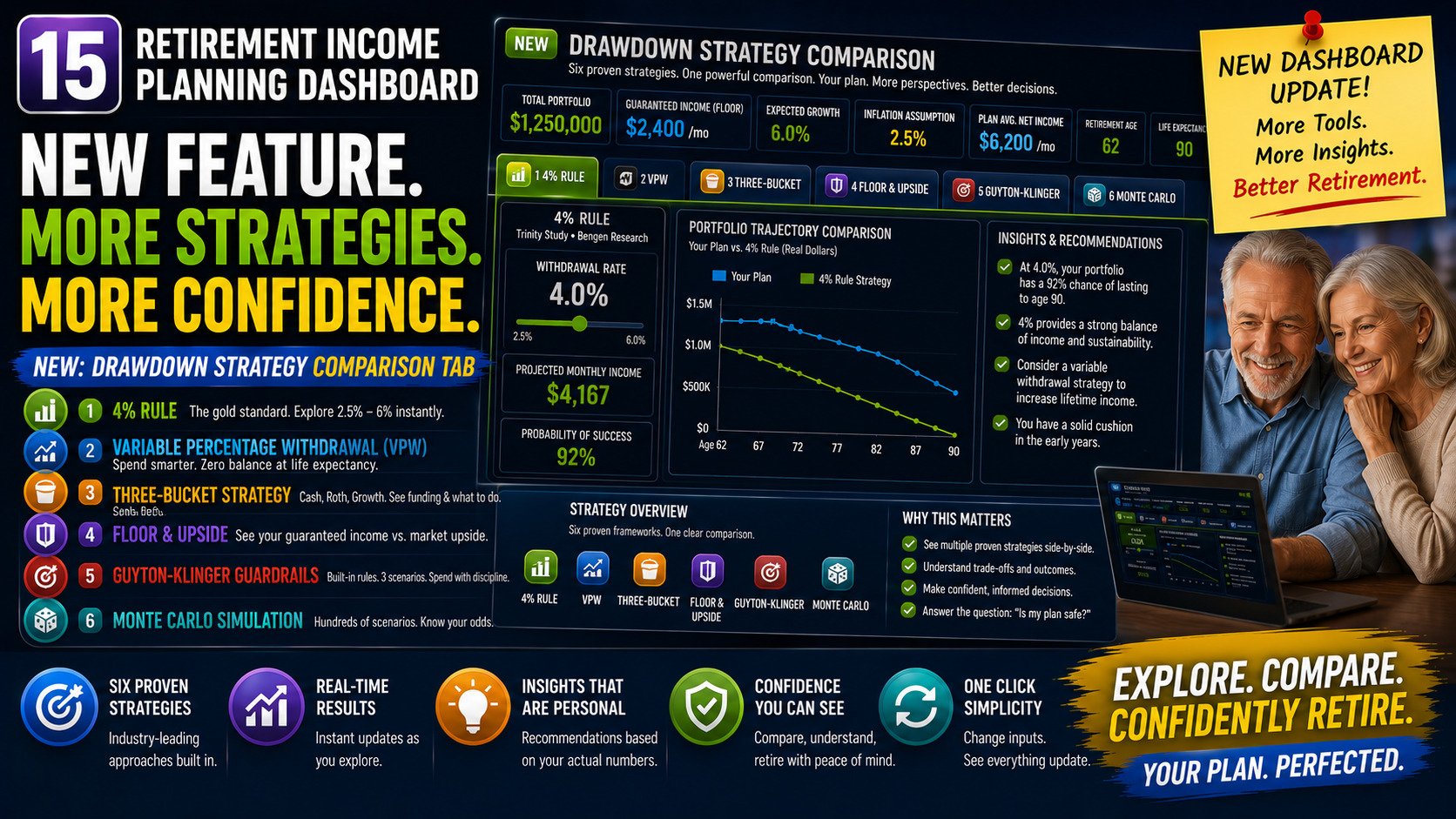
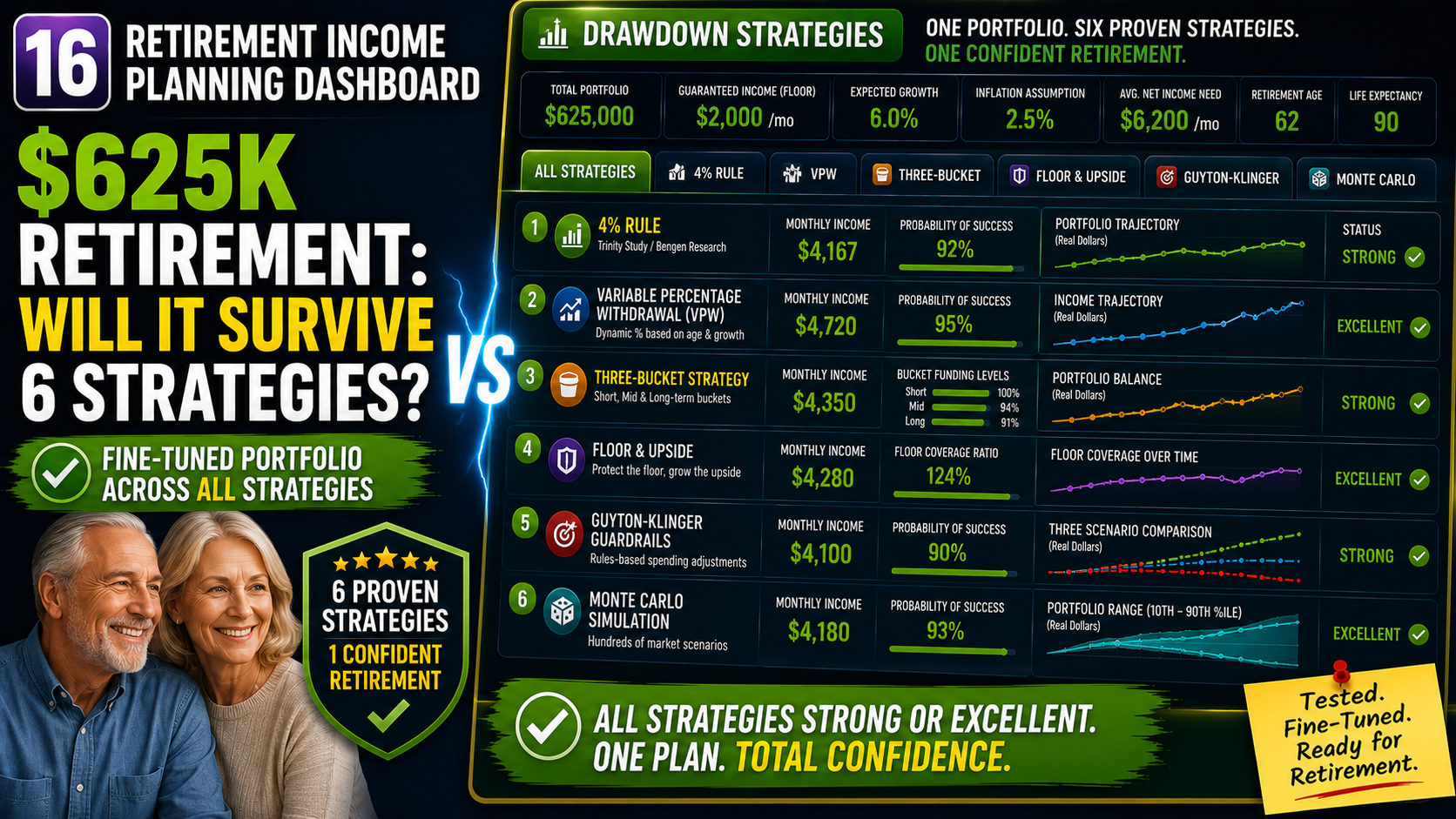
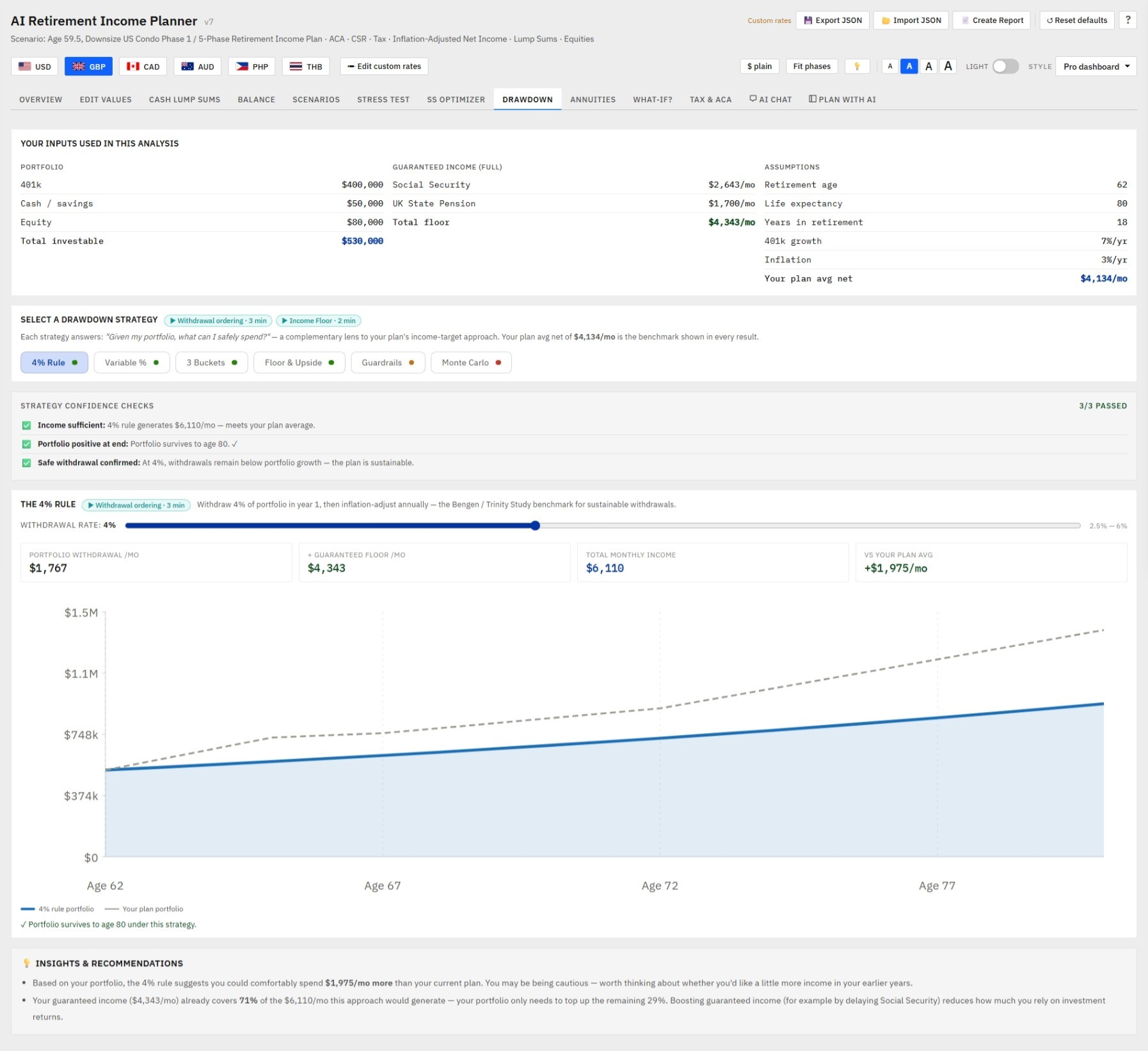
Includes everything: separate Social Security claiming age, stress testing, drawdown strategies, Monte Carlo simulation, and Plan Health confidence scoring including 4% Rule, Variable Percentage, 3 Buckets, Floor & Upside, Guardrails, and Monte Carlo — with insights & recommendations.
Version 6 — Chat with AI
🤖 Built-in AI Chat advisor (Claude integration)
🔄 One-click Fetch current tax rates
🔎 AI audit of help content claims
🤖 One-click apply for AI-corrected prose
💰 Annuity calculator (SPIA / DIA / Fixed + COLA) with lump-sum funding
🎓 Built-in retirement education system — 24 ⓘ explainers, clickable phase-card badges, "Concepts to learn" panel, What-if Explorer, Concepts Primer, A–Z Glossary, Feature Tour
🛡️ Plan Health panel with acknowledgement, drawdown strategy ratings, two-tier floor thresholds
📊 Plain-language drawdown strategy insights
👫 Spouse claim age + age-gap modelling for MFJ couples
🌐 Non-US taxpayer mode
🔤 Inline text-size toggle (100% / 110% / 120%)
📍 Always-visible AI context status pill
🚩 Inline SVG flag icons
📺 Contextual video tutorials throughout the app + a dedicated Video Tutorials tab in the Help modal 📘 Comprehensive 63-page printable User Guide as a downloadable companion
🟣 Audit-modal upgrades: always-visible Apply / Revert buttons, persistent verification badge, all-current banner, evergreen prose rewrites
☀️ Softer paper-tone light theme (less stark white, easier on the eyes)
🤖 Dynamic model picker — auto-detects new Claude models as Anthropic releases them, auto-removes deprecated ones
🤖 Built-in AI Chat advisor (Claude integration)
Version 7 — Sharper, Broader, More Accessible - Everything in v6, plus:
👰 Survivor scenario — model the surviving spouse's income cliff + a new Plan-Health check
👫 Coordinated couples SS optimizer — finds the best primary +spouse claim‑age pair, weighted to protect the survivor's income
🏛️ US state income tax (flat rate, SS/pension exemptions) now with type-ahead state entry and an optional one-click AI lookup that fills in your state's rate and exemptions.
🎂 Birth-year-accurate Social Security FRA (66 → 67)
🧾 NIIT 3.8% surtax modelling
⏳ IRMAA 2-year lookback (real Medicare rule)
🧮 IRS-accurate Social Security taxation (gradual phase-in)
🏥 Separate healthcare-cost inflation + overseas/expat healthcare costs
🎲 Inflation-aware Monte Carlo (withdrawals rise with each run's inflation)
♿ High-contrast theme, XL 135% text, reduced-motion support
🧾 Plan-with-AI co-pilot
🧾 Ask AI about this"
🧾 chart insights
🧾 allocation+resilience in PDF
🧾saved-plan slots with side-by-side compare, plan sign-off with review reminders, and a per-amount accessible colour picker
🎨Refreshed look across all versions — December 2026
Every version from v1 onwards now shares v6's softer paper-tone light theme, three-step text-size toggle (100% / 110% / 120%), themed scrollbars that adapt to light or dark mode, pixel-identical inline SVG country flags (no more emoji-flag rendering inconsistencies between Windows and Mac), and the cleaner Layout B title row that keeps the action buttons in one row at the top.
The YouTube video tutorial library has also been threaded inside every version — a new 📺 Video tutorials tab in the Help modal listing all 22 walkthroughs by topic, plus small ▶ icons next to the features each video covers (4 icons in v1, 5 in v2-v4, 9 in v5, 14 in v6 — matching each version's available feature set).
The legacy versions don't get the AI Chat, the help-content audit, the comprehensive User Guide companion, or the model auto-discovery — those remain v6-exclusive — but the daily-use polish is now identical across the lineup. Cheaper versions no longer feel like older versions; they feel like simpler versions of the same product.
Use the table below to choose the version that matches your planning situation. Each version is a complete standalone file. You can start with a lower version and upgrade later by exporting and importing your plan data.
Note: The cleaner Layout B title row, and a sun/moon light‑dark toggle that matches the other toolbar controls.

No. Open the HTML file in a modern browser and start planning.
No. Your plan data stays in your browser’s local storage unless you choose to export a backup file.
Yes. The planner works offline once loaded. Live exchange rates require internet access.
Yes. Export your plan as JSON and import it into a newer version.
You can share exported PDFs or JSON snapshots for review. The planner file itself is licensed for single-user or household use only.
No. It is an educational planning tool. Always verify assumptions and consult a qualified professional before making financial decisions.
Yes. Toggle "Non-US — no US tax" at the top of the Edit tab. All US federal tax, IRMAA, ACA, and SS-provisional calculations zero out; the US-specific inputs (MFJ,brackets, std deduction) hide; Plan Health correctly marks US-specific checks as N/A. UK, Canadian, and Australian tax regimes still work if their respective flags are set.
Yes. The top-right toolbar has three "A" buttons (small / default / large) that scale the planner to 100% / 110% / 120%. The choice persists across sessions and works in both light and dark mode.
A: Two ways. For numeric updates (tax brackets, FPL, IRMAA, standard deduction), use the 🔄 Fetch current tax rates button on the Edit tab — one click, ~5 seconds, ~5 cents. For prose changes (rules, dates, ACA cliff status, RMD age, treaty articles), use the 🔎Audit button — Claude reviews 15 specific factual claims and lets you apply corrections with one click via a Tier 4 override system. Both require an Anthropic API key (entered once in the AI Chat tab) and both update everywhere the fact appears, with badges so you always know what was changed and when.
A: No. The Video Tutorials tab uses cookieless thumbnail images from YouTube's CDN; clicking a thumbnail opens youtube.com in a newbrowser tab. There are no embedded YouTube iframes anywhere in the planner — your visit isn't recorded by Google until you actively click through to watch.
A: Yes. On Married-Filing-Jointly plans, enable the survivor scenarioand set a death age. The planner re-projects from that age as asingle filer keeping the larger Social Security benefit, and showsthe income drop, the lost SS check, and the higher single-bracket tax— the "widow's tax cliff." A Survivor Income Resiliencecheck warns when the drop is steep.
A: Yes. On Married‑Filing‑Jointly plans with a spouse benefit entered, the SS Optimizer searches every primary × spouse claim‑age combination and recommends the best pair — weighted toward the survivor's guaranteed floor, not just total lifetime benefits. It explains the split‑claim trade‑off and lets you ask the AI about the recommendation.
A: Yes. Enter a single flat state rate in the Tax parameters (or in theSetup Wizard). Social Security is exempt by default, and you can alsoexempt pension/401k income — matching how most states treatretirement income.
A: Yes. When you select a non-US residence (UK, Canada, Australia,Philippines, Thailand), US Medicare/ACA are excluded — and an"Overseas healthcare cost /mo" field appears so you canmodel private or international insurance. It grows each phase at yourhealthcare-inflation rate.
A: Yes. Choose the High contrast style formaximum-legibility black-on-white (or white-on-black), and use thetext-size buttons for 100% / 110% / 120% / 135%. Theplanner also honours your device's "reduce motion" setting.All choices persist across sessions, in light and dark mode.
A: Yes. Simulates each change and auto-revises ones that would deplete the plan
A: Yes. Save up to three plans in your browser and compare them side by side, phase by phase. You can also mark a plan as signed off to lock in a reference point and get a reminder to review it in a year.
Stop guessing how taxes, healthcare, Social Security, pensions, withdrawals, and currency changes might affect your retirement.Use a private, one-time-purchase planner designed for detailed retirement income modelling.
Instant digital download · No subscription · Runs locally in your browser
22 video walkthroughs covering every major planner feature. As of the latest update, every video in this list is also surfaced inside the planner itself — open Help → 📺 Video tutorials to browse them all without leaving the page, or click the small ▶icons that sit next to relevant features in each tab. The integration is privacy-first: no embedded iframes, just lazy-loaded thumbnails from img.youtube.com. Click any thumbnail or icon to open the video on YouTube in a new tab.
🧮 Planning Engine
💰 Income & Withdrawal Modeling
🏥 Tax & Healthcare
🌍 Multi-Currency & International
📊 Analysis & Confidence Tools
🔗 Roth Optimizer Integration
.roth-plan.json file exported from the Roth Conversion Optimizer (available separately); the planner reads your year-by-year conversion calendar, averages amounts into each phase, and fills the Roth Conversion fields automatically — no manual calculation needed🖥️ Interface & Experience
💾 Data & Export
Created by WebNomadStudio (webnomad.org). This planner has been developed and refined across 6 major versions based on real user feedback from the retirement planning community. Every version incorporates a month-by-month simulation engine that models the interaction between US and UK tax systems, healthcare costs, inflation, and multi-currency scenarios — aspects that most retirement calculators ignore or oversimplify.
If the planner has saved you time or money, you can support continued development on Buy Me a Coffee — every version of the planner (and the Roth Conversion Optimizer) has a ☕ link in the Help modal header that links here too: ☕buymeacoffee.com/webnomad
Disclaimer: I am not a financial advisor and none of this should be considered financial advice. This tool is for educational and personal planning purposes only. It does not constitute financial, tax, legal, or investment advice. All projections are estimates based on the values you enter and are not guaranteed.
Tax laws, ACA rules, Medicare premiums, Social Security benefit structures, and UK tax parameters change regularly. You are responsible for verifying that the figures used in your plan reflect current law. Use the Rate Research Prompt to check key parameters against an AI assistant, and always consult a qualified financial advisor, tax professional, or retirement planner before making any financial decisions.
© 2026 AI-Ready Retirement Income Planner. This file is licensed for single-user personal use only, purchased via Etsy. Your purchase grants one individual (or one household) the right to use this software for personal retirement planning on their own devices. Redistribution, resale, sublicensing, or sharing of this file with any third party is strictly prohibited. All rights reserved.
Etsy: WebNomadStudio • webnomad.org • dev@webnomad.org